





 Pokemon Card Scanner
 Live Wallpapers Unlimited
Mastering Your Timepiece: A Comprehensive Guide on How to Set Mechanical Watch in 2025
In a world dominated by smart devices, the allure of a mechanical watch remains timeless. These intricate machines are more than just time-tellers. They are a testament to human ingenuity and craftsmanship. However, owning one comes with a unique responsibility: knowing how to set mechanical watch properly. This guide will walk you through every step in 2025, ensuring your cherished timepiece always displays the correct time, day, and date.
Whether you own a vintage heirloom or a brand-new automatic, the principles of setting remain largely the same. We will cover everything from initial winding to advanced setting techniques. You'll learn how to handle your watch with care. Understanding these steps is crucial for maintaining its precision and longevity. So, let's dive into the art of setting your mechanical watch.
Understanding Your Mechanical Watch: The Basics
Before we learn how to set mechanical watch, it's helpful to understand its fundamental components. Mechanical watches operate without batteries. They use a complex system of gears, springs, and levers. This intricate dance powers the hands and any complications your watch might have. Knowing these parts will make the setting process much clearer.
Types of Mechanical Watches
- Manual-Wind (Hand-Wound) Watches: You must wind these watches daily by turning the crown. This winds the mainspring, which stores the power.
- Automatic (Self-Winding) Watches: These watches wind themselves through the motion of your wrist. An internal rotor swings with your movements, winding the mainspring. If unworn for a day or two, they will stop and need a manual wind to get started.
Key Components for Setting
- The Crown: This is the small knob on the side of your watch case, usually at the 3 o'clock position. It's your primary interface for winding and setting.
- Hands: Most watches have an hour, minute, and second hand. Some also include a GMT hand or chronograph hands.
- Date/Day Window: Many mechanical watches feature a small window displaying the current date, day, or both.
- Pushers: Some watches, especially chronographs, have additional buttons (pushers) flanking the crown. These are for operating specific functions like a stopwatch. For more on setting these, check out our guide on how to set chrono watch.
Pre-Setting Checks: What to Do First
Before you begin to learn how to set mechanical watch, a few quick checks ensure a smooth process. These steps protect your watch and prepare it for accurate timekeeping. Always handle your watch with clean hands. This prevents transferring oils or dirt to the case and crown.
- Check the Power Reserve: Is your watch completely stopped, or is it still running? If it's stopped, it will need winding first. Most automatic watches have a power reserve of 38-42 hours, but some can go much longer.
- Identify Your Watch Type: As discussed, knowing if it's manual or automatic dictates the initial winding steps.
- Locate the Crown: The crown is usually at the 3 o'clock position. Some watches have it at 4 o'clock or even 9 o'clock. Understanding its location is key to knowing how to set mechanical watch.
- Consult Your Watch Manual: While this guide is comprehensive, your specific watch model might have unique features or setting instructions. Always refer to the manufacturer's manual if you have it. It provides the most accurate information for your particular timepiece.
How to Set Mechanical Watch: A Step-by-Step Guide for Time Only
This is the core process for how to set mechanical watch. Follow these steps carefully to ensure accuracy and avoid damage. Precision and a gentle touch are your best friends here. You want to feel the clicks and stops, not force them.
Step 1: Wind Your Watch (If Needed)
If your mechanical watch has stopped, it needs power to run. This is the first crucial step in learning how to set mechanical watch. Do not skip this, especially for automatic watches that have run out of power.
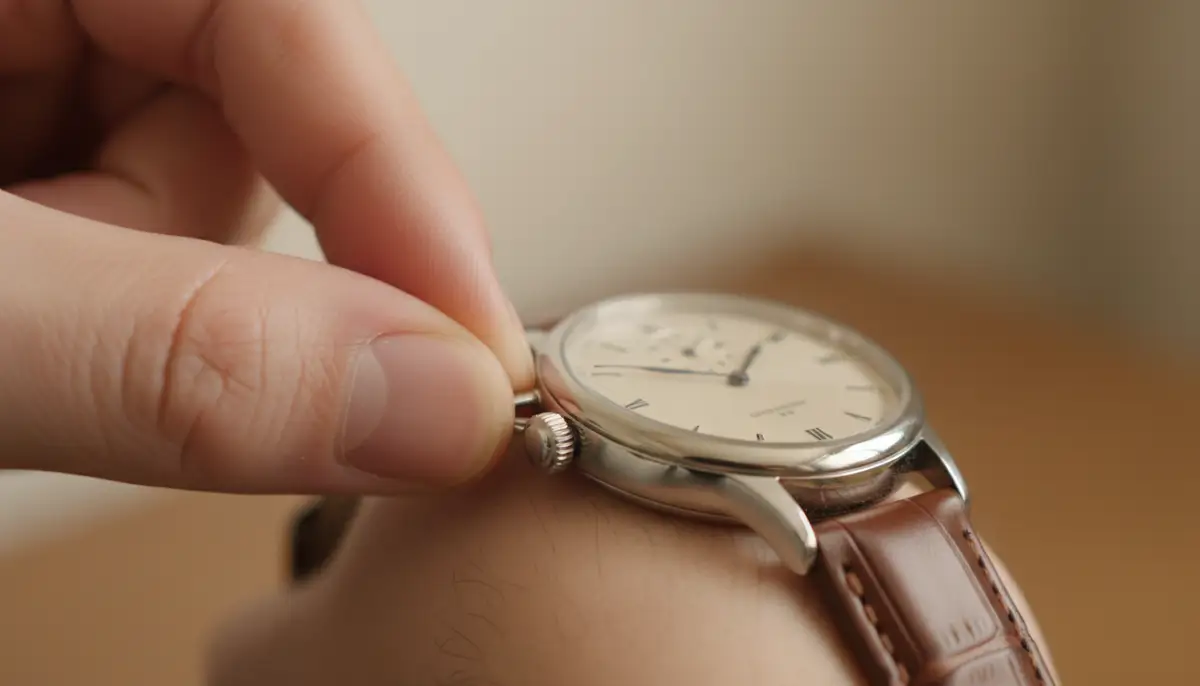
- For Manual-Wind Watches: Gently turn the crown clockwise. You will feel a slight resistance and hear a faint clicking sound. Continue winding until you feel a firm resistance. Do not force it past this point, as overwinding can damage the mainspring. About 20-30 full turns are usually sufficient for a full power reserve.
- For Automatic Watches: If your automatic watch has stopped, give it an initial manual wind. Turn the crown clockwise 20-30 times. This provides enough power for the watch to start running. After that, wearing it will keep it wound. Some experts, like those at Swiss Watch Expo, also recommend 20-30 turns to get it going.
Once wound, your watch's second hand should begin to move. If it doesn't, give it a gentle shake to help the balance wheel start oscillating. Now you are ready to proceed with how to set mechanical watch.
Step 2: Pull Out the Crown to the Time-Setting Position
The crown usually has multiple positions. You need to pull it out to the furthest position to set the time. This is often referred to as the 'second position' or 'third position' depending on the watch.
- Unscrew (if applicable): If your watch has a screw-down crown (common on dive watches for water resistance), you must first unscrew it counter-clockwise before pulling it out. Turn it until it springs free from the case.
- Gently Pull: With your thumb and forefinger, gently pull the crown away from the watch case. You will feel distinct clicks as it moves through positions. The outermost position is for time setting. For many watches, pulling the crown out to this position will 'hack' the watch, meaning the second hand stops. This allows for precise time synchronization.
- Identify Positions: The first position (closest to the case) is usually for winding. The second position might be for date setting (if applicable). The furthest position is for time setting. Bob's Watches advises gently pulling out the crown to its furthest position to set the time.
Step 3: Set the Time
Now that the crown is in the correct position, you can adjust the hands. This is a critical part of how to set mechanical watch correctly.
- Turn the Crown: Rotate the crown either clockwise or counter-clockwise to move the hour and minute hands. Always turn the hands forward (clockwise) to avoid unnecessary stress on the movement, especially if your watch has a date complication.
- Pass 12 O'Clock Twice: If your watch has a date feature, always advance the hands past 12 o'clock twice to ensure you're setting AM/PM correctly. The date will change after the first pass if it's midnight. This confirms you are in the AM period. If the date does not change, you are in the PM period.
- Synchronize Precisely: To set the time as accurately as possible, wait until the second hand reaches the 12 o'clock position. Then, pull the crown out to the time-setting position, stopping the second hand. Set the minute hand exactly to the desired minute mark. Push the crown back in precisely when your reference time (e.g., a digital clock or atomic time app) reaches that exact minute. This is a great tip from Shiels for achieving precision.
Step 4: Push the Crown Back In
Once the time is set, you must secure the crown. This ensures the watch is sealed and running properly.
- Gently Push: Push the crown firmly but gently back into its original, unwound position against the watch case. You should feel it click into place.
- Screw Down (if applicable): If you unscrewed the crown initially, you must screw it back down. Turn it clockwise while applying slight pressure towards the case until it's finger-tight. Do not overtighten.
- Verify Operation: Check that the second hand is moving (if it was hacked) and that the watch is running smoothly. Your mechanical watch is now set!
How to Set Mechanical Watch with Day and Date Complications
Many mechanical watches offer more than just time. They often include a date window, a day-of-the-week display, or both. Setting these complications requires extra care to avoid damaging the delicate movement. Knowing how to set mechanical watch with these features is a step up in watch ownership.
Understanding the 'Danger Zone'
This is perhaps the most critical rule for watches with date complications. The 'danger zone' refers to the period between approximately 9 PM and 3 AM. During this time, the watch's internal gears are engaged in changing the date and/or day. Adjusting the date or day manually during this period can cause significant damage to the movement. This is a common pitfall when learning how to set mechanical watch.

- Always Avoid: Never adjust the date or day when the watch's hands are between 9 PM and 3 AM.
- What if it's in the Danger Zone? If your watch's current time falls within this window, first advance the time past 3 AM before attempting to set the date or day. You will then need to reset the time.
Step-by-Step for Day/Date Setting
Follow these steps for how to set mechanical watch with date and day complications:
- 1. Wind the Watch: Ensure your watch is wound and running, as described in Step 1 for time-only watches.
- 2. Set Time Outside the Danger Zone: Pull the crown to the time-setting position (furthest out). Advance the hands past 3 AM. For example, set the time to 6 AM or 6 PM. This ensures the date-change mechanism is disengaged.
- 3. Set the Date (First Crown Position): Push the crown in one click to the first quick-set position (if your watch has one). Turn the crown (usually clockwise, but some are counter-clockwise) to advance the date until the previous day's date is displayed. For instance, if today is the 15th, set it to the 14th. This makes setting the exact date easier.
- 4. Set the Day (First Crown Position - if applicable): If your watch also has a day complication, you might need to turn the crown in the opposite direction in the first position, or it might be a separate pusher. Advance the day until the previous day's day is displayed.
- 5. Final Time Setting and Date/Day Advance: Pull the crown out to the time-setting position again (furthest out). Slowly advance the hour and minute hands clockwise. As you pass 12 AM (midnight), the date and day should click over to the current day and date. Continue advancing the hands until you reach the correct current time, paying attention to AM/PM. If you pass 12 PM (noon) and the date doesn't change, you're in the PM hours.
- 6. Push Crown Back In: Once everything is set, gently push the crown back into its fully closed (and screwed-down, if applicable) position.
This method ensures you never adjust the date or day while the watch's internal mechanisms are engaged, protecting your movement. Learning how to set mechanical watch with these features takes practice, but it's worth it for the longevity of your timepiece.
Advanced Tips for How to Set Mechanical Watch with Precision
For those who demand ultimate accuracy from their mechanical watches, a few advanced techniques can help. These tips are especially useful if you want to synchronize your watch with an atomic clock or a precise digital reference.
Hacking Feature for Exact Synchronization
Many modern mechanical watches include a 'hacking' feature. This means the second hand stops when you pull the crown out to the time-setting position. This allows you to set the time down to the exact second. If your watch hacks, use it!
- Stop the Second Hand: Pull the crown out when the second hand reaches 12 o'clock.
- Set the Minute Hand: Adjust the minute hand to the desired minute.
- Synchronize: Wait for your reference time (e.g., a phone displaying atomic time) to hit the exact minute. Push the crown in precisely at that moment. Your watch will start running, perfectly synchronized.
Setting Your Watch to the Correct AM/PM
As mentioned earlier, correctly identifying AM/PM is crucial for date-change mechanisms. Always advance the hands past 12 o'clock twice. If the date changes, it's midnight (AM). If it doesn't, it's noon (PM). This simple check prevents you from setting your watch 12 hours off.
The Perpetual Calendar and Annual Calendar Complications
Some high-end mechanical watches feature perpetual or annual calendars. These are incredibly complex and automatically account for different month lengths and even leap years (perpetual). Setting these often involves multiple pushers or a very specific sequence. For these, always refer to your watch's specific manual. Incorrect setting can cause significant damage and costly repairs. These are truly advanced examples of how to set mechanical watch.
Common Mistakes to Avoid When Setting Your Mechanical Watch
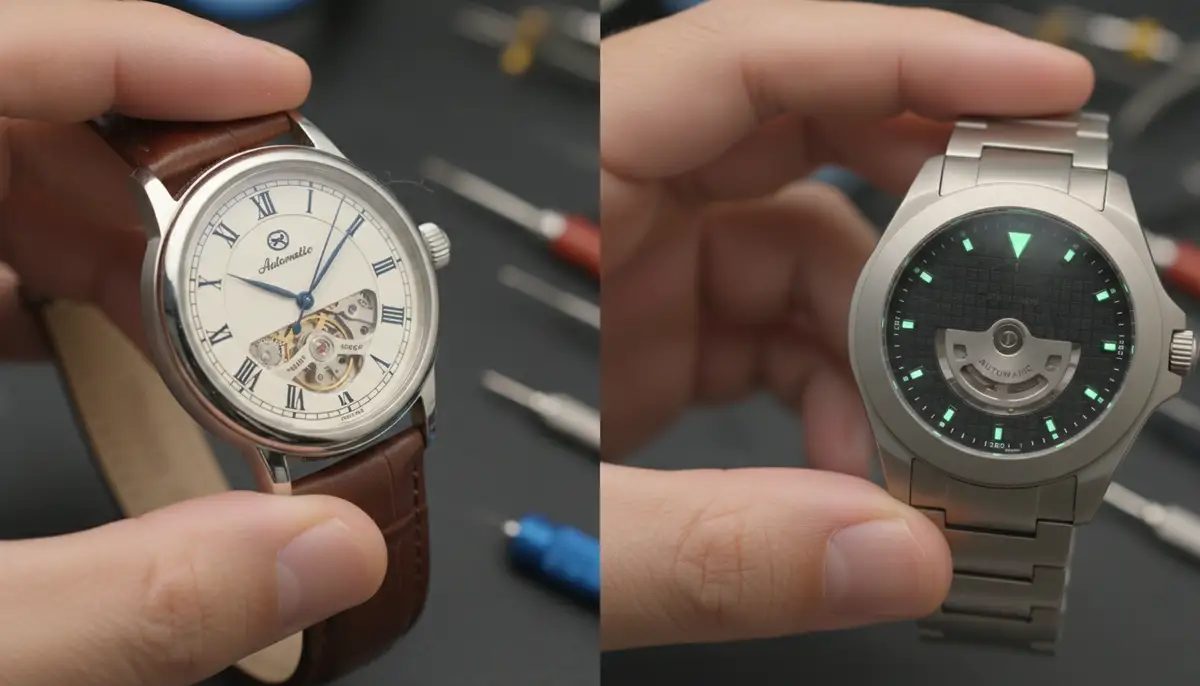
Even experienced watch enthusiasts can make mistakes. Avoiding these common pitfalls will protect your investment and ensure your watch runs accurately for years to come. Knowing these helps reinforce how to set mechanical watch correctly.
- Overwinding: Forcing the crown past the point of resistance on a manual-wind watch can break the mainspring. Always stop when you feel firm resistance.
- Setting Date/Day in the Danger Zone: This is the most common and damaging mistake. Always move the time past 3 AM before adjusting the date or day.
- Forcing the Crown: Never use excessive force when pulling out, pushing in, or turning the crown. Mechanical movements are delicate. If something feels stuck, re-evaluate your steps or consult a professional.
- Not Screwing Down a Screw-Down Crown: If your watch has a screw-down crown, failing to secure it compromises its water resistance. This can lead to water damage, which is expensive to repair.
- Ignoring the Manual: While general rules apply, each watch is unique. Your watch's manual provides specific instructions tailored to its movement and complications. Always consult it, especially for complex features.
Troubleshooting Your Mechanical Watch Setting Issues
Sometimes, despite following all the steps, your watch might not behave as expected. Here are some common issues and what to do.
- Watch Won't Start After Winding: Ensure it's fully wound. Give an automatic watch a gentle shake to kickstart the balance wheel. If it still doesn't start, the movement might need servicing.
- Crown Feels Stuck or Too Loose: If the crown is difficult to pull or push, or if it feels unusually loose, stop immediately. Do not force it. This could indicate a broken stem or other internal damage. A watchmaker should inspect it.
- Date/Day Not Changing: Check if the time is correctly set to AM/PM. If it's stuck, you might have tried to set it in the danger zone. Avoid further adjustments and seek professional help.
- Time is Inaccurate After Setting: This could be due to several factors: insufficient winding, a magnetized movement, or simply that your watch needs regulation or servicing. Observe its accuracy over a few days. If it's consistently fast or slow, it's time for a check-up.
Maintaining Your Mechanical Watch for Longevity
Knowing how to set mechanical watch is just one aspect of responsible ownership. Regular maintenance is crucial for keeping your timepiece accurate and beautiful for decades. A mechanical watch is an investment, and proper care ensures it lasts.
- Regular Servicing: Mechanical watches need professional servicing every 3-5 years. This involves cleaning, lubricating, and regulating the movement. Think of it like a car's oil change.
- Avoid Shocks and Extreme Temperatures: Mechanical movements are delicate. Protect your watch from hard impacts, extreme heat, and extreme cold.
- Water Resistance: Understand your watch's water resistance rating. Only watches rated for deep diving should be submerged. Always ensure the crown is properly screwed down before any contact with water.
- Cleaning: Gently wipe your watch case and crystal with a soft, clean cloth. For bracelets, a soft brush and mild soap can be used (if water resistant). Always ensure the crown is sealed.
Following these maintenance tips, alongside knowing how to set mechanical watch, will help preserve its intricate beauty and functionality. If you're curious about different types of watches, you might enjoy reading our detailed comparison of analog vs mechanical watch.
Comparing Mechanical Watch Setting with Digital Alternatives
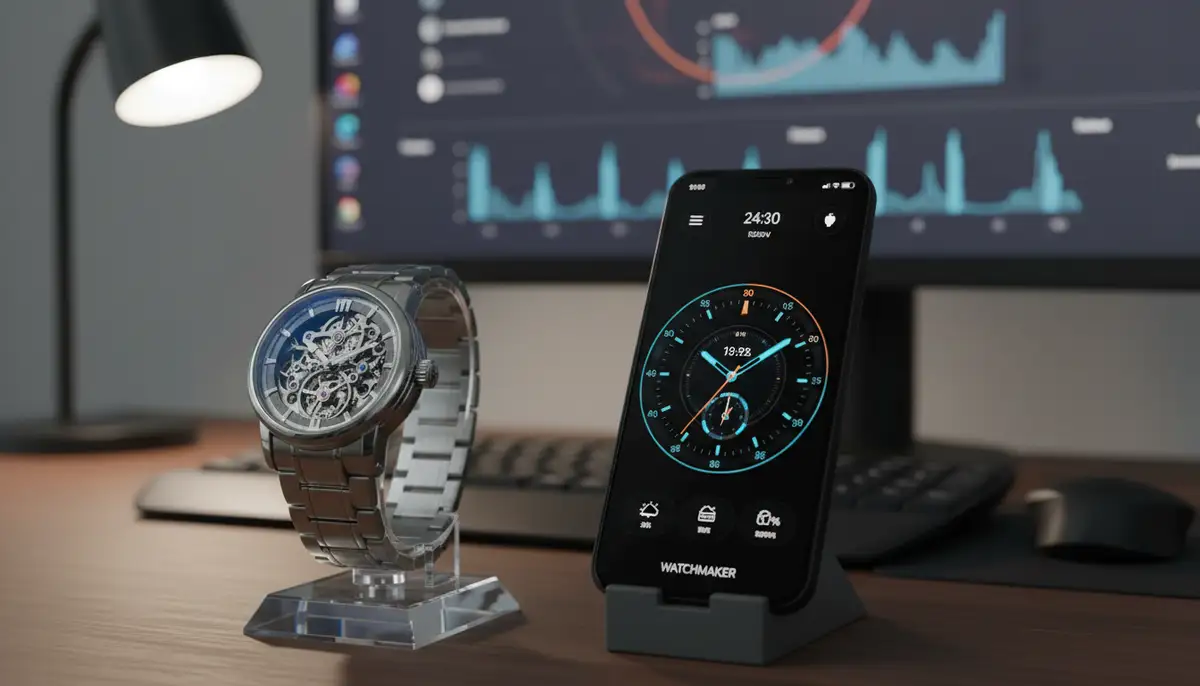
While the process of how to set mechanical watch is a hands-on art, the digital world offers a different kind of customization. Many watch enthusiasts appreciate both the tactile experience of mechanical watches and the versatility of smartwatches. For instance, platforms like WatchMaker provide thousands of unique watch faces for Apple Watch and Wear OS devices. This allows you to personalize your digital timepiece's appearance to match any style or occasion.
| Feature | Mechanical Watch Setting | Smartwatch Face Customization |
|---|---|---|
| Complexity | Manual, delicate, specific steps for time/date. | Digital, app-based, instant changes. |
| Tools Needed | Fingers, potentially a soft cloth. | Smartphone, WatchMaker app (or similar like watchfacely.com, amoledwatchfaces.com, Pujie Black). |
| Skills Required | Patience, gentle touch, understanding of 'danger zone'. | Basic app navigation, aesthetic preference. |
| Time Investment | A few minutes per setting event. | Seconds to change a watch face. |
The contrast highlights the unique charm of each. Setting a mechanical watch is a ritual. Customizing a smartwatch face, perhaps with a design from WatchMaker or exploring options from companies like watchfacely.com, amoledwatchfaces.com, or Pujie Black, is about instant personalization. Both offer distinct ways to engage with timekeeping. For a visual guide on setting day and date functions, you can watch this helpful video:
Conclusion: The Art of How to Set Mechanical Watch
Learning how to set mechanical watch is a fundamental skill for any owner. It connects you to the intricate craftsmanship and history of your timepiece. By following these detailed steps, you ensure your watch not only tells accurate time but also remains a reliable companion for years to come. Remember, patience and a gentle touch are key when interacting with these miniature marvels of engineering.
From the initial winding to setting complex day/date complications, each step contributes to the longevity and precision of your watch. Embrace this ritual. It's part of the unique experience of owning a mechanical watch. And while you cherish your mechanical timepiece, don't forget the incredible versatility offered by digital platforms like WatchMaker for your smart devices. You can explore thousands of designs and download watch faces that match your mood or outfit. Master the art of how to set mechanical watch, and enjoy every tick and tock.
Related Posts

The Watch Face Mistake Almost Every New Garmin Owner Makes
There's a predictable arc to owning a new Garmin. Day one, you install a watch face that shows everything: heart rate, steps, battery, weather, two time zones,...

The Ultimate Apple Watch Strap Guide: Find Your Perfect Fit & Style in 2025
Introduction: Your Essential Apple Watch Strap Guide for 2025 Your Apple Watch is more than just a gadget. It's a personal statement, a fitness tracker, and a...