





 Pokemon Card Scanner
 Live Wallpapers Unlimited
Mastering Your Timepiece: A Comprehensive Guide on How to Fix Casio Watch Issues in 2025
Introduction: Your Casio Watch Deserves a Second Chance
Casio watches are famous for their toughness and reliability. Many people rely on them daily. From the classic F-91W to the rugged G-Shock series, these timepieces are built to last. However, even the most dependable watches can run into problems. You might face a dead battery, a foggy screen, or unresponsive buttons. Don't worry! This comprehensive guide will show you exactly how to fix Casio watch issues in 2025. We'll cover common problems and provide actionable steps to get your beloved timepiece working like new again.
Learning how to fix Casio watch problems yourself can save you time and money. It also gives you a great sense of accomplishment. With a few basic tools and some patience, you can tackle many repairs. Let's dive in and empower you to become your own watch technician.
Why DIY Casio Watch Repair is a Smart Move
In today's world, repairing things yourself is becoming more popular. It's good for your wallet and the environment. When you learn how to fix Casio watch issues, you extend your watch's life. You also reduce electronic waste. Plus, getting hands-on with your watch can be a rewarding hobby. Many simple fixes don't require specialized skills. You just need the right guidance.
Essential Tools and a Proper Workspace for Casio Watch Repair
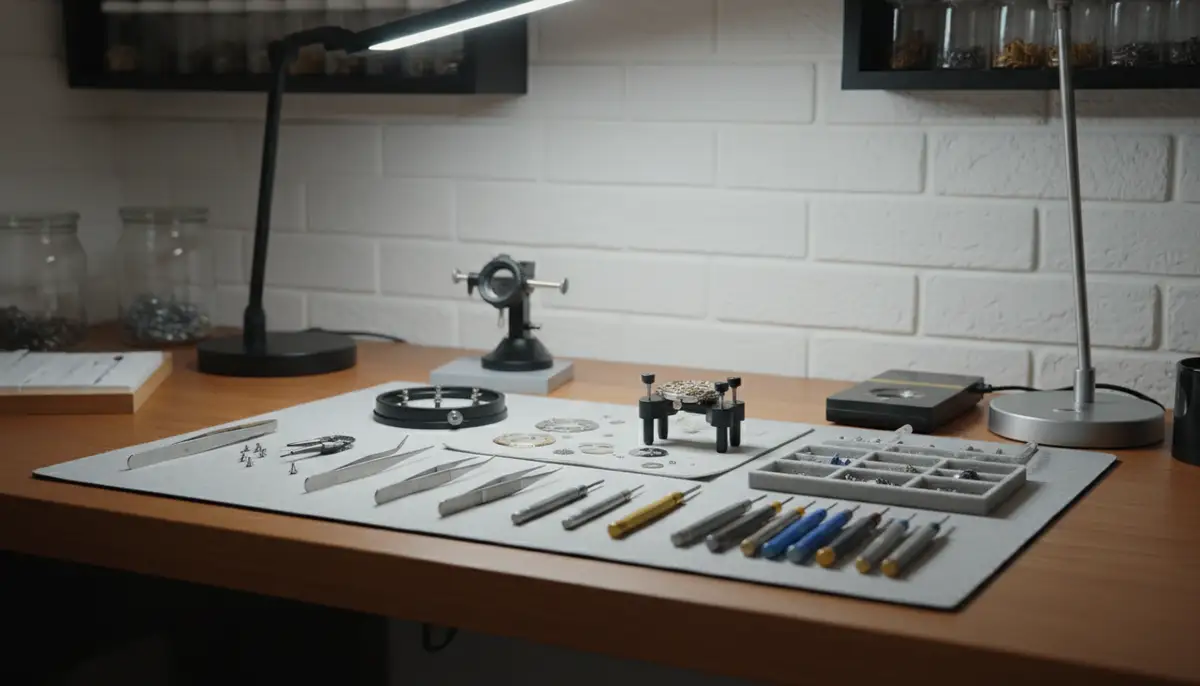
Before you start, gather the right tools. A clean, well-lit workspace is also crucial. This prevents losing tiny parts. It also helps you see what you're doing clearly. Having everything ready makes the repair process smoother and more efficient.
Must-Have Tools for Your Watch Repair Kit
- Precision screwdriver set (flathead and Phillips, very small sizes)
- Watch case opener (pry-type or jaxa-type, depending on your watch back)
- Fine-point tweezers
- Spring bar tool (for strap removal)
- Plastic or wooden pry tools (to avoid scratches)
- Magnifying glass or loupe
- Soft, lint-free cloth
- Compressed air duster
- New watch battery (check your watch model for the correct type)
- Small parts tray or magnetic mat (to keep screws organized)
You can find most of these tools online or at a local electronics store. Investing in a good quality set will make future repairs easier. Remember, cheap tools can sometimes cause damage. Always choose tools that feel sturdy in your hand.
Setting Up Your Workspace
- Choose a quiet, clean area with good lighting.
- Place a soft, light-colored cloth or mat on your desk. This prevents scratches and makes small parts visible.
- Keep a small container or magnetic mat nearby for screws and tiny components. Losing a screw is very easy.
- Wash your hands thoroughly before starting. Oil and dirt from your skin can damage delicate watch parts.
Common Casio Watch Problems and How to Fix Them
Now, let's tackle the most frequent issues. We'll go through each problem step-by-step. This section will guide you on how to fix Casio watch troubles from start to finish. Remember to work slowly and carefully.
Problem 1: Dead or Dying Battery
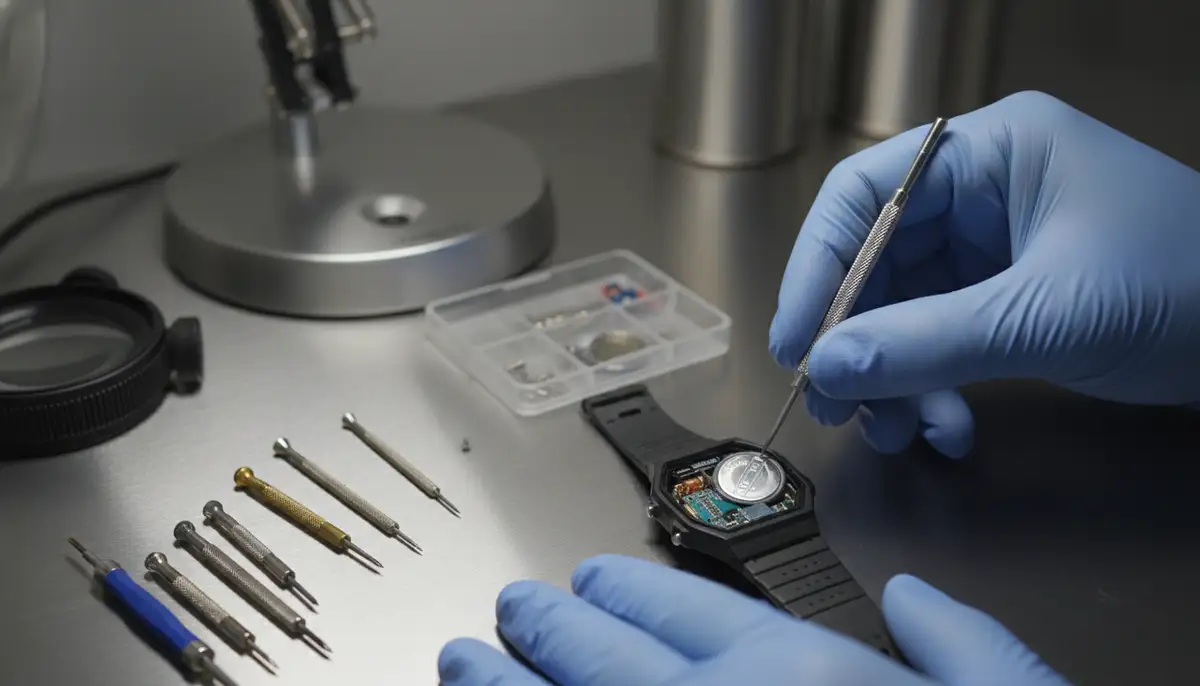
This is perhaps the most common reason a watch stops working. If your digital display is blank, or your analog hands are stuck, it's likely the battery. Knowing how to fix Casio watch battery issues is a fundamental skill.
Symptoms of a Dead Battery:
- The display is completely blank.
- The time is incorrect or flashing.
- The backlight doesn't work or is very dim.
- The watch stops running entirely.
How to Replace Your Casio Watch Battery:
- Identify Battery Type: First, you need to know which battery your watch uses. Check the back of your watch case or consult the user manual. Casio watches often use CR2016, CR2025, or CR2032 lithium batteries.
- Open the Case Back: Use your watch case opener tool. For most Casios, especially G-Shocks, this means removing four small screws. Place these screws carefully in your parts tray. For other models, you might need to pry off a snap-on back. Use a plastic pry tool to avoid scratches.
- Locate the Battery: Once the case back is off, you'll see the watch module. The battery is usually held in place by a small metal clamp or clip.
- Remove the Old Battery: Carefully unclip the metal retainer. Use your tweezers to gently lift out the old battery. Note its orientation (which side faces up).
- Insert the New Battery: Place the new battery in the same orientation as the old one. Make sure it sits snugly in its compartment. Re-secure the metal clamp or clip.
- Perform an AC Reset (Crucial for Digital Casios): Many digital Casio watches require an 'AC reset' after a battery change. Look for a small hole or an arrow pointing to a contact labeled 'AC'. Use your tweezers to short this 'AC' contact to the back of the battery (the positive terminal) for a few seconds. You should see the display flash or reset. This clears any residual charge and properly initializes the module.
- Test the Watch: Before closing, check if the watch is working. Set the time and test all buttons. If it's a G-Shock, ensure all functions (alarm, stopwatch, light) are operational.
- Replace the Case Back: Carefully align the case back. Make sure the gasket (rubber seal) is properly seated. This gasket is vital for water resistance. Screw the case back firmly but do not overtighten. If it's a snap-on back, press it down evenly until it clicks into place.
Replacing a battery is a common first step when you need to know how to fix Casio watch issues. It's often the easiest and most effective solution.
Problem 2: Water Damage
Even 'water-resistant' watches can suffer water ingress. This happens if the seals are old, or if the crown/buttons are pressed underwater. Water damage can corrode internal components quickly. Acting fast is key here.
Immediate Steps for Water Damage:
- Turn Off the Watch (if possible): For digital watches, try to remove the battery immediately if you can. This prevents short circuits.
- Do NOT Use Heat: Avoid hair dryers or ovens. Extreme heat can damage the watch's delicate electronics and seals.
- Shake Out Excess Water: Gently shake the watch to dislodge any visible water droplets.
- Open the Case Back: As quickly as possible, open the case back. This allows air to circulate and moisture to escape.
- Remove the Battery and Module: Take out the battery. Then, carefully remove the entire watch module from the case. This gives you better access to dry everything.
Drying Techniques:
- Rice Method (with caution): Place the disassembled watch parts (module, case, battery compartment) in a sealed container filled with uncooked rice or silica gel packets. These absorb moisture. Leave it for at least 48-72 hours. While common, rice can leave dust. Silica gel is better.
- Desiccant Packs: Silica gel packets (often found in new shoe boxes or electronics) are very effective. Place your watch parts with several packets in an airtight container.
- Air Dry: Allow the watch parts to air dry in a warm, dry room. Do not place them in direct sunlight.
After drying, inspect the module for corrosion. If you see green or white residue, gently clean it with a soft brush and isopropyl alcohol. Reassemble the watch. If it still doesn't work, extensive damage might have occurred. Knowing how to fix Casio watch water damage quickly can save it.
Problem 3: Screen/Display Issues (Fading, Missing Segments)
Digital Casio watches can sometimes show a faded display or missing segments. This often points to a poor connection between the LCD panel and the watch's circuit board (PCB). It's a common issue when you need to understand how to fix Casio watch display problems.
Troubleshooting Display Issues:
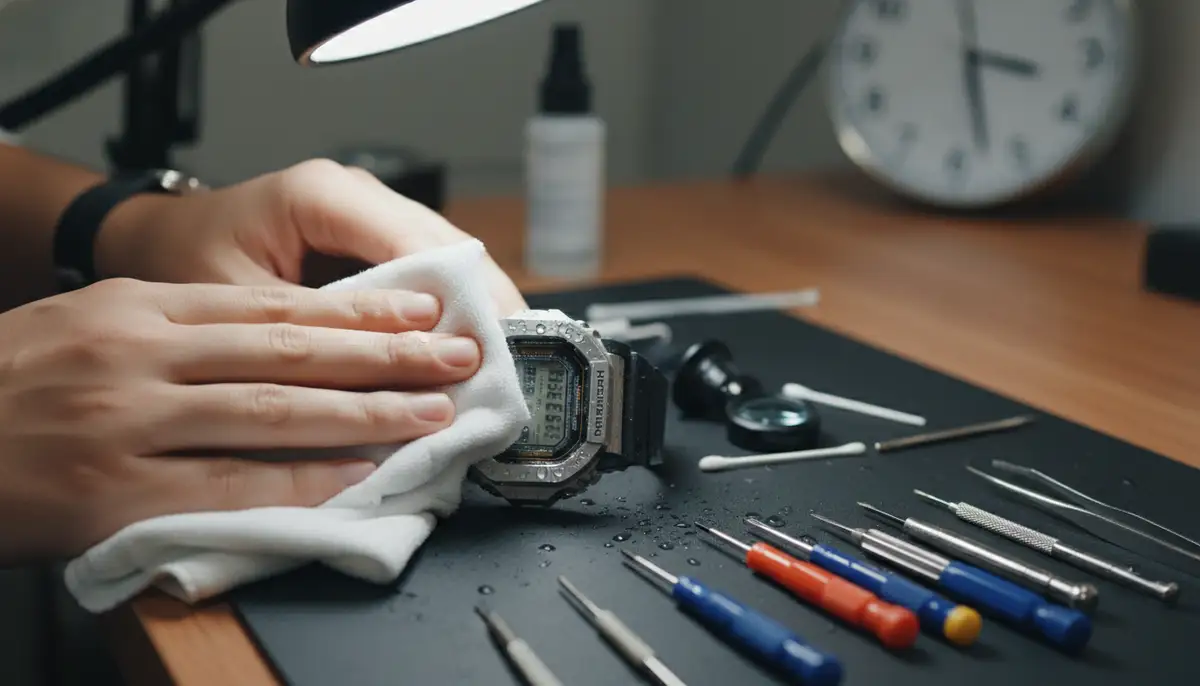
- Battery Check: First, ensure the battery is not low. A weak battery can cause a dim or incomplete display.
- Open the Watch: Remove the case back and module as you would for a battery change.
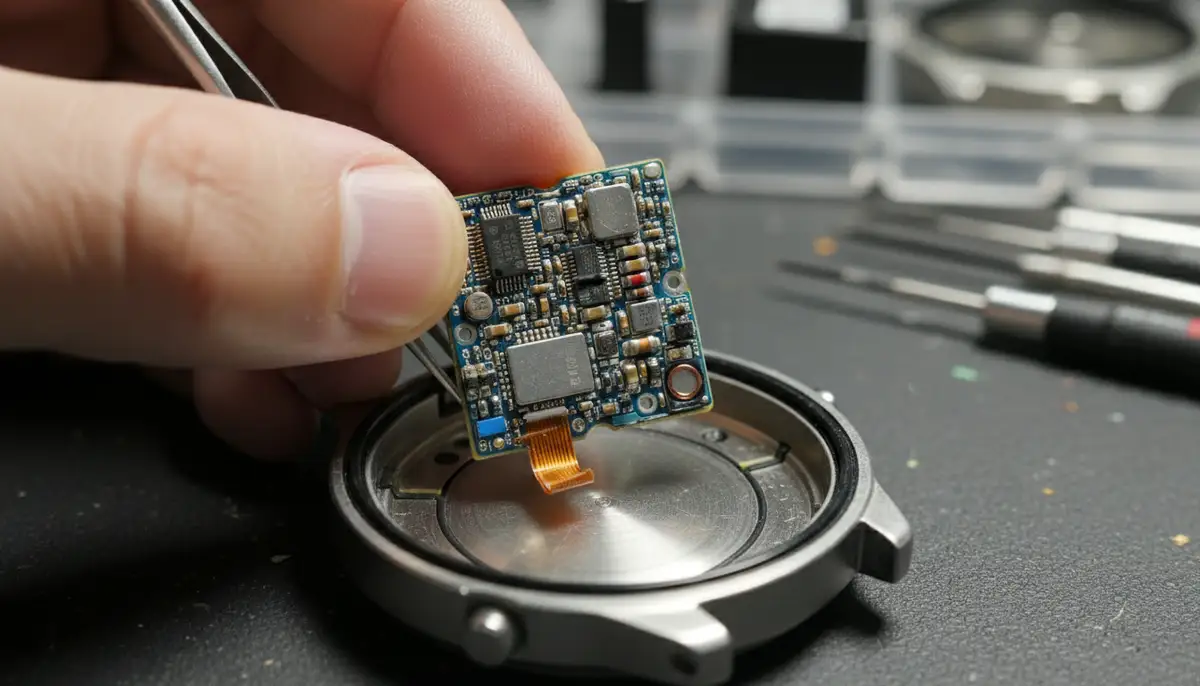
- Inspect the LCD Connector: The LCD panel usually connects to the PCB via a rubber or conductive strip. This strip ensures electrical contact. Sometimes, dirt or misalignment causes issues.
- Clean Contacts: Carefully remove the LCD and the conductive strip. Use a cotton swab dipped in isopropyl alcohol to gently clean both the contact points on the LCD and the PCB. Also, clean the conductive strip itself.
- Reassemble Carefully: Realign the conductive strip and the LCD panel. Ensure everything sits perfectly before reinserting the module into the case. Pressure from the case back helps maintain contact.
Sometimes, simply disassembling and reassembling can fix the issue. The video below offers a great visual guide for a similar problem. This can be very helpful when learning how to fix Casio watch display issues, especially related to power or connection.
Watch this helpful video for a visual demonstration on troubleshooting power-related issues:
Problem 4: Unresponsive or Sticky Buttons
Buttons on your Casio watch can become unresponsive or sticky over time. This is often due to dirt, grime, or dried lubricants. This is another area where knowing how to fix Casio watch buttons can be very useful.
Fixing Button Malfunctions:
- External Cleaning: Sometimes, surface dirt is the culprit. Use a soft brush and a little soapy water to clean around the buttons. Rinse thoroughly and dry completely.
- Internal Cleaning (for stubborn cases): If external cleaning doesn't work, you'll need to open the watch. Remove the module from the case.
- Access the Buttons: The buttons are usually part of the watch case. They have small rubber gaskets or O-rings around them. Carefully push the buttons from the outside to see how they move.
- Clean Button Shafts and Gaskets: Use a cotton swab with isopropyl alcohol to clean the shafts of the buttons and the inside of the button holes in the case. Also, clean the rubber gaskets. Replace any cracked or worn gaskets.
- Lubricate (Optional): Apply a tiny amount of silicone grease (specifically for watch gaskets) to the button shafts and gaskets. This helps them move smoothly and maintains water resistance.
- Reassemble: Put everything back together. Test the buttons before closing the case completely.
Problem 5: Strap or Band Issues
A broken or worn-out strap doesn't mean your watch is beyond repair. Replacing a band is one of the easiest ways to refresh your Casio. This is a simple aspect of how to fix Casio watch appearance and comfort.
Replacing Your Casio Watch Strap:
- Identify Strap Type: Casio watches use various strap attachments. Most common are spring bars, which hold the strap to the lugs.
- Remove Old Strap: Use your spring bar tool. Insert the fork end between the strap and the lug. Gently push the spring bar inwards to release one side. Repeat for the other side and remove the strap.
- Clean Lugs: While the strap is off, clean any dirt or grime from the watch lugs.
- Attach New Strap: Insert one end of the new spring bar into a lug hole. Then, use the spring bar tool to compress the other end of the spring bar. Guide it into the opposite lug hole. Make sure both ends are securely seated. Give it a gentle tug to confirm.
- Check Compatibility: Ensure your new strap is the correct width for your watch. Casio models have specific lug widths.
Problem 6: Time Setting or Calibration Issues
Sometimes, your watch might lose time or simply refuse to set correctly. This can be frustrating. Understanding how to set your specific Casio model is crucial here. If you're dealing with an analog Casio, the process might differ from a digital one.
Troubleshooting Time Setting:
- Consult the Manual: The best first step is always to check your watch's user manual. Casio provides detailed instructions for each model. You can often find digital manuals on the official Casio support website.
- Digital Watch Reset: For many digital Casio watches, holding down specific buttons (often 'Adjust' or 'Mode') will allow you to enter time-setting mode. Follow the on-screen prompts.
- Analog Watch Adjustment: For analog models, pull out the crown to the first or second click, then rotate to set the time. Push it back in firmly.
- AC Reset (Again): If time setting seems completely unresponsive after a battery change, perform the AC reset described earlier. This often resolves software glitches.
For more detailed guidance on specific watch types, you might find our other guides helpful. Discover a comprehensive guide to setting your chronograph watch if you have a Casio with chrono functions. If you own a mechanical Casio (though less common), learn expert insights on setting mechanical timepieces. These resources can further clarify how to fix Casio watch time-related issues.
Advanced Troubleshooting and When to Seek Professional Help
While many problems can be fixed at home, some issues are more complex. Knowing your limits is important. If you've tried the basic steps and your watch still isn't working, it might be time for professional help. This section will help you decide when to stop trying to figure out how to fix Casio watch issues yourself.
When to Consider Professional Repair:
- Persistent Water Damage: If water damage is severe and internal components show heavy corrosion, a professional might have specialized tools for cleaning and replacing parts.
- Module Failure: If the watch module itself is faulty (e.g., after a drop, or if it simply fails to power on even with a new battery and AC reset), it may need replacement. This is usually beyond DIY.
- Complex Analog Movements: While many Casios are digital, some have more intricate analog movements. These require specialized knowledge and tools for repair.
- Parts Availability: Some older or rarer Casio models might have unique parts that are hard to source. A professional repair center might have better access.
For detailed repair instructions and community support on various devices, including Casio watches, you can check out resources like iFixit's Casio Watch repair guides. They offer a wealth of information for the DIY enthusiast. If you decide to go the professional route, Casio offers official repair services. You can find out more about where to get your Casio product repaired by visiting the official Casio repair support page. They also provide useful support for Casio watches including manuals and FAQs.
Table: Common Casio Watch Problems and Solutions Summary
| Problem | Common Symptom | DIY Solution | When to Seek Pro Help |
|---|---|---|---|
| Dead Battery | Blank display, no movement | Replace battery, perform AC reset | If watch still doesn't power on after new battery/reset |
| Water Damage | Foggy display, internal moisture | Disassemble, dry with desiccant, clean corrosion | Severe corrosion, watch doesn't recover |
| Display Issues | Faded numbers, missing segments | Clean LCD contacts, re-seat module | Module failure, display permanently damaged |
| Sticky Buttons | Buttons don't press or get stuck | Clean button shafts, lubricate gaskets | Internal mechanism damage, button breaks off |
| Strap Problems | Broken strap, uncomfortable fit | Replace strap with new one | If lug pins are damaged or case is broken |
Preventative Maintenance: Keeping Your Casio in Top Shape
Prevention is always better than cure. Regular maintenance can greatly reduce the chances of needing to know how to fix Casio watch issues. A little care goes a long way in extending your watch's lifespan.
Top Maintenance Tips for Your Casio Watch:
- Regular Cleaning: Wipe your watch down regularly with a soft, damp cloth. For stubborn dirt, use a mild soap solution and a soft brush. Rinse thoroughly and dry completely.
- Check Water Resistance Seals: If your watch is frequently exposed to water, consider having the water resistance seals (gaskets) checked every 2-3 years by a professional. They can degrade over time.
- Avoid Extreme Temperatures: Don't expose your watch to extreme heat or cold for prolonged periods. This can affect battery life and internal components.
- Proper Storage: When not wearing your watch, store it in a cool, dry place away from direct sunlight. A watch box can protect it from dust and accidental impacts.
- Battery Replacement Schedule: Don't wait until the battery dies completely. If you notice the display dimming or functions becoming sluggish, consider changing the battery proactively.
The World of Watch Customization and Beyond
Once you've mastered how to fix Casio watch problems, you might discover a deeper interest in watches. This can lead to exploring customization options. For many modern smartwatches, customization is a huge part of the experience. Companies like WatchMaker offer thousands of unique watch faces for Apple Watch and Wear OS devices. This lets you personalize your wearable technology to match your style perfectly.
While Casio watches are known for their classic designs, the digital watch world is always evolving. You can find many platforms offering custom watch faces. These include popular choices like buddywatch.app, Pujie Black, and watchfacely.com. They provide a wide array of options to make your smartwatch truly yours. If you're looking to personalize your smartwatch, you can download watch faces from WatchMaker and explore endless possibilities.
Conclusion: You're Ready to Fix Your Casio Watch!
Congratulations! You now have a comprehensive guide on how to fix Casio watch common problems. From simple battery replacements to tackling water damage, you're equipped with the knowledge and steps to perform many repairs yourself. Remember that patience and careful work are your best tools. Don't rush the process, and always keep track of tiny parts.
Empowering yourself with these repair skills not only saves you money but also deepens your appreciation for your Casio timepiece. Whether it's a trusty daily driver or a cherished collector's item, knowing how to fix Casio watch issues ensures it stays on your wrist for years to come. So, next time your Casio acts up, you'll know exactly how to give it a new lease on life. Happy repairing!
Related Posts

The Watch Face Mistake Almost Every New Garmin Owner Makes
There's a predictable arc to owning a new Garmin. Day one, you install a watch face that shows everything: heart rate, steps, battery, weather, two time zones,...

The Ultimate Apple Watch Strap Guide: Find Your Perfect Fit & Style in 2025
Introduction: Your Essential Apple Watch Strap Guide for 2025 Your Apple Watch is more than just a gadget. It's a personal statement, a fitness tracker, and a...