





 Pokemon Card Scanner
 Live Wallpapers Unlimited
Unlocking Your Style: The Ultimate Guide to Galaxy Store Watch Faces in 2025
Unlocking Your Style: The Ultimate Guide to Galaxy Store Watch Faces in 2025
Your Samsung Galaxy Watch is more than just a time-telling device. It is a powerful extension of your personal style and daily routine. One of the easiest ways to truly make it your own is through the incredible variety of galaxy store watch faces available. In 2025, the options are more diverse and functional than ever before. This guide will help you navigate the vast selection and find the perfect watch face for any occasion.
We will explore everything from finding free options to customizing premium designs. You will learn how to make your smartwatch truly reflect your individuality. Get ready to transform your wearable experience with the best galaxy store watch faces.
Why Your Watch Face Matters: More Than Just Time
Think of your watch face as the dashboard of your digital life. It is the first thing you see when you raise your wrist. A well-chosen watch face does more than just tell time. It can provide crucial information at a glance. It also expresses your mood, your interests, and your fashion sense.
In today's fast-paced world, efficiency is key. The right watch face gives you instant access to notifications, fitness stats, and calendar events. It removes the need to constantly pull out your phone. Personalization is also a huge factor. Why settle for a generic look when you can have something unique? The galaxy store watch faces offer endless possibilities.
Navigating the Galaxy Store for Watch Faces
Finding the perfect watch face starts in the Galaxy Store. This is Samsung's official marketplace for apps, themes, and, of course, watch faces. You can access it directly from your smartphone via the Galaxy Wearable app. Alternatively, you can browse it on your watch itself.
The Galaxy Store offers a user-friendly interface. It allows you to search, filter, and discover new designs. You can explore categories like 'New & Hot,' 'Free Watch Faces,' or 'Premium Watch Faces.' This makes finding exactly what you need very simple. Many users find the phone app easier for browsing due to the larger screen.
How to Browse and Install Galaxy Store Watch Faces
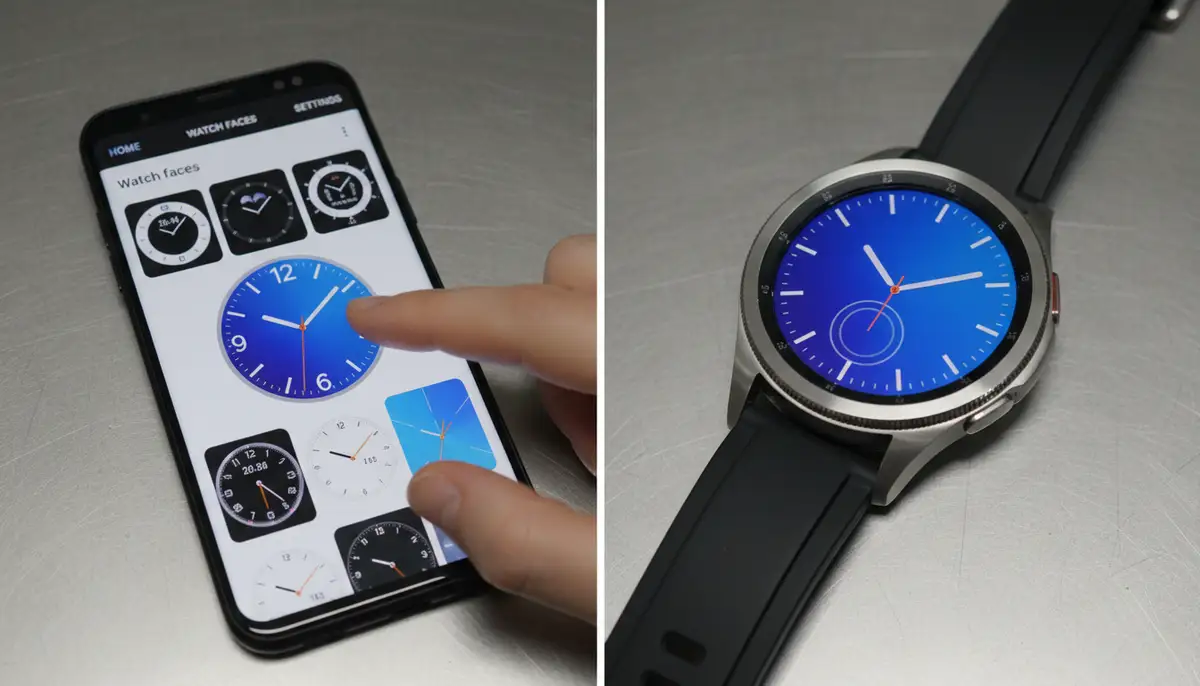
- Open the Galaxy Wearable app on your smartphone.
- Tap on 'Watch faces' at the bottom of the screen.
- Browse through the featured watch faces or use the search bar.
- Tap on a watch face to see more details and screenshots.
- Select 'Install' (for free faces) or the price (for premium faces) to download it.
- Once downloaded, tap 'Set as watch face' to apply it to your Galaxy Watch.
Samsung provides clear instructions on how to customize your watch faces directly from your wrist or using the Galaxy Wearable app. This process is very intuitive. You will have a new look in just a few taps.
Exploring the Diverse World of Galaxy Store Watch Faces
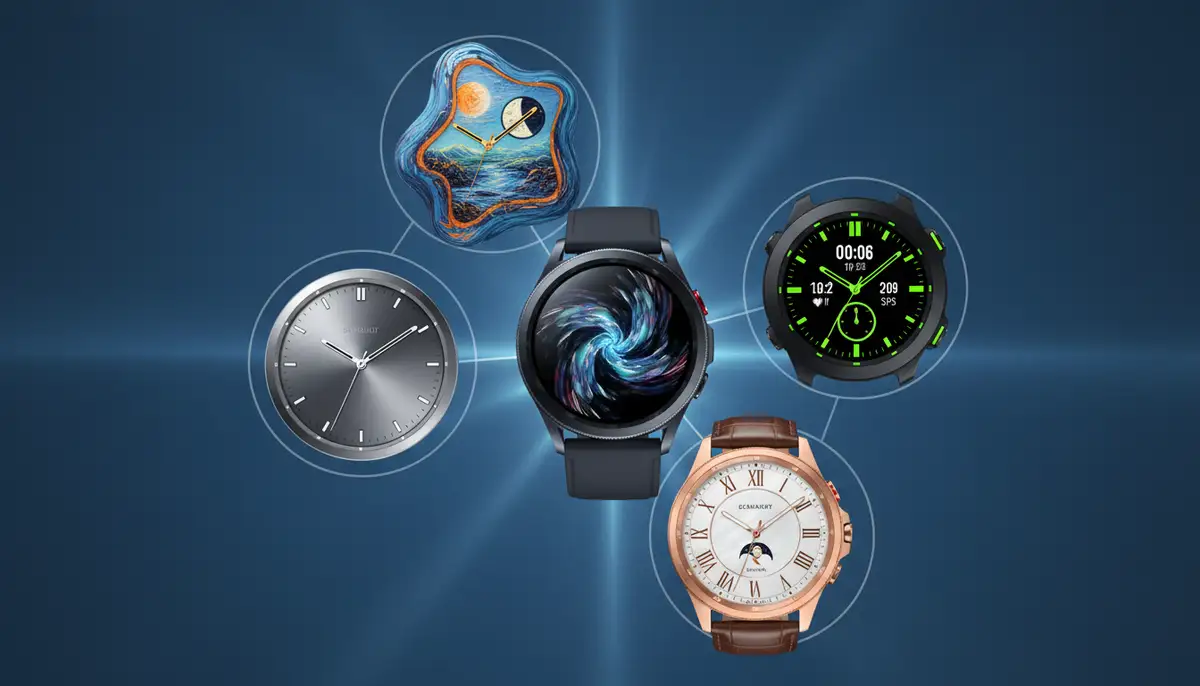
The variety of galaxy store watch faces is truly astounding. Developers constantly create new and innovative designs. You can find everything from minimalist elegance to highly detailed, data-rich displays. Let's break down some popular types.
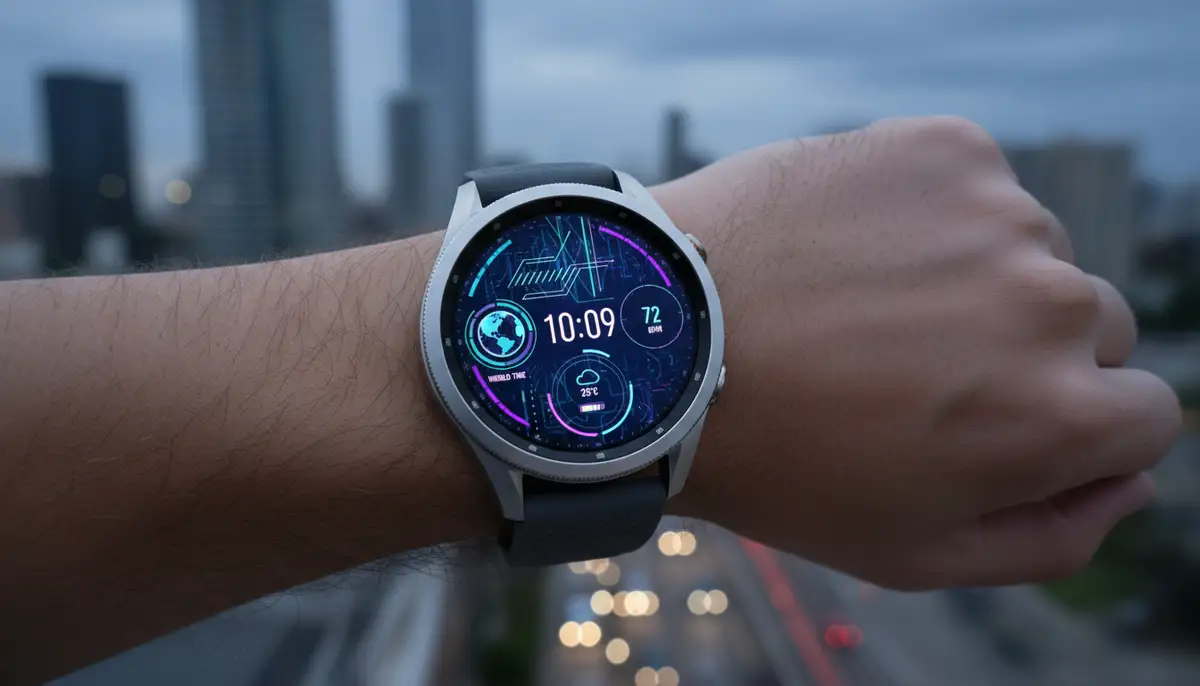
Digital Watch Faces: Modern and Functional
Digital watch faces are perfect for those who prefer clear, precise timekeeping. They often feature large, easy-to-read numbers. Many digital faces also include multiple 'complications.' These are small widgets that display information like battery life, step count, heart rate, or weather. They are highly functional for daily use.
Analog Watch Faces: Classic Style Reimagined
For a more traditional look, analog watch faces mimic classic timepieces. They come with hands and hour markers. However, these are not just simple replicas. Many analog faces integrate digital complications seamlessly. This gives you the best of both worlds: timeless style with modern functionality. You can find elegant designs perfect for formal occasions.
Hybrid Watch Faces: The Best of Both Worlds
Hybrid watch faces combine digital and analog elements. They might feature traditional hands for time. At the same time, they could have a digital display for specific data. These faces are incredibly versatile. They cater to users who appreciate both aesthetics and information density. Many hybrid galaxy store watch faces are very popular for their balanced design.
Themed and Artistic Watch Faces: Express Yourself
Want to show off your personality? Themed watch faces are for you. You can find designs based on movies, games, nature, or abstract art. These faces often prioritize visual appeal. They turn your watch into a true fashion statement. Many independent designers create stunning artistic galaxy store watch faces.
Functional and Sporty Watch Faces: For the Active User
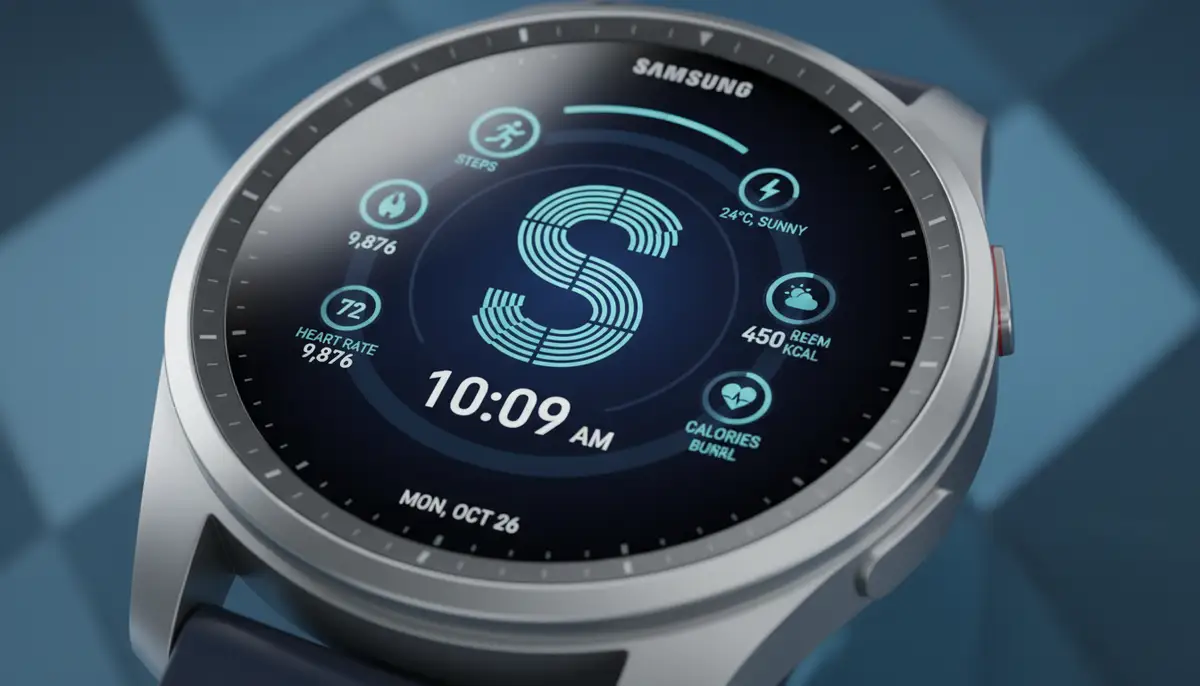
If fitness tracking is important, look for functional and sporty watch faces. These often highlight health metrics like heart rate zones, calories burned, and workout duration. They are designed for quick readability during physical activity. Some even offer direct shortcuts to your favorite exercise apps. For those interested in advanced timekeeping, learning how to set chrono watch on a sporty face can be very useful.
Free vs. Premium Galaxy Store Watch Faces: What's the Difference?
The Galaxy Store offers a mix of free and premium watch faces. Both categories have excellent options. However, understanding the differences can help you make an informed choice.
Free Watch Faces
Many high-quality galaxy store watch faces are available for free. These are often developed by independent creators or offered as promotional items. They can be a great way to try out different styles without any commitment. Look for highly-rated free options. You might be surprised by their quality and features.
Premium Watch Faces
Premium watch faces usually come with a small one-time fee. They often offer more advanced features, intricate designs, and deeper customization options. Developers of premium faces often provide better ongoing support and updates. If you want truly unique or highly specialized galaxy store watch faces, the premium section is worth exploring. The investment often pays off in terms of design and functionality.
Key Features to Look for in Galaxy Store Watch Faces
When browsing the galaxy store watch faces, consider these key features. They will help you choose a face that truly enhances your smartwatch experience.
- Complications: These are small pieces of information displayed on your watch face. Look for faces that offer customizable complications. You can choose what data matters most to you.
- Customization Options: Can you change colors, fonts, or background images? The more options, the more personal your watch face can be.
- Battery Efficiency: Some watch faces, especially those with complex animations or always-on displays, can drain battery faster. Check reviews for battery performance.
- Always-On Display (AOD) Support: If you use AOD, ensure the watch face has an optimized AOD mode. This will prevent burn-in and save battery.
- Readability: Can you easily read the time and information at a glance? This is crucial for practical use.
- Interactive Elements: Some advanced watch faces offer interactive zones. Tapping them can launch apps or perform quick actions.
For a visual guide to some of the top choices, you might find this video helpful:
. It showcases many excellent galaxy store watch faces.Beyond the Galaxy Store: Other Watch Face Platforms
While the Galaxy Store is your primary source, other platforms also offer a wealth of watch faces. These often cater to a broader range of smartwatches, including Wear OS devices. One popular option is Facer.io. It provides thousands of free and premium watch faces for various smartwatches, including Galaxy Watch, Apple Watch, and WearOS devices. Many users find Facer to be a great resource for unique designs.
Another excellent resource is the Galaxy Watch Faces app on Google Play. This app acts as a comprehensive customization suite. It allows you to upgrade your wearable experience significantly. These external platforms expand your choices beyond the native galaxy store watch faces.
Creating Your Own Watch Faces: Personalization to the Max
What if you cannot find exactly what you are looking for? You can create your own watch faces! Several tools and apps allow you to design custom faces from scratch. This takes personalization to the highest level. You can choose your own backgrounds, fonts, complications, and layouts.
For Wear OS and Apple Watch users, platforms like WatchMaker offer extensive customization. WatchMaker is a leading repository of thousands of watch faces. It provides powerful tools for creating unique designs. This level of control ensures your smartwatch truly reflects your individual style. You can design galaxy store watch faces that are one-of-a-kind.
Tips for Choosing the Best Galaxy Store Watch Faces
- Consider Your Daily Needs: Do you need quick access to fitness data, calendar events, or just the time? Choose a face that prioritizes your most used information.
- Match Your Style: Select watch faces that complement your wardrobe and personal aesthetic. Have a few options for different occasions.
- Read Reviews: Before downloading, especially for premium faces, check user reviews. They often highlight common issues or unexpected benefits.
- Test Battery Life: If battery drain is a concern, try out a new watch face for a day. Monitor its impact on your watch's battery.
- Explore Regularly: New galaxy store watch faces appear all the time. Check back frequently for fresh designs and updated features.
- Backup Your Favorites: If you find a face you love, remember its name or developer. This makes it easy to find again if you ever switch.
Troubleshooting Common Watch Face Issues
Even with the best galaxy store watch faces, you might occasionally encounter minor issues. Here are some quick fixes for common problems.
| Issue | Possible Cause | Solution |
|---|---|---|
| Watch face not syncing | Bluetooth connection issues, app glitch | Restart your phone and watch. Ensure Bluetooth is on. Reopen Galaxy Wearable app. |
| Excessive battery drain | Complex animations, too many active complications | Switch to a simpler watch face. Disable Always-On Display if not needed. Reduce complication updates. |
| Watch face is blurry or pixelated | Low-resolution design, compatibility issue | Check watch face description for supported watch models. Choose higher quality designs. |
| Complications not updating | Permissions, background app refresh | Ensure the Galaxy Wearable app has all necessary permissions. Check app settings for background refresh. |
Most issues are easily resolved with a quick restart or by checking app settings. Always ensure your Galaxy Watch and Galaxy Wearable app are running the latest software versions. Updates often fix bugs and improve performance.
The Future of Galaxy Store Watch Faces in 2025 and Beyond
The world of smartwatch customization is constantly evolving. In 2025, we are seeing exciting trends emerge for galaxy store watch faces. Artificial intelligence (AI) is playing a bigger role. AI-powered watch faces can adapt to your habits. They might change their layout based on the time of day or your current activity. Dynamic designs that respond to your environment are also becoming more common.
Expect deeper integration with smart home devices and health sensors. Your watch face could soon show real-time air quality or glucose levels. The focus is shifting towards truly personalized and context-aware interfaces. The future promises even more intelligent and interactive galaxy store watch faces.
The Competitive Landscape: Other Players in the Watch Face Market
While the Galaxy Store is a powerhouse for Samsung users, the broader watch face market features several innovative players. Companies like amoledwatchfaces.com specialize in stunning, battery-efficient designs. They cater to users who prioritize visual impact and performance. Their offerings provide excellent alternatives to native galaxy store watch faces.
Similarly, watchfacely.com offers a curated selection of premium watch faces. They often feature unique aesthetics and advanced complications. Buddywatch.app also provides a platform for discovering new and trending designs. These competitors push the boundaries of what's possible. They ensure a rich ecosystem of choices for smartwatch enthusiasts. They offer a great complement to the galaxy store watch faces.
Conclusion: Personalize Your Galaxy Watch Today
Your Samsung Galaxy Watch is a personal device. Its watch face should reflect your unique style and needs. The vast selection of galaxy store watch faces ensures there is something for everyone. From sleek digital displays to elegant analog designs, the possibilities are endless.
Take the time to explore the Galaxy Store. Experiment with different options. Find the watch faces that truly speak to you. Whether you prioritize aesthetics, functionality, or a bit of both, your perfect watch face is waiting. Start your customization journey today and truly make your smartwatch your own. For more inspiration and to discover popular choices, explore our guide to the best galaxy watch faces available now.
Ready to transform your wrist? Download watch faces that match your unique style and enhance your daily life.
Related Posts

The Watch Face Mistake Almost Every New Garmin Owner Makes
There's a predictable arc to owning a new Garmin. Day one, you install a watch face that shows everything: heart rate, steps, battery, weather, two time zones,...

The Ultimate Apple Watch Strap Guide: Find Your Perfect Fit & Style in 2025
Introduction: Your Essential Apple Watch Strap Guide for 2025 Your Apple Watch is more than just a gadget. It's a personal statement, a fitness tracker, and a...