










 E
E
 E
E



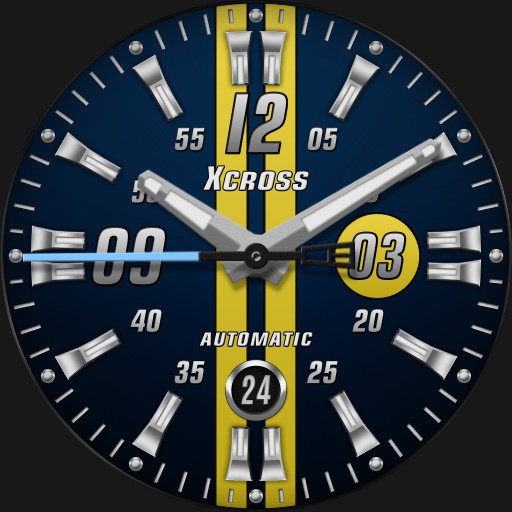

Xcrss Classic V1.3
Xcrss Classic V1.3
 n
n

Creator

Description
Tap 3 area to cycle dial colors.
Tap 9 area to cycle second hand preset colors to ucolor accent mode to match stripes accent color selected
Tap 6 area to switch to 24 hour mode
Tap between 7 and 8 to enter Chrono mode and start/stop Chrono. Main hands double as Chrono hands. Tap between 4 and 5 area to reset and exit Chrono mode.
Tap 12 area for multi function info screen with steps, heart rate, weather and more... uses UCOLOR for accent coloring on info screen.
Tap Center for dim mode menu. Tap Color text to cycle dim mode color. Tap Mode text to cycle dim modes Normal, Always On, Auto Always On, Auto Always Plus and Off. Tap X to close.
Seconds hand is watch battery indicator on dim.
Uploaded
7 Dec 2020
Tags
Features
Themeable
Analog
24h Time
Weather
Step Counter
Heart Rate
Battery Level
Phone Battery
Date
Tap Actions
Animation
Moon Phase
More Watches by Author


Similar Watches


Watchface Reviews