
Touche pour sélectionner
Choisis ta montre
Se connecter



 Pokemon Card Scanner
 Live Wallpapers Unlimited
Suivez-nous sur les réseaux
Knight Project 220

J'aime
VUES
J'AIME
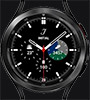
Tap at 9 for more info
Tap/DTaP at 3 to start/stop/reset Chrono
Tap at the center to hide the hands
Tap at 4 to park the hands
Tap at 12 to change the color
Tap at 2 to change the option on digital view
Tap at earth icon to change the time zone
Tap at 10 to reset the time zone into local.
Tap at 6 to zoom
Tap at 8 to adjust the brightness
Créé le 27 Feb 2023