










 E
E
 E
E



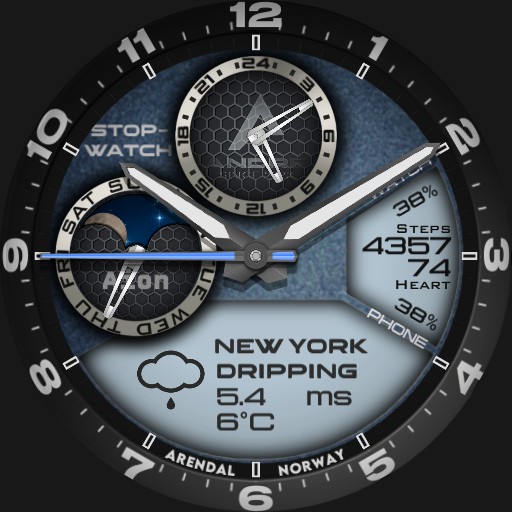

Andre - Aion
Andre - Aion
 n
n

Creator

Description
Tap "Stopwatch" for stopwatch, and buttons for Start/Stop, Lap and Reset will appear in bottom of watch
Tap "Back" to leave stopwatch mode and go back to normal
Tap "12 oclock" to Update Weather
Tap "3 oclock to Select Ucolor
Tap area between 1 oclock and 2 oclock to Set Brightness
Tap"9 Oclock" to Set Dim Mode On/Auto/Off
Tap area above "6 oclock" to change background color on the two LCD displays
Uploaded
13 Mar 2024
Tags
Features
Themeable
Analog
24h Time
Weather
Step Counter
Heart Rate
Battery Level
Phone Battery
Date
Stopwatch
Tap Actions
Animation
More Watches by Author


Similar Watches


Watchface Reviews