




 Pokemon Card Scanner
 Themeology
DIGI 2000 UColor V1.7

좋아요
조회수
좋아요
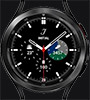
Tap "Ring Color" to cycle ring colors.
Tap "LCD Color" to open UColor selector and change text color.
Tap Time area ti cycle dial textures.
Tap date area for Euro day/date.
Tap "Mode" to cycle upper LCD panel time modes. Chrono mode tap "Start" to start/stop and "Reset" to reset.
Tap lower LCD panel to cycle weather modes.
Tap Heart Rate panel to turn on/off heart rate monitoring.
Tap "Alarm" to launch watch alarm app. AW Watches Only
Tap Center logo for dim mode and dim style menu. Tap Style text to cycle Full Color, Black and White or Low Bit Dim styles and Tap Mode text to cycle dim modes Normal, Always On Full Color Style Only and Off. Tap X to close.
생성일 9 Oct 2017