

 Pokemon Card Scanner
 Live Wallpapers Unlimited




Designing motion: how micro-animations and kinetic dials are transforming the aesthetics of digital watch faces
Designing motion: how micro-animations and kinetic dials are transforming the aesthetics of digital watch faces
For many years, watch faces were static. They showed hours, minutes, and sometimes the date. That was enough. Then wearable technology changed everything. Digital watch design began to feel more like a living system than a fixed screen. Motion entered the picture. Small movements, subtle shifts, and responsive effects transformed ordinary watch faces into interactive experiences.
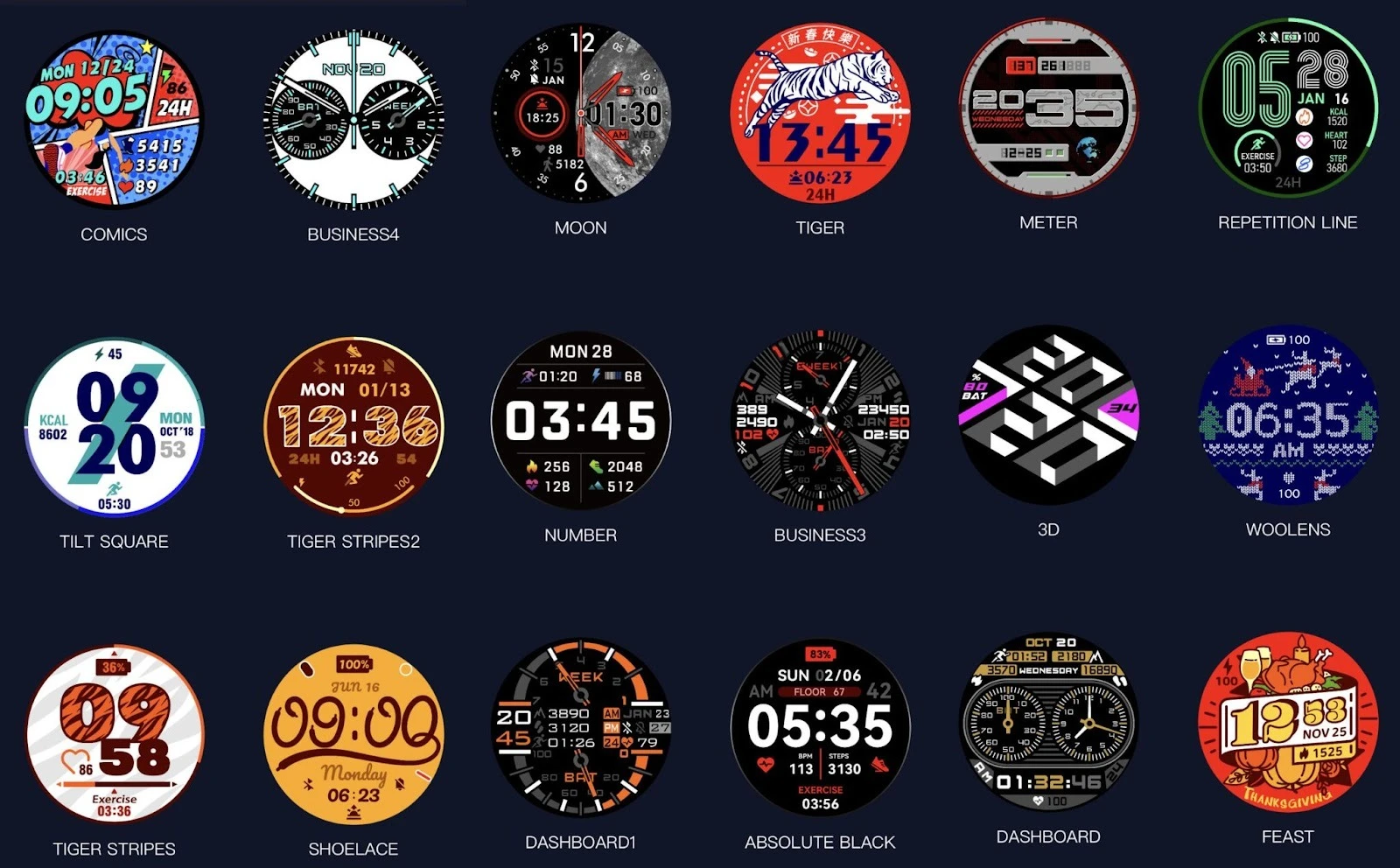
Today, micro-animations and kinetic dials are redefining how we read time and how we feel about it. A watch face is no longer just a tool. It is a piece of motion graphics in UX, carefully crafted to guide the eye, reduce confusion, and add beauty.
https://passiontrail.fr/test-vertix2-coros/
What Are Micro-Animations in Watch Faces?
Micro-animations are tiny movements that happen in response to user actions or system changes. They are not loud or dramatic. They are quiet, fast, and purposeful.
A second hand that gently fades in. A battery icon that pulses when charging. A date window that slides instead of switching instantly. These are examples of micro-animations.
In digital watch design, micro-animations serve several roles:
- They show feedback.
- They explain transitions.
- They make the interface feel alive.
Research by Google’s UX team found that interfaces with micro-animations improve task completion speed by up to 20%. Users understand what is happening faster. They feel more in control.
Micro-animations also reduce stress. Sudden changes can feel harsh. Soft motion feels natural. Our brains are used to movement in the physical world, so motion graphics in UX help digital objects behave more like real ones.
Kinetic Dials: Bringing Mechanical Beauty to Digital Space
Kinetic dials are animated versions of traditional watch mechanics. They imitate gears, rotations, and layered movements found in classic analog watches. But they go further. They add motion that could never exist in physical form.
A kinetic dial may:
- Rotate in multiple layers.
- Expand when touched.
- Shift color with time of day.
This type of design connects old craftsmanship with modern technology. It respects tradition while using new tools.
In wearable technology, kinetic dials create emotional attachment. A user does not just read time. They watch time move.
Why Motion Matters in User Interface Design
Motion is not decoration. It is communication.
In user interface design, motion explains cause and effect. When something moves, the user understands why. When something fades, the user senses closure. When something slides, the user knows it came from somewhere.
Static design can be confusing. People experience something similar when they find a useful website with the information they need on Google, but it doesn't open. Just as an encrypted VPN for iOS devices often helps in this case, motion clarifies the relationships between elements. This helps them understand and build a logical chain.
For watch faces, this is critical because the screen is small. Every pixel counts. Micro-animations guide attention without crowding the display.
Short movement. Clear purpose. Fast feedback.
These are the rules that make motion useful instead of distracting.
Watch Faces as Living Interfaces
Modern watch faces behave like living systems. They react. They breathe. They adapt.
When the user lifts their wrist, the screen wakes with a soft animation. When a notification arrives, the dial shifts slightly to make space. When activity data updates, numbers glide instead of jumping.
This fluid behavior makes digital watch design feel human.
Custom Watch Faces and Personal Motion Styles
Customization is one of the strongest trends in wearable technology. Users want their devices to reflect their identity. But personalization has a downside: dependence on data. Everyone wants their watch to track their heart rate, provide detailed reports on physical activity or sleep, and also store this data securely. There's a solution: VeePN VPN. It helps securely transfer information between different devices and servers, exclusively in encrypted form.
Custom watch faces allow people to choose:
- Colors
- Layouts
- Fonts
- Motion styles
Some prefer calm motion. Some like bold motion. Some want almost no motion at all.
Micro-animations make this personalization deeper. They allow motion to become part of the personality of the watch.
Motion Graphics in UX: Small Screen, Big Impact
Designing motion graphics in UX for a watch is harder than for a phone or tablet. The space is tiny. The battery is limited. The processor is small.
Every animation must be efficient.
Every frame must matter.
Designers focus on:
- Short durations (usually under 300 milliseconds)
- Simple easing curves
- Low energy consumption
Despite these limits, motion on watch faces feels rich. That is the power of good design.
Even a single pixel movement can change how a user feels.
Micro-Animations and Readability
One common fear is that motion will harm readability. But when done well, it does the opposite.
For example:
- A number that gently grows when it changes is easier to notice.
- A progress ring that fills smoothly is easier to understand than one that jumps.
- A blinking alert is clearer than a static one.
Micro-animations improve clarity.
Kinetic Dials and Emotional Design
Emotion is often forgotten in technology. But emotion drives loyalty.
Kinetic dials create rhythm. They create flow. They create pleasure.
Watching a dial rotate smoothly can be calming. It can feel almost meditative.This is why many luxury digital watch brands invest heavily in kinetic motion design. They know that beauty builds attachment.
A user who loves the look of their watch face checks it more often. They interact with it more. They keep the device longer.
Balancing Motion and Battery Life
Motion has a cost. It uses power.
Designers must find balance. Too much animation drains the battery. Too little makes the interface feel dead.
Modern systems solve this by:
- Reducing frame rates when idle
- Using dark pixels on OLED screens
- Limiting continuous motion
As a result, many animated watch faces consume only 3–5% more battery than static ones. That is a small price for a big gain in experience.
Accessibility and Motion Sensitivity
Not everyone enjoys motion. Some users are sensitive to it. Good user interface design respects this. Many operating systems now allow users to:
- Reduce motion
- Slow down animations
- Turn animations off
This keeps watch faces inclusive. Motion should be a choice, not a requirement.
Conclusion: Designing Motion Means Designing Experience
Designing motion is about designing feeling.
Micro-animations bring clarity. Kinetic dials bring emotion. Together, they redefine watch faces.
Digital watch design is no longer flat. It moves. It reacts. It lives. In wearable technology, motion is now language. It speaks through rhythm, flow, and subtle change.
Custom watch faces will keep evolving. User interface design will keep refining. Motion graphics in UX will keep shaping how time looks and feels. And in that movement, the future of watch faces continues to unfold, one small animation at a time.
Related Posts

The Watch Face Mistake Almost Every New Garmin Owner Makes
There's a predictable arc to owning a new Garmin. Day one, you install a watch face that shows everything: heart rate, steps, battery, weather, two time zones,...

The Ultimate Apple Watch Strap Guide: Find Your Perfect Fit & Style in 2025
Introduction: Your Essential Apple Watch Strap Guide for 2025 Your Apple Watch is more than just a gadget. It's a personal statement, a fitness tracker, and a...