
 Pokemon Card Scanner
 Live Wallpapers Unlimited




Mastering Your G-SHOCK: A Complete Guide on How to Set Time on G-SHOCK Watch in 2025
Introduction: Your Essential Guide to Setting Time on a G-SHOCK Watch
Welcome to the ultimate guide on how to set time on G-SHOCK watch. In 2025, G-SHOCK watches remain iconic for their rugged durability and advanced features. Whether you're a seasoned G-SHOCK enthusiast or just got your first one, knowing how to set the time correctly is crucial. This guide will walk you through every step. We will cover various models and their unique quirks. You'll master both digital and analog adjustments with ease.
Many people find setting their G-SHOCK a bit tricky at first. However, with the right instructions, it's a straightforward process. We will simplify the steps for you. By the end of this article, you will be an expert on how to set time on G-SHOCK watch. Let's dive in and get your timepiece perfectly synchronized.
Understanding Your G-SHOCK's Buttons and Modes
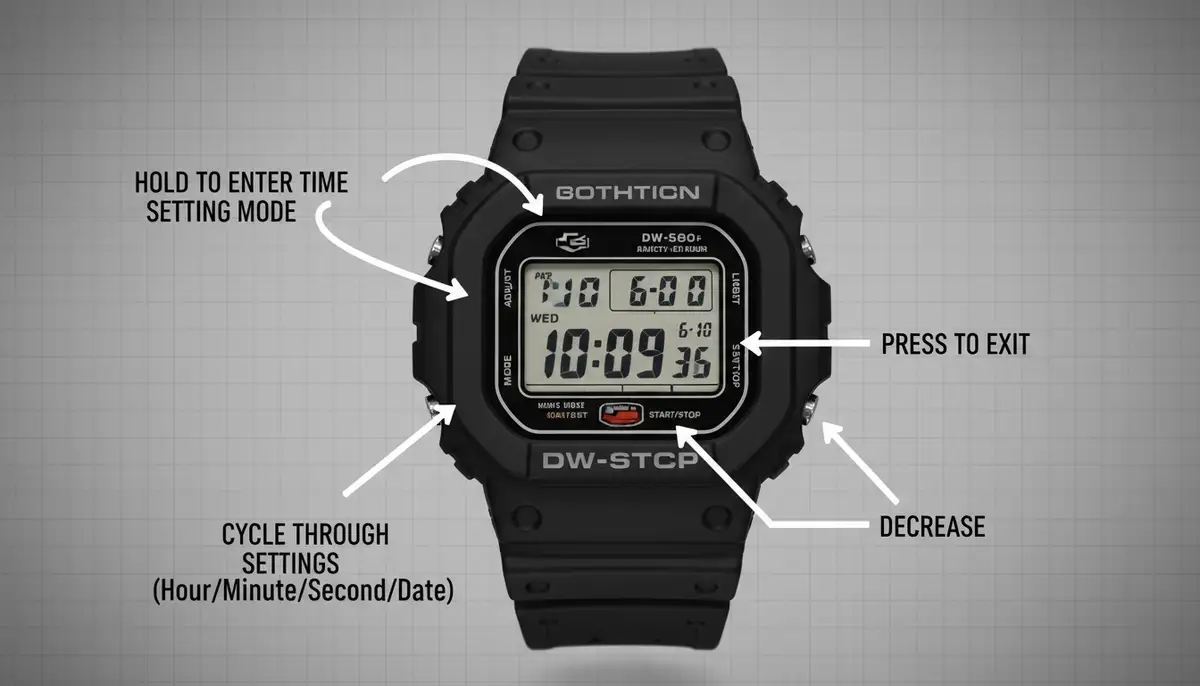
Before we delve into the specifics of how to set time on G-SHOCK watch, let's get familiar with your watch's interface. Most G-SHOCK models share a similar button layout. They typically have four main buttons. These buttons are usually labeled 'Adjust', 'Mode', 'Reverse', and 'Forward' or 'Light'. Understanding their functions is the first step.
- Adjust (Top Left): This button is your gateway to changing settings. You often press and hold it to enter or exit setting modes.
- Mode (Bottom Left): Cycle through different functions like stopwatch, alarm, world time, and the main timekeeping mode.
- Reverse (Top Right): Used to decrease values or move backward through options during setting.
- Forward (Bottom Right): Used to increase values or move forward through options during setting. Also often activates the backlight.
Your G-SHOCK also operates in different 'modes'. The most important one for us is the 'Timekeeping Mode'. This is where your watch displays the current time and date. You need to be in this mode to begin setting your time. Press the 'Mode' button repeatedly until you see the main time display. This is a critical first step when learning how to set time on G-SHOCK watch.
How to Set Time on G-SHOCK Watch: The Digital Display
Most G-SHOCK watches feature a digital display. Setting the digital time is usually the most common adjustment. This method applies to many popular models. These include the DW-5600, GA-100, and GBD-200. Follow these steps carefully to ensure accuracy.
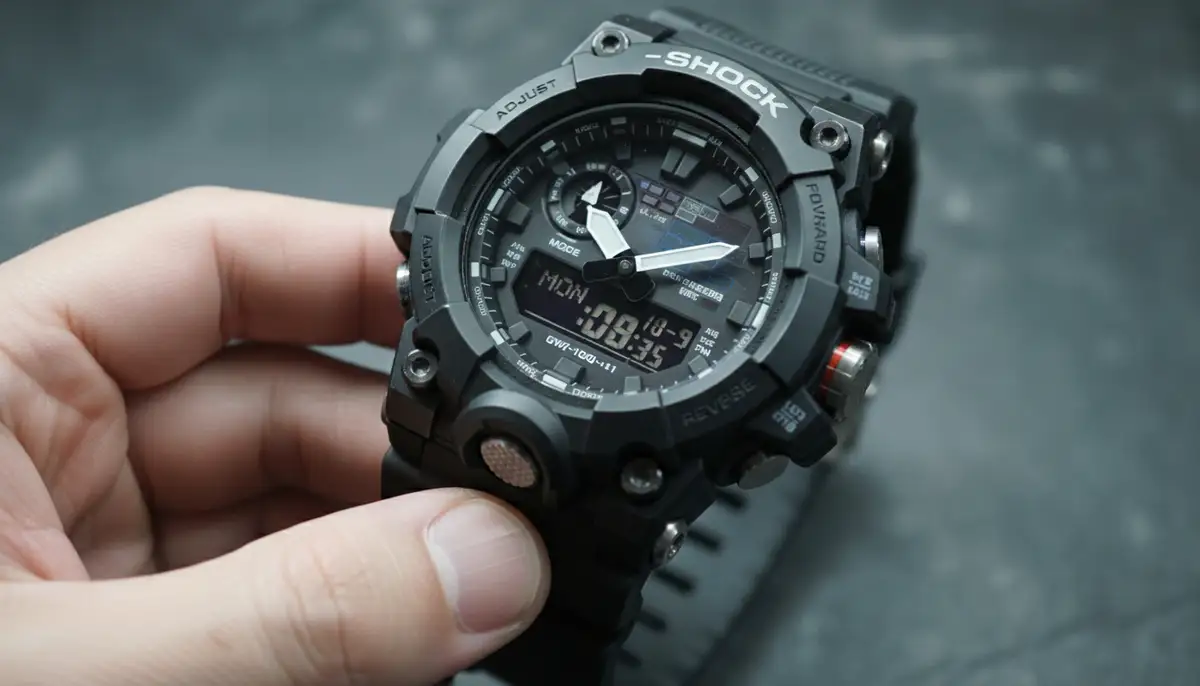
- Step 1: Enter Timekeeping Mode. Press the 'Mode' button until your watch shows the current time. This is your starting point.
- Step 2: Initiate Setting Mode. Press and hold the 'Adjust' button (top left) for a few seconds. You will hear a beep, and the city code or seconds will start flashing. This indicates you are in the setting mode.
- Step 3: Select Your Home City. Use the 'Reverse' (top right) and 'Forward' (bottom right) buttons to select your 'Home City'. This is crucial for accurate timekeeping and daylight saving adjustments. For more details on this, you can check out how to change time on a G-SHOCK watch.
- Step 4: Adjust Daylight Saving Time (DST). Press the 'Mode' button once to move to the DST setting. Use 'Reverse' or 'Forward' to toggle DST 'ON' or 'OFF' as needed. Most regions observe DST, so 'ON' is often the correct choice during those months.
- Step 5: Set Seconds, Hours, and Minutes. Press 'Mode' again to move to the seconds setting. Use 'Forward' to zero out the seconds if desired. Continue pressing 'Mode' to cycle through hours and minutes. Use 'Reverse' and 'Forward' to adjust these values. Be precise with your adjustments.
- Step 6: Set 12/24 Hour Format. After minutes, you'll often find the 12/24 hour format setting. Choose your preference using 'Reverse' or 'Forward'.
- Step 7: Set Year, Month, and Day. Continue pressing 'Mode' to cycle through year, month, and day settings. Adjust each using 'Reverse' and 'Forward'.
- Step 8: Exit Setting Mode. Once all settings are correct, press the 'Adjust' button again. Your watch will save the changes and return to normal timekeeping mode. Congratulations, you've learned how to set time on G-SHOCK watch digitally!
Remember, the exact sequence of settings might vary slightly between models. Always refer to your watch's specific module number if you encounter differences. This general process covers the core of how to set time on G-SHOCK watch for most digital models.
Setting Analog Time on G-SHOCK Watch (Analog-Digital Combo Models)
Many G-SHOCK models, like the popular GA-110 or GA-2100 (Casioak), combine both analog hands and a digital display. Sometimes, the analog hands might not match the digital time. This often happens after a battery change or a strong impact. Learning how to set time on G-SHOCK watch for these hybrid models involves an extra step: hand alignment.
Here's how to synchronize your analog hands with your digital time:
- Step 1: Enter Hand Setting Mode. First, ensure your watch is in the Timekeeping Mode. Then, press and hold the 'Adjust' button until the city code starts flashing. This is the same as starting digital time setting.
- Step 2: Navigate to Hand Adjustment. Press the 'Mode' button repeatedly until you see 'H.SET' or '0:00' flashing on the digital display. The exact indicator varies by model. This is your cue to adjust the hands.
- Step 3: Align Hands to 12 O'Clock. The minute hand will likely start moving. Use the 'Reverse' (top right) and 'Forward' (bottom right) buttons to move the hands. Your goal is to align both the hour and minute hands perfectly to the 12 o'clock position. This is the 'home position' for the hands.
- Step 4: Confirm Alignment. Once the hands are precisely at 12 o'clock, press the 'Adjust' button. The hands will then automatically move to match the digital time you previously set. Your analog display should now be perfectly synchronized. This completes the analog portion of how to set time on G-SHOCK watch.
If your hands are still out of sync, repeat the process. Sometimes, a full reset might be necessary for persistent issues. However, the hand alignment procedure usually fixes it. This ensures both parts of your watch display the correct time.
Advanced Time Setting Features: World Time and Auto Adjust
G-SHOCK watches are packed with features beyond basic time setting. Many models offer World Time, which allows you to quickly view the time in different cities around the globe. Some advanced models also include Multi-Band 6 atomic timekeeping or Bluetooth connectivity for automatic time synchronization. These features simplify how to set time on G-SHOCK watch significantly.
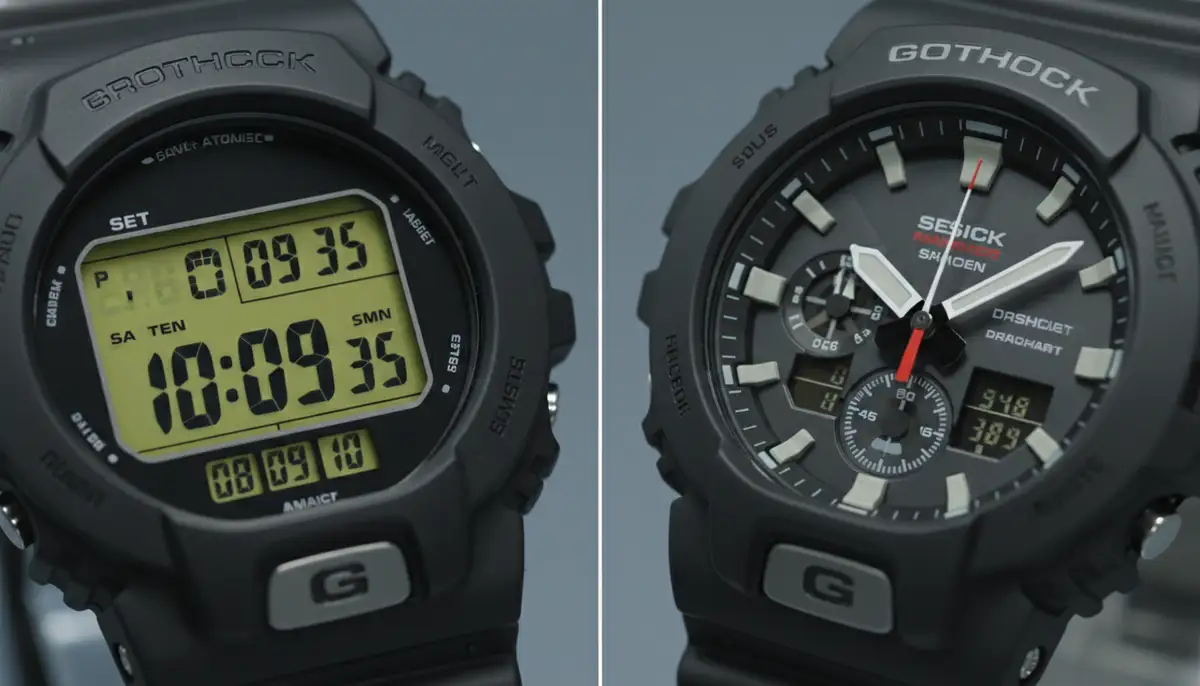
For those with Multi-Band 6 models, your watch automatically receives time calibration signals. This ensures perfect accuracy without manual intervention. However, you still need to set your Home City correctly for the signal to work. For Bluetooth-enabled watches, linking to your smartphone via the G-SHOCK Connected app makes time setting almost effortless. The app handles all adjustments automatically. This is a huge convenience in 2025!
If you're interested in how different watch technologies compare, you might find our article on digital vs analog watch very insightful. It explores the advantages of each type.
Troubleshooting Common Time Setting Issues
Sometimes, you might encounter problems when trying to set time on G-SHOCK watch. Don't worry, these issues are often simple to resolve. Here are some common scenarios and their solutions:
| Issue | Possible Cause | Solution |
|---|---|---|
| Buttons not responding | Low battery or 'stuck' mode | Replace battery or try a full reset (refer to manual for AC contact point). Ensure you're pressing firmly. |
| Hands not aligning | Incorrect home position set or impact | Repeat the hand alignment procedure. If persistent, check for physical damage. |
| Time keeps resetting | Low battery or internal malfunction | Replace battery. If the issue persists, professional servicing might be needed. |
| Daylight Saving Time incorrect | DST setting not adjusted for your region | Ensure DST is set to 'ON' or 'OFF' correctly in the setting mode. |
| Can't find specific setting | Model variations or wrong mode | Consult your specific watch's manual (module number is key). Ensure you are in Timekeeping Mode. |
For more specific troubleshooting, especially if buttons aren't responding as expected, a resource like JustAnswer's electronics section can offer peer advice. Remember that G-SHOCK watches are incredibly robust. Most problems related to how to set time on G-SHOCK watch are user-related rather than a fault with the watch itself.
You can also find comprehensive tutorials for specific models. For instance, if you own a GA-110 series watch, this video provides a complete tutorial:
. Watching a visual guide can often clarify steps that text alone might not fully convey.Maintaining Accuracy: Beyond Initial Setup
Setting the time once is great, but maintaining its accuracy is just as important. G-SHOCK watches are known for their precision, but external factors can sometimes affect them. Regular checks and minor adjustments ensure your watch is always telling you the correct time. This is part of the ongoing process of how to set time on G-SHOCK watch, even after the initial setup.

- Check for DST Changes: Twice a year, remember to adjust your watch for Daylight Saving Time if your region observes it. This is a common reason for time discrepancies.
- Monitor Battery Life: A low battery can sometimes cause erratic behavior or a complete stop. Replace batteries promptly when the indicator shows low power.
- Sync with a Reliable Source: Periodically compare your G-SHOCK's time with an atomic clock or a trusted online time source. This helps you catch any drift early.
- Consult the Manual: For specific models, like those with advanced features or unique button layouts, always refer to the official Casio manual. You can find many manuals online by searching for your watch's module number. This is a key step to ensure you know how to set time on G-SHOCK watch for your exact model. Casio's official site also has resources for finding your manual.
Keeping your G-SHOCK accurate also involves understanding its environment. Extreme temperatures or strong magnetic fields can sometimes affect quartz movements. While G-SHOCKs are built to withstand a lot, being aware of these factors helps maintain optimal performance. This attention to detail extends your watch's reliability for years to come.
Exploring Customization and Beyond
Once you've mastered how to set time on G-SHOCK watch, you might start thinking about customizing your watch's appearance. While G-SHOCKs are robust, the world of smartwatches offers even deeper customization, especially with watch faces. Companies like WatchMaker provide thousands of unique watch faces for Apple Watch and Wear OS devices. This allows you to personalize your digital timepiece extensively.
If you're considering expanding your watch collection or exploring more customizable options, you might be interested in comparing different smartwatches. For example, our detailed breakdown of Apple Watch vs Watch Nike can help you decide which fitness companion is perfect for you in 2025. This shows how diverse the watch market has become, offering choices for every preference.
For those who appreciate digital customization, solutions from WatchMaker offer a vast library. You can find watch faces that range from minimalist to highly intricate. Other platforms and creators, such as buddywatch.app, amoledwatchfaces.com, and Pujie Black, also contribute to this vibrant ecosystem. They offer different styles and functionalities. This allows you to truly make your smartwatch your own. If you're ready to explore these options, you can download watch faces directly from our site.
Conclusion: Your G-SHOCK, Perfectly Timed
You now have a complete understanding of how to set time on G-SHOCK watch. From the initial button presses to advanced hand alignment, you're equipped with the knowledge to keep your watch perfectly synchronized. Remember that practice makes perfect. The more you interact with your G-SHOCK's settings, the more intuitive the process becomes. Your G-SHOCK is more than just a watch; it's a reliable companion for all your adventures.
Always keep your watch's module number handy for specific instructions. While the general steps for how to set time on G-SHOCK watch are consistent, minor variations exist. Enjoy the precision and durability that your G-SHOCK offers. With these tips, your watch will always be on time, ready for whatever comes next.
Related Posts

The Watch Face Mistake Almost Every New Garmin Owner Makes
There's a predictable arc to owning a new Garmin. Day one, you install a watch face that shows everything: heart rate, steps, battery, weather, two time zones,...

The Ultimate Apple Watch Strap Guide: Find Your Perfect Fit & Style in 2025
Introduction: Your Essential Apple Watch Strap Guide for 2025 Your Apple Watch is more than just a gadget. It's a personal statement, a fitness tracker, and a...