
 Pokemon Card Scanner
 Live Wallpapers Unlimited




Mastering Your Timepiece: A Comprehensive Guide on How to Set Casio Watch Models
Introduction: Unlock the Full Potential of Your Casio Timepiece
Casio watches are renowned for their durability, reliability, and innovative features. They range from iconic digital classics to advanced analog-digital models. However, getting your new or recently reset Casio watch to display the correct time can sometimes feel like a puzzle. Many users wonder exactly how to set Casio watch models correctly. This comprehensive guide will walk you through the process step-by-step. You will learn to master the settings on various Casio watches, ensuring your timepiece is always accurate and ready for 2025 and beyond.
Whether you have a simple digital model or a feature-rich G-Shock, understanding the basic operations is key. We will cover everything from setting the time and date to adjusting alarms and leveraging advanced functions. By the end of this guide, you will be a Casio setting expert. You'll know precisely how to set Casio watch models with confidence.
Why Understanding Your Casio Watch is Crucial
Casio watches are more than just time-telling devices. They often include stopwatches, timers, alarms, and world time functions. Properly setting your watch ensures you can utilize all these features effectively. An incorrectly set watch can lead to missed appointments or inaccurate timing of events. Knowing how to set Casio watch settings empowers you to get the most out of your investment. It also helps you maintain its legendary precision.
The Anatomy of a Casio Watch: Common Buttons and Their Functions
Before diving into the setting process, let's familiarize ourselves with the common buttons you'll find on most Casio watches. While names might vary slightly by model, their functions are generally consistent. Understanding these buttons is the first step in learning how to set Casio watch functionality.
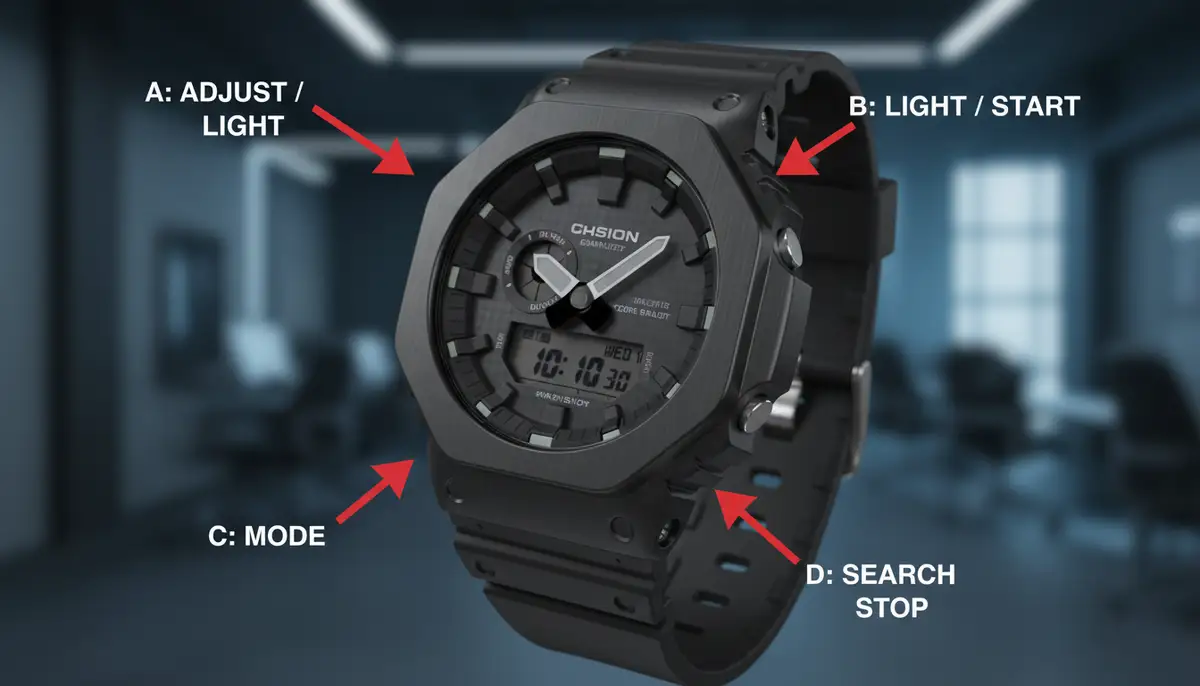
- Adjust/Set Button: Typically located on the top-left. You press and hold this button to enter or exit the setting mode. It's your gateway to changing time and date.
- Mode Button: Usually on the bottom-left. This button cycles through different modes like Timekeeping, Alarm, Stopwatch, and Timer. You use it to navigate between settings once in adjust mode.
- Search/Forward Button: Often on the top-right. This button is used to increase values, move forward through options, or sometimes initiate specific functions.
- Reverse/Light Button: Commonly on the bottom-right. This button decreases values, moves backward through options, or activates the backlight. On some models, it might be solely for the light function.
How to Set Casio Watch: General Steps for Digital Models
Most digital Casio watches follow a similar pattern for basic time and date adjustments. This general guide will apply to many popular models, including the classic F-91W, A158W, and many G-Shock digital variants. Learning these steps will teach you how to set Casio watch digital displays efficiently.
Step-by-Step Guide for Digital Casio Watches
- Step 1: Enter Time Setting Mode. Press and hold the 'Adjust' or 'Set' button (top-left) for a few seconds. You will usually hear a beep, and the seconds display will start flashing. This indicates you are in setting mode.
- Step 2: Navigate Through Settings. Press the 'Mode' button (bottom-left) repeatedly to cycle through the different settings. These typically include seconds, hour, minute, year, month, day, 12/24-hour format, and sometimes city code or daylight saving time (DST). Each press moves to the next flashing segment.
- Step 3: Adjust Values. Use the 'Search' or 'Forward' button (top-right) to increase the flashing value. Use the 'Reverse' or 'Light' button (bottom-right) to decrease it, if available. For seconds, pressing 'Search' often resets them to 00. For changing the date on your Casio watch, you will navigate to the year, month, and day fields and adjust them individually. For a detailed guide on date changes, check out How to Change the Date on Your Casio Watch.
- Step 4: Exit Setting Mode. Once you have set all the desired values, press the 'Adjust' or 'Set' button again. This will save your changes and return the watch to normal timekeeping mode. The flashing will stop.
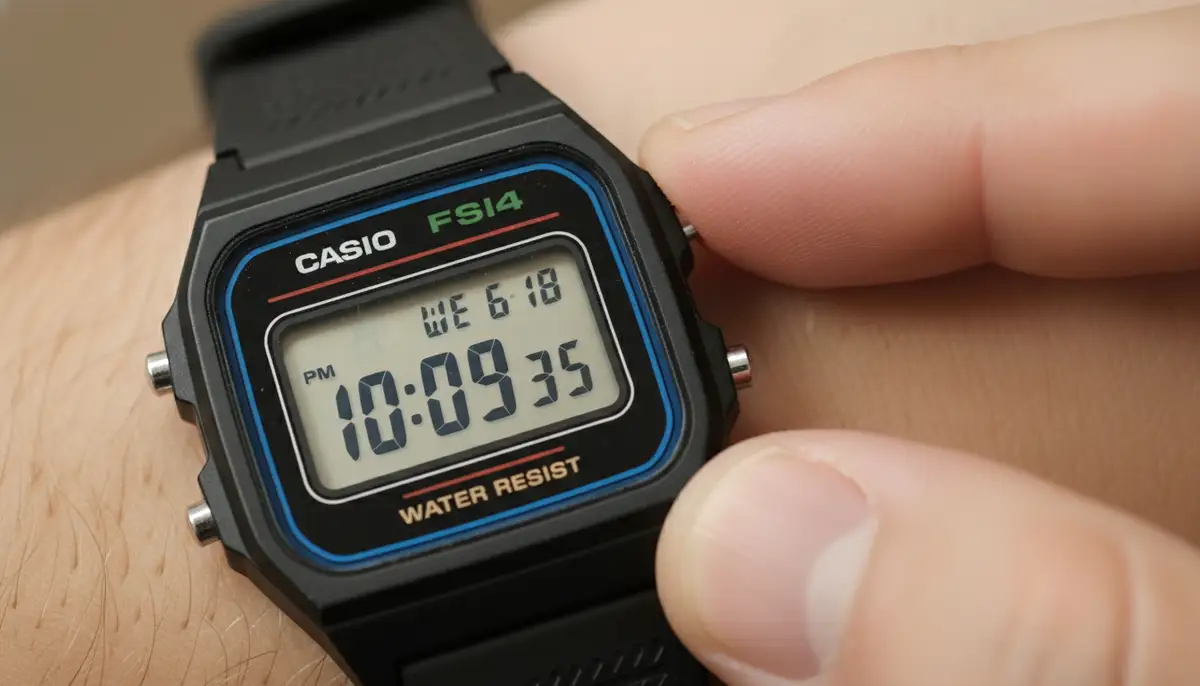
This foundational process is essential for understanding how to set Casio watch models. It forms the basis for more complex adjustments on advanced models. If you have a three-button Casio watch, this video is particularly helpful:
.Specific Guides: How to Set Casio Watch by Model Type
While the general steps are helpful, specific Casio models might have unique quirks or additional features. Let's delve into how to set Casio watch types based on their common categories.
Digital Casio Watches (e.g., F-91W, A168, Basic G-Shocks)
These are often the simplest to set. Follow the general steps outlined above. Remember to adjust the 'PM' indicator if your watch is in 12-hour format. When setting the time, always ensure you're setting the correct AM/PM. This is a common oversight when learning how to set Casio watch basics.
- Setting the Alarm: In timekeeping mode, press 'Mode' until 'AL' (Alarm) appears. Press 'Adjust' to enter alarm setting. Use 'Search' and 'Reverse' to set the hour and minute. Press 'Mode' to switch between hour/minute. Press 'Adjust' to save.
- Setting the Stopwatch: Press 'Mode' until 'ST' (Stopwatch) appears. Press 'Search' to start and stop. Press 'Adjust' to reset to zero.
- Setting the Timer: Press 'Mode' until 'TR' (Timer) appears. Press 'Adjust' to enter timer setting. Use 'Search' and 'Reverse' to set the countdown time. Press 'Search' to start and stop. Press 'Adjust' to reset.
Analog Casio Watches (e.g., MTP series, MQ series)
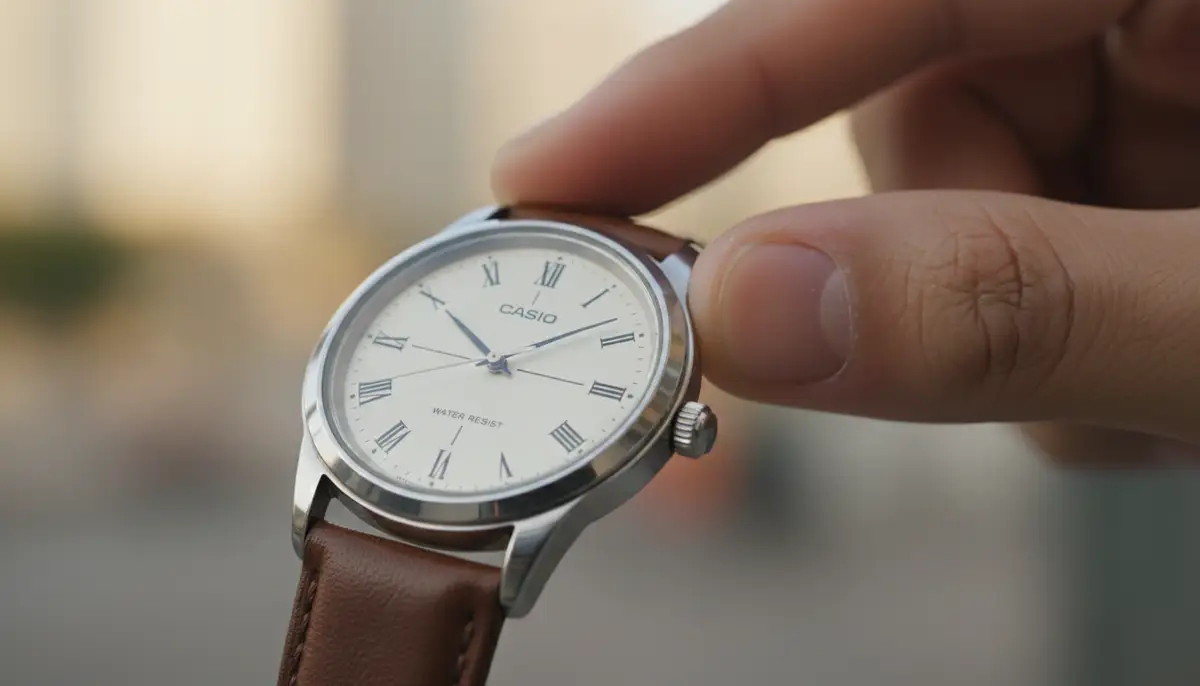
Analog watches operate differently as they rely on a crown, not buttons, for time adjustment. This is a much more traditional method. Knowing this distinction is key for understanding how to set Casio watch analog variants.
- Step 1: Pull Out the Crown. Gently pull the crown (the small knob on the side) out to the first or second click. The number of clicks depends on whether your watch has a date function.
- Step 2: Adjust the Time. Rotate the crown clockwise or counter-clockwise until the hands point to the correct time. If your watch has a date function, rotating the crown in the first click position might adjust the date, while the second click adjusts the time. Pass 12 AM to change the date.
- Step 3: Push In the Crown. Once the time is set, push the crown back in completely. This locks the time and starts the watch movement.
Analog-Digital Casio Watches (e.g., GA-100, AQ-S810W, Edifice Hybrid)
These models combine the best of both worlds but can be slightly more complex to set. You typically set the digital time first, and then align the analog hands to match. This dual process is a unique aspect of how to set Casio watch hybrid models.
- Step 1: Set the Digital Time. Follow the general digital setting steps. Ensure your digital time (hour, minute, seconds, AM/PM, day, date) is correct.
- Step 2: Enter Hand Alignment Mode. This step is crucial. On many models, you'll need to press and hold the 'Adjust' button for several seconds until a specific indicator (e.g., 'H-SET' or 'SUB') appears, or the hands start moving.
- Step 3: Align the Analog Hands. Use the 'Search' (forward) and 'Reverse' (backward) buttons to move the analog hour and minute hands. Your goal is to align them with the digital time you just set. Many Casio watches allow you to align hands to the 12 o'clock position first, then they will automatically sync.
- Step 4: Exit Hand Alignment Mode. Press the 'Adjust' button again to save the hand positions and exit. The analog hands should now match the digital display.
Advanced Features: Atomic Timekeeping and Bluetooth Connectivity
Some high-end Casio watches offer advanced features for ultimate accuracy. These features simplify how to set Casio watch time, often making manual adjustments unnecessary.
Atomic Timekeeping (Wave Ceptor/Multi-Band 6)
Casio watches with 'Wave Ceptor' or 'Multi-Band 6' technology receive radio signals from atomic clocks. These signals automatically adjust the time, ensuring pinpoint accuracy. You typically need to set your home city (time zone) manually. The watch will then do the rest. This feature significantly simplifies how to set Casio watch advanced models.
- Setting Home City: In timekeeping mode, press and hold 'Adjust'. Cycle with 'Mode' until the city code flashes. Use 'Search'/'Reverse' to select your home city. Press 'Adjust' to save.
- Manual Receive: Most atomic watches attempt to receive signals overnight. You can also force a manual receive by holding down a specific button (often 'Search' or 'Receive') for a few seconds. Ensure you are in an area with good signal reception.
Bluetooth Connectivity (Casio Connected App)
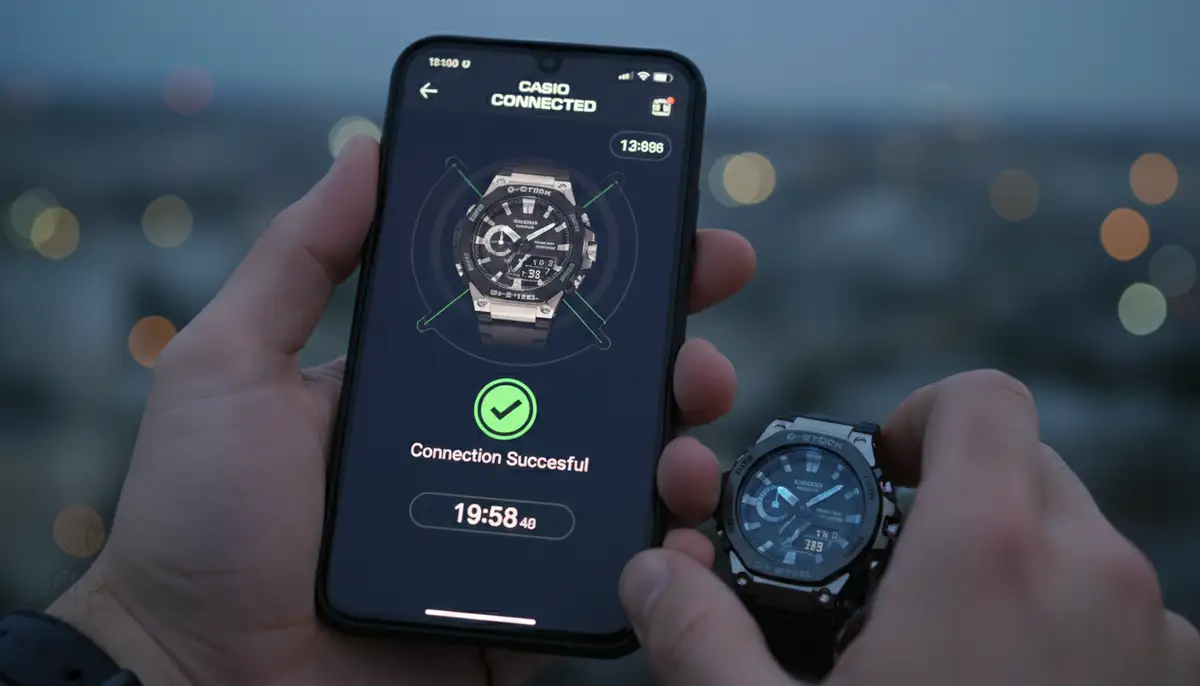
Many modern Casio watches, especially G-Shock and Edifice models, connect to your smartphone via Bluetooth. The 'Casio Connected' app allows for seamless time adjustment, alarm setting, and world time configuration directly from your phone. This is the easiest way how to set Casio watch smart models.
- Step 1: Download the App. Get the 'Casio Connected' app from your smartphone's app store.
- Step 2: Pair Your Watch. Follow the in-app instructions to pair your watch. This usually involves holding a specific button on your watch (often marked 'Connect' or 'Bluetooth') until it enters pairing mode.
- Step 3: Sync Time. Once paired, the app will automatically sync the time from your phone to your watch. You can then use the app to easily adjust other settings like alarms, timers, and world time.
For general time adjustment issues, Casio's official support page for Time Adjustment offers valuable resources. This is especially helpful if you encounter specific model-related challenges.
Troubleshooting Common Casio Watch Setting Issues
Even with a clear guide, you might run into minor issues. Here are some common problems and their solutions when trying to figure out how to set Casio watch features.
- Buttons Not Responding: Check if the watch is in a specific mode (e.g., stopwatch running, alarm sounding). Sometimes a low battery can also affect button responsiveness. Try replacing the battery if it's an older model.
- Analog Hands Not Aligning with Digital Time: This is a common issue with analog-digital models. Re-enter the hand alignment mode (often by holding 'Adjust' for a long time, sometimes 5-7 seconds) and carefully re-align the hands. Ensure the digital time is correct first.
- Incorrect Time Zone/DST: Make sure your home city code is set correctly. If your watch has DST (Daylight Saving Time) auto-adjust, ensure it's enabled or disabled as per your region's current rules. This is a critical step in how to set Casio watch time accurately.
- Watch Not Receiving Atomic Signal: Try moving to an open area, away from electronic interference. Ensure the watch is positioned correctly (often near a window, facing the signal source). Signal reception is typically best at night.
Maintenance Tips for Your Casio Watch
Proper maintenance extends the life and accuracy of your Casio watch. This includes understanding its power source and water resistance. Regular care means you won't have to troubleshoot as often, keeping your Casio running smoothly.
- Battery Replacement: For non-solar models, batteries typically last 2-10 years. When the display starts to dim or features malfunction, it's time for a replacement. Take it to a professional to ensure water resistance is maintained.
- Solar Power: If you have a Tough Solar model, ensure it gets regular exposure to light. Keep it charged to prevent the battery from depleting, which can cause it to reset and require you to re-learn how to set Casio watch settings.
- Water Resistance: Always check your watch's water resistance rating before exposing it to water. Ensure the crown is fully pushed in on analog models, and all buttons are not pressed underwater.
When to Consult Your Casio Watch Manual
Every Casio watch model is unique. While this guide covers general principles on how to set Casio watch types, your specific model might have particular button combinations or functions. If you encounter difficulties or have a model with very specific features, always refer to the official user manual. This is the definitive resource for your watch. You can find digital versions of most Casio manuals on their website. Check out Manuals | Watches to find yours.
| Casio Watch Type | Primary Setting Method | Key Feature to Note |
|---|---|---|
| Digital (e.g., F-91W) | Adjust button + Mode button | Simple, direct digital input |
| Analog (e.g., MTP-1302) | Crown pull and rotate | Mechanical hand adjustment |
| Analog-Digital (e.g., GA-100) | Digital setting first, then hand alignment mode | Two-step process for time and hands |
| Atomic/Bluetooth G-Shock | Home city selection / App sync | Automatic time updates, smartphone integration |
Beyond Basic Settings: Customizing Your Watch Experience
Once you've mastered how to set Casio watch time and its basic functions, you might start thinking about personalization. While Casio watches offer great built-in designs, the world of smartwatches has opened up vast customization possibilities. For instance, platforms like WatchMaker provide thousands of unique download watch faces, allowing you to transform the look and feel of your Apple Watch or Wear OS device. This takes customization far beyond what traditional Casio watches offer.
If you enjoy sharing your unique style, you can even share watch faces, becoming part of a vibrant community. While Casio focuses on robust functionality, the digital watch face market, with players like Pujie Black, buddywatch.app, and amoledwatchfaces.com, offers unparalleled aesthetic flexibility. For those looking for the ultimate in digital personalization, exploring the best faces for Apple Watch, for example, can open up a whole new world of expression.
Conclusion: Your Casio Watch, Perfectly Set
Congratulations! You now have a comprehensive understanding of how to set Casio watch models, whether they are digital, analog, or a sophisticated hybrid. From the simple F-91W to advanced G-Shocks with atomic timekeeping or Bluetooth, the principles remain consistent. Practice makes perfect, so don't hesitate to experiment with your watch's buttons and modes.
Remember, an accurately set watch is not just about telling time; it's about leveraging all the powerful features Casio builds into its timepieces. You're now equipped to handle any time zone change, set multiple alarms, and use your stopwatch with confidence. Enjoy your perfectly synchronized Casio watch in 2025 and for many years to come!
Related Posts

The Watch Face Mistake Almost Every New Garmin Owner Makes
There's a predictable arc to owning a new Garmin. Day one, you install a watch face that shows everything: heart rate, steps, battery, weather, two time zones,...

The Ultimate Apple Watch Strap Guide: Find Your Perfect Fit & Style in 2025
Introduction: Your Essential Apple Watch Strap Guide for 2025 Your Apple Watch is more than just a gadget. It's a personal statement, a fitness tracker, and a...