
 Pokemon Card Scanner
 Live Wallpapers Unlimited




Mastering Time: A Comprehensive Guide on How to Set a Watch in 2025
Introduction: Why Knowing How to Set a Watch Still Matters
In our fast-paced world, accurate timekeeping is essential. Even with smartphones ever-present, a watch on your wrist offers convenience and style. However, watches sometimes need adjustment. Learning how to set a watch properly ensures you are always on schedule. This guide will walk you through the process for various types of watches, from classic mechanical pieces to modern smart devices. You will gain the confidence to handle any time-setting challenge. Understanding how to set a watch is a fundamental skill for any watch owner.
Whether you've just bought a new timepiece or need to adjust for daylight saving, knowing the correct steps is crucial. Incorrect handling can damage your watch's delicate internal mechanisms. We will cover the specific methods for different watch types. This includes traditional analog, digital, and even your advanced smartwatches. Let's dive in and master the art of time adjustment.
The Fundamentals: Common Components for Setting Your Watch
Before we delve into specific instructions, it's helpful to understand the basic parts involved in setting a watch. While digital and smartwatches have screens and buttons, most analog watches share common features. These components are your primary interface for adjusting the time and date. Knowing them will simplify the process of how to set a watch.
- The Crown: This is the small knob located on the side of the watch case, typically at the 3 o'clock position. It's the most common tool for adjusting time and date on analog watches.
- Pushers/Buttons: Digital and some analog watches use small buttons for various functions, including setting time, date, alarms, and modes.
- Digital Display: Smartwatches and digital watches use their screens for displaying information and often for interacting with settings through touch.
The crown is particularly important for mechanical and quartz analog watches. You will usually pull it out to different positions to access various setting functions. Gently handling these components is key to avoiding damage. Now, let's explore how to set a watch based on its type.
How to Set a Mechanical Watch: A Timeless Tradition
Mechanical watches are intricate marvels of engineering. They rely on springs and gears to keep time. Setting them requires a bit more care and understanding. This section will guide you through the precise steps for these classic timepieces. You will learn the best practices for how to set a watch with a mechanical movement.
Step 1: Winding Your Mechanical Watch (If Applicable)
Many mechanical watches are 'automatic,' meaning they wind themselves with your wrist's motion. However, if your watch has stopped, or if it's a manual-wind model, you'll need to wind it first. This provides the power reserve for the watch to run accurately. To do this, ensure the crown is pushed fully in against the case. Then, rotate the crown clockwise. You should feel a slight resistance as the mainspring tightens. Wind until you feel increased resistance, but do not force it. This is usually around 30-40 turns for a fully depleted watch. Over-winding is generally not an issue for modern watches with slip-clutches, but it's still best to be gentle.
Step 2: Setting the Time
This is the core of how to set a watch. For most mechanical watches, you'll need to pull the crown out to its outermost position. You might feel one or two distinct clicks as you pull it out. The outermost position is typically for time setting. On some watches, pulling the crown out to this position will 'hack' the movement, meaning the second hand stops. This allows for precise time synchronization. Rotate the crown to move the hands clockwise until you reach the desired time. If your watch has a date complication, always advance the time past midnight to ensure the date changes correctly. This helps prevent setting the date at the wrong time of day, which can damage the mechanism. For a detailed guide on locating the crown and pulling it out, consider reading this comprehensive guide on setting a watch from Bob's Watches.
Step 3: Setting the Date and Day (Quickset Feature)
Many mechanical watches feature a 'quickset' date function. This allows you to adjust the date without cycling through 24 hours of time. To use this, gently push the crown back in one position from the time-setting position. You should now be in the date-setting position. Rotate the crown (often in the opposite direction from time setting) to advance the date window. If your watch also has a day complication, you might rotate the crown in the other direction in this same position. Always avoid setting the date or day when the watch hands are between 9 PM and 3 AM. This is when the watch's internal date-change mechanism is engaged. Adjusting it manually during this period can cause damage. If the time is within this 'danger zone,' first advance the time past 3 AM, set the date, and then reset the correct time.
Step 4: Pushing the Crown Back In
Once you have set the time, date, and day, push the crown firmly back into its original position against the watch case. This ensures the watch is sealed, protecting it from dust and moisture. It also restarts the movement if it was hacked. Your mechanical watch is now correctly set and ready to wear. Knowing how to set a watch of this type preserves its longevity and accuracy.
How to Set a Quartz Watch: Simplicity and Precision
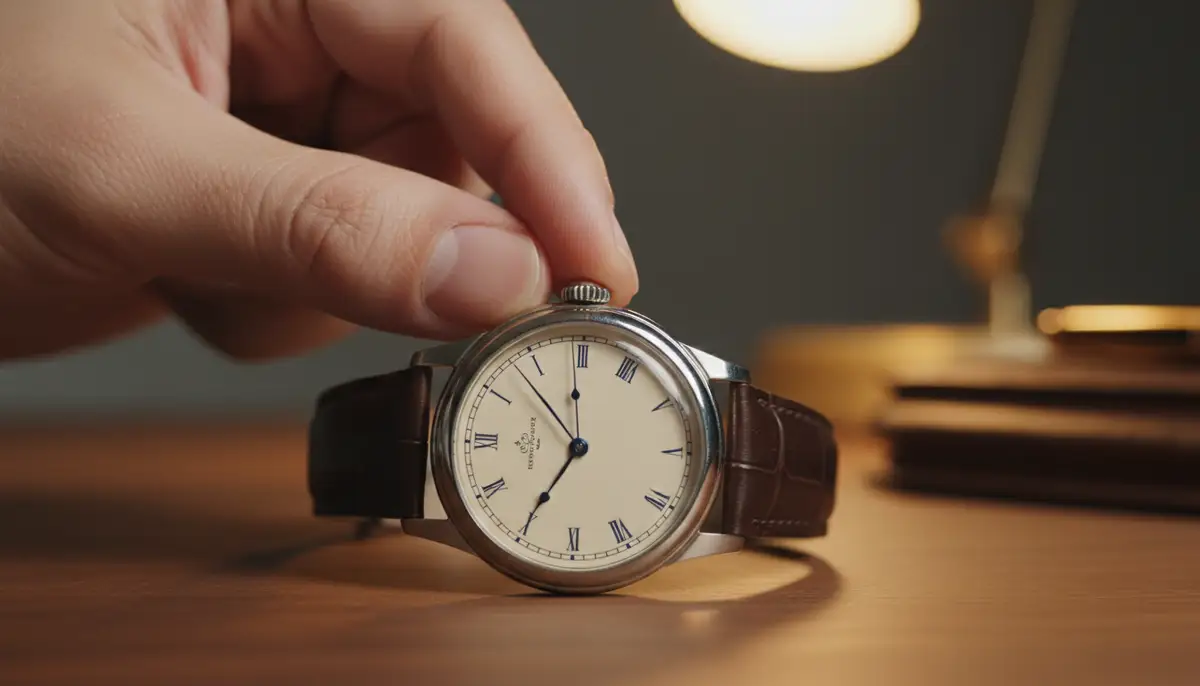
Quartz watches are powered by a battery and an oscillating quartz crystal, offering excellent accuracy and minimal maintenance. Setting a quartz watch is generally more straightforward than a mechanical one. The principles of how to set a watch remain similar, but the process is often less delicate.
Setting the Time on a Quartz Analog Watch
Just like mechanical watches, most analog quartz watches use a crown for setting. Pull the crown out to its outermost position. The second hand will likely stop, allowing for precise setting. Rotate the crown to move the hour and minute hands to the correct time. If your watch has a date window, remember to advance the hands past midnight to ensure the date changes correctly. This helps you set the AM/PM correctly. Once the time is set, push the crown back in. This will restart the second hand. Your quartz watch is now accurately displaying the time. This simple method shows you how to set a watch with quartz movement effectively.
Setting the Date on a Quartz Analog Watch
If your quartz watch has a date display, you can usually set it using the quickset feature. Pull the crown out to the first click position (the middle position). Rotate the crown in one direction to advance the date. Some watches might have a day-date complication. In this case, rotating the crown in the opposite direction in the same position will adjust the day. Again, avoid setting the date/day between 9 PM and 3 AM to protect the mechanism. Once set, push the crown fully back in. This ensures your watch is sealed and operating correctly. This is an important part of how to set a watch with a date function.
How to Set a Digital Watch: Buttons and Modes
Digital watches operate differently from their analog counterparts. They use a series of buttons and a digital display for setting time, date, and various other functions. Understanding the button layout is key to knowing how to set a watch digitally. Most digital watches have at least two, and often four, buttons. These buttons control different modes and adjustments.
Common Digital Watch Buttons
While button labels can vary, here are common functions you'll encounter:
| Button Name (Common) | Typical Function |
|---|---|
| Mode/Select | Cycles through different modes (time, alarm, stopwatch, timer). |
| Adjust/Set | Enters or exits setting mode; confirms selections. |
| Start/Stop | Starts/stops stopwatch or timer; increments values during setting. |
| Reset/Light | Resets stopwatch; decrements values; activates backlight. |
Step-by-Step for Setting a Digital Watch
Here’s a general guide on how to set a watch with a digital display:
- Enter Setting Mode: Press and hold the 'Adjust' or 'Set' button (sometimes 'Mode') until the time display starts flashing. This indicates you are in setting mode.
- Select Item to Adjust: Use the 'Mode' or 'Select' button to cycle through the different parameters. These typically include hours, minutes, seconds, AM/PM, month, day, and year.
- Adjust Values: Once a parameter is flashing, use the 'Start/Stop' or 'Reset' buttons to increase or decrease the value. Often, one button increments and the other decrements.
- Confirm and Exit: After setting all parameters, press the 'Adjust' or 'Set' button again to exit the setting mode. The display will stop flashing.
Some digital watches might have slightly different button combinations or sequences. Always refer to your watch's manual for precise instructions. For a visual guide on changing the time on a digital watch, WikiHow offers helpful steps. Additionally, if you have a 4-button digital sport watch, this video tutorial can be incredibly helpful:
. It clearly demonstrates how to set a watch of this common type.How to Set a Smartwatch: The Connected Way
Smartwatches, like the Apple Watch or those running Wear OS, represent the pinnacle of modern watch technology. Setting these devices is often the easiest, as they typically synchronize with your smartphone. This means they automatically adjust for time zones and daylight saving. However, there are still ways to customize and manage their time display. Understanding how to set a watch in the smartwatch era is mostly about managing settings.
Automatic Time Synchronization
The primary way smartwatches keep accurate time is by syncing with your paired smartphone. Your phone gets its time from network providers or GPS. This ensures your smartwatch is always precise. When you travel across time zones, your phone updates automatically, and your watch follows suit. There's usually no manual 'how to set a watch' process in the traditional sense for the core time.

Customizing Time Display and Watch Faces
While the core time is automatic, you have immense control over how that time is displayed. Smartwatches allow you to choose from thousands of watch faces. These faces can show different time formats, complications (like weather or activity rings), and styles. For instance, on an Apple Watch, you can customize faces directly on the watch or through the Watch app on your iPhone. You can select analog or digital displays, add world clocks, and more. If you're looking for new ways to personalize your smartwatch, you might want to download watch faces.
For users of Apple Watch and Wear OS devices, platforms like WatchMaker offer a vast repository of custom watch faces. You can explore unique designs and functionalities. This allows you to truly make your smartwatch your own. Companies like watchfacely.com, amoledwatchfaces.com, and buddywatch.app also provide excellent selections. Finding the best faces for Apple Watch, for example, can completely change your user experience. You can even share watch faces, creating a community around personalized timekeeping.
Setting a Different Time Zone (Manual Override)
Sometimes, you might want your smartwatch to display a different time zone than your phone. Perhaps you're tracking a loved one's time in another country. Most smartwatches allow you to add a 'World Clock' complication to your watch face. This displays a second time zone without changing your primary time. You can usually configure this through the watch's settings menu or companion app. This offers flexibility without needing to manually adjust the main time. It's a smart way to manage how to set a watch for global awareness.
Advanced Watch Setting Scenarios
Beyond basic time and date, many watches offer additional complications. These require specific steps to set them correctly. Knowing how to set a watch with these advanced features adds to your horological expertise.
Setting GMT/Dual Time Zones
GMT watches have an extra hand that completes a rotation every 24 hours. This hand points to a 24-hour scale, allowing you to track a second time zone. To set it, you usually pull the crown out to a specific position (often the first or second click). Then, you rotate the crown in one direction to adjust the GMT hand independently. The main hour and minute hands are set as usual. Some watches might have an independent GMT hand that can be set without stopping the main time. Others might have a rotating bezel that helps track a third time zone. Mastering how to set a watch with GMT functionality is great for frequent travelers.
Setting Chronographs
A chronograph is a stopwatch function integrated into a watch. It typically has two or three subdials and two pushers flanking the crown. To use it, you press the top pusher to start the timer, press it again to stop, and press the bottom pusher to reset. If your chronograph hands are misaligned (not returning to zero), you can usually recalibrate them. This often involves pulling the crown out to the time-setting position and then using the pushers to advance the subdial hands back to zero. Consult your watch's manual for the exact recalibration sequence. This ensures all functions are perfect when you need to know how to set a watch's timing features.
Perpetual Calendars and Moon Phases
Perpetual calendars are complex mechanisms that correctly display the date, day, month, and often year, even accounting for leap years. They rarely need adjustment unless the watch has stopped for an extended period. Setting them usually involves small recessed pushers on the side of the case. You use a special tool (often a small stylus) to press these. Moon phase complications show the current phase of the moon. These are typically set using a pusher or by rotating the crown in a specific position. It's best to consult a moon phase calendar to set it accurately. These are advanced features that show true craftsmanship. When learning how to set a watch with these, patience is key.
Dealing with Time Zones and Daylight Saving Time (DST)
Adjusting for time zones and DST changes is a common reason you might need to know how to set a watch. While smartwatches handle this automatically, mechanical and quartz watches require manual intervention.
Traveling Across Time Zones
When you travel, you'll need to adjust your watch to the local time. For analog watches, pull the crown out to the time-setting position. Then, advance or rewind the hands to the new local time. Remember to check if it's AM or PM, especially if your watch has a date complication. For digital watches, follow the steps to enter setting mode and adjust the hours. Many modern digital watches have a 'world time' function that allows you to quickly switch between pre-programmed time zones. This makes knowing how to set a watch for travel much easier.
Daylight Saving Time Changes
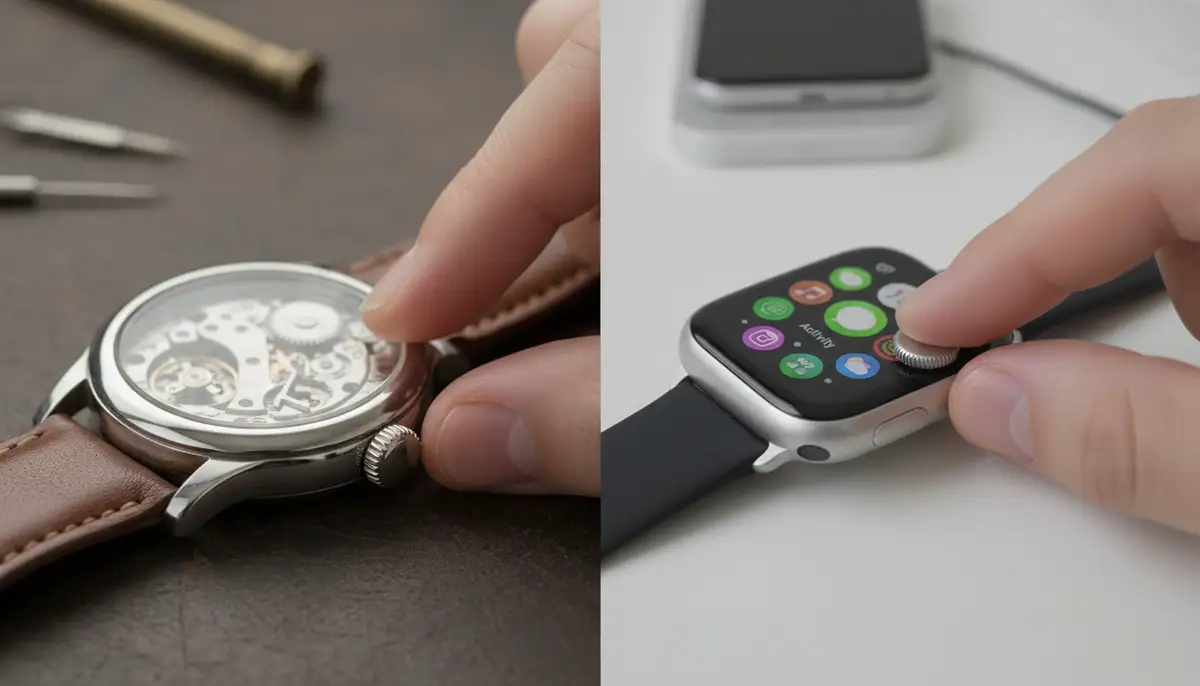
Twice a year, many regions observe Daylight Saving Time. This means moving your clock forward or backward by one hour. For analog watches, pull the crown out and move the hands forward or backward one hour. If moving backward, avoid passing through the 9 PM - 3 AM 'danger zone' for date mechanisms. It's safer to advance the time by 23 hours instead of rewinding one hour if your watch has a quickset date. For digital watches, enter the setting mode and adjust the hour accordingly. Always remember to push the crown back in once finished. This routine adjustment is a prime example of when you need to know how to set a watch.
Troubleshooting Common Watch Setting Issues
Even with the right instructions, you might encounter a few hiccups when trying to set your watch. Here are some common problems and their solutions. Knowing these can save you a trip to the watchmaker. This knowledge is crucial for anyone learning how to set a watch effectively.
Watch Not Responding to Crown/Buttons
If your watch doesn't respond when you try to pull out the crown or press buttons, check a few things. First, ensure the crown isn't stuck or dirty. Try gently wiggling it. For digital watches, make sure the battery isn't completely dead. A low battery can sometimes cause erratic behavior. If it's a mechanical watch, it might need winding. If none of these work, there might be an internal issue. A professional watchmaker should inspect it. This is a situation where knowing how to set a watch becomes less about technique and more about diagnosis.
Date Changes at Noon Instead of Midnight
This is a very common issue with analog watches. It means you've set the time incorrectly for AM/PM. To fix this, pull the crown out to the time-setting position. Advance the time forward by 12 hours. The date should then change around midnight. Once the date changes, continue setting the correct time. Remember, when you first set the date, it's always best to advance the time past midnight. This confirms you are in the AM cycle. This simple fix is key when you encounter this specific problem with how to set a watch.
Digital Watch Buttons Seem Stuck or Unresponsive
For digital watches, buttons can sometimes get stiff or unresponsive due to dirt or debris. Try cleaning around the buttons with a soft, dry brush or a toothpick. If the watch is water-resistant, a gentle rinse might help, but be very careful. Sometimes, a full reset of the watch (if it has that function) can resolve software glitches. Consult your manual for reset instructions. If the problem persists, the buttons might need repair or replacement. This is a common issue when learning how to set a watch with multiple buttons.
Maintaining Watch Accuracy and Longevity
Knowing how to set a watch is just one part of watch ownership. Proper care and maintenance ensure your timepiece remains accurate and lasts for years. Regular checks and servicing are vital for all watch types.
Regular Time Checks
Even the most accurate watches can gain or lose a few seconds a day. Regularly compare your watch to a reliable time source (like an atomic clock app on your phone). This helps you identify if your watch is running fast or slow. Make small adjustments as needed. For mechanical watches, consistent winding and wearing can also affect accuracy. This routine vigilance complements your knowledge of how to set a watch.
Professional Servicing
Mechanical watches, especially, benefit from periodic servicing. This usually involves cleaning, lubricating, and regulating the movement. Most manufacturers recommend servicing every 3-5 years. Quartz watches typically only need battery changes, but seals might need replacement to maintain water resistance. Smartwatches benefit from software updates and occasional battery health checks. Regular servicing helps maintain the watch's integrity and ensures its components function smoothly. It is a critical aspect of long-term watch care.
Environmental Factors
Extreme temperatures, magnetic fields, and shocks can all affect a watch's accuracy and function. Try to avoid exposing your watch to these conditions. For instance, strong magnets (like those in speakers or some smart devices) can magnetize mechanical movements, causing them to run fast. If this happens, a watchmaker can demagnetize it. Protecting your watch from harsh environments reduces the frequency of needing to know how to set a watch due to external factors. For more insights, Diamond Source NYC provides a guide to setting your watch with additional tips.
Remember, your watch is more than just a time-telling device; it's an investment and a personal statement. Taking good care of it, including knowing how to set a watch correctly, will ensure it serves you well for many years to come.
Conclusion: Your Time, Mastered
Mastering how to set a watch is an essential skill for any watch enthusiast or everyday wearer. From the classic ritual of winding a mechanical timepiece to the intuitive taps on a smartwatch screen, each method has its nuances. You now have a comprehensive understanding of how to set a watch of various types. This includes adjusting for time zones and troubleshooting common issues.
By following these guidelines, you can ensure your watch always displays the correct time and date. This protects its delicate mechanisms and extends its lifespan. Embrace the joy of accurate timekeeping. Feel confident in your ability to manage your valuable wrist companion. Whether you prefer the heritage of a mechanical watch or the innovation of a smartwatch, knowing how to set a watch empowers you to stay perfectly on schedule in 2025 and beyond.
Related Posts

The Watch Face Mistake Almost Every New Garmin Owner Makes
There's a predictable arc to owning a new Garmin. Day one, you install a watch face that shows everything: heart rate, steps, battery, weather, two time zones,...

The Ultimate Apple Watch Strap Guide: Find Your Perfect Fit & Style in 2025
Introduction: Your Essential Apple Watch Strap Guide for 2025 Your Apple Watch is more than just a gadget. It's a personal statement, a fitness tracker, and a...