
 Pokemon Card Scanner
 Live Wallpapers Unlimited




Master Your G-Shock: A Complete Guide on How to Adjust Time on G Shock in 2025
Introduction: Why Knowing How to Adjust Time on G Shock Matters
Your G-Shock watch is more than just a timepiece. It is a symbol of durability and precision. However, even the toughest watches need a little help to stay perfectly accurate. Knowing how to adjust time on G Shock is a fundamental skill for any owner. This guide will walk you through the process step-by-step, ensuring your watch always shows the correct time, whether you are traveling, observing Daylight Saving Time, or just need a minor correction.
In 2025, accuracy remains paramount. While many devices auto-sync, your reliable G-Shock might require manual adjustment. This comprehensive guide covers various G-Shock models, from classic digital to advanced analog-digital versions. You will learn the exact steps to keep your G-Shock perfectly synchronized with the world around you.
Understanding Your G-Shock: The Basics of Time Adjustment
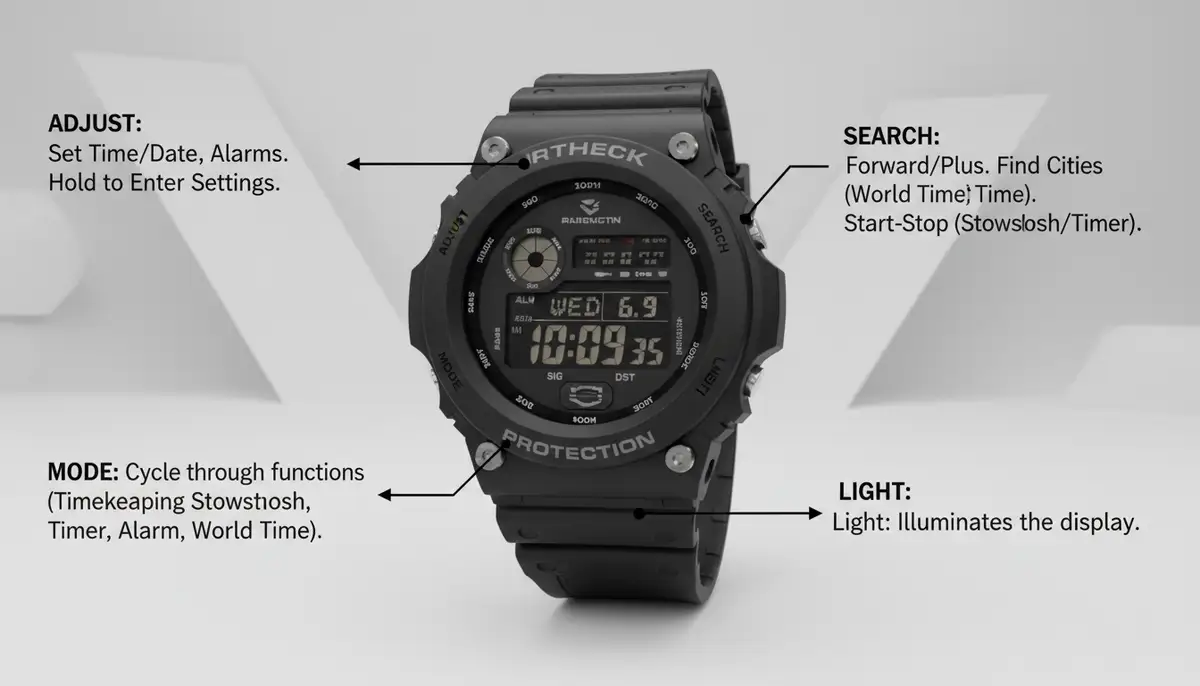
Before you dive into the specifics of how to adjust time on G Shock, it is important to understand your watch's layout. G-Shock watches typically feature four main buttons. These buttons are usually labeled or have distinct functions. Familiarizing yourself with them will make the adjustment process much smoother.
- ADJUST/SET: Often found at the top-left, this button starts and confirms settings changes.
- MODE: Usually at the bottom-left, this cycles through different watch modes (Timekeeping, Stopwatch, Alarm, etc.).
- SEARCH/FORWARD: Typically at the top-right, used to advance values or search.
- LIGHT/REVERSE: Located at the bottom-right, it illuminates the display and sometimes reverses values during setting.
The exact button labels might vary slightly by model. However, their general positions and functions remain consistent across most G-Shock watches. Always refer to your specific model's manual if you are unsure. Knowing these basics is the first step in learning how to adjust time on G Shock effectively.
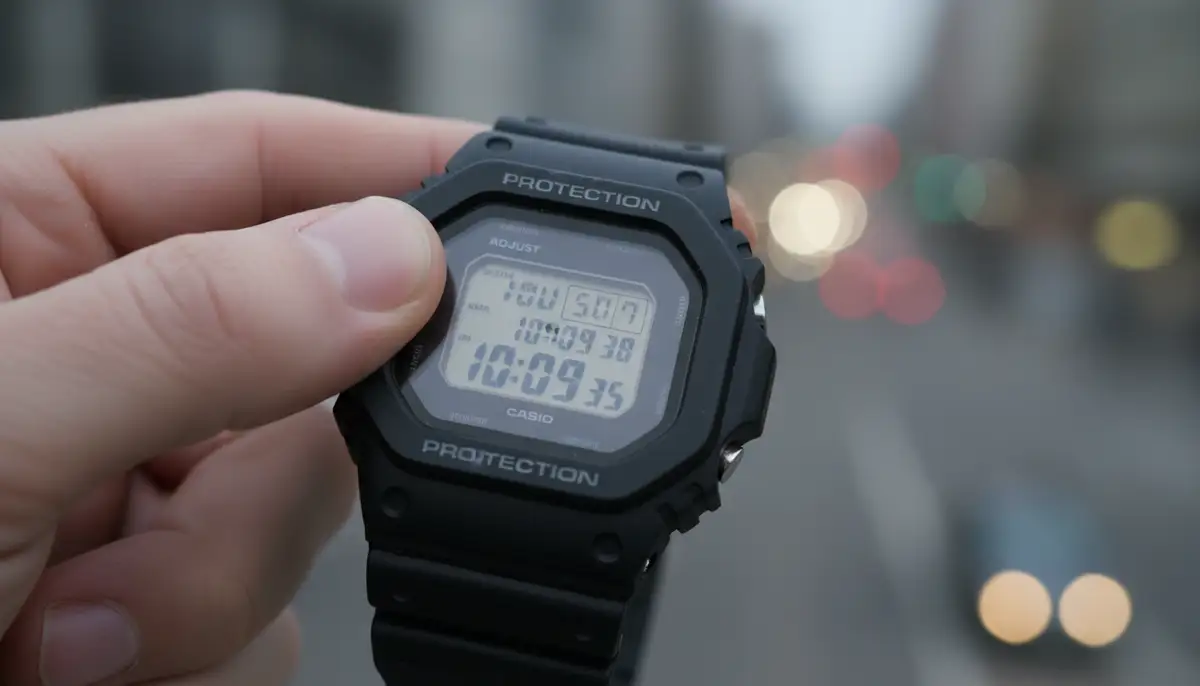
How to Adjust Time on G Shock Digital Models: A Step-by-Step Guide
Digital G-Shock watches are known for their straightforward functionality. Adjusting the time on these models is usually a simple process. Follow these steps carefully to ensure your digital G-Shock displays the correct time.
- Step 1: Enter Time Setting Mode. In the regular Timekeeping Mode, press and hold the 'ADJUST' button (top-left). Hold it down until the city code starts flashing on the digital display. This indicates you are in the setting mode.
- Step 2: Select Your Home City. Use the 'SEARCH' (top-right) and 'LIGHT' (bottom-right) buttons to scroll through the city codes. Choose the one that corresponds to your current time zone. This is crucial for accurate timekeeping.
- Step 3: Adjust Daylight Saving Time (DST). Press the 'MODE' button (bottom-left) once. The DST setting (ON/OFF) will flash. Use the 'SEARCH' or 'LIGHT' button to toggle DST on or off as needed. Remember, DST rules can vary by region.
- Step 4: Set Seconds. Press 'MODE' again. The seconds will flash. You can press 'SEARCH' or 'LIGHT' to reset the seconds to 00. This is useful for precise synchronization.
- Step 5: Set Hour and Minute. Press 'MODE' to move to the hour setting. Use 'SEARCH' and 'LIGHT' to adjust the hour. Press 'MODE' again to move to the minute setting and adjust it similarly. Be mindful of AM/PM for 12-hour formats.
- Step 6: Set 12/24-Hour Format. Continue pressing 'MODE' until the 12H/24H format flashes. Use 'SEARCH' or 'LIGHT' to select your preferred display format.
- Step 7: Set Year, Month, Day. Press 'MODE' to cycle through the year, month, and day settings. Adjust each one using the 'SEARCH' and 'LIGHT' buttons. Ensure the date is correct for proper functionality.
- Step 8: Exit Setting Mode. Once all settings are correct, press the 'ADJUST' button (top-left) to save your changes and exit the setting mode. Your G-Shock will now display the updated time.
This detailed process shows you exactly how to adjust time on G Shock digital models. For more general guidance on how to change the time on a G-SHOCK watch, you can refer to the official Casio blog. It confirms the importance of the Adjust button for starting the process.
How to Adjust Time on G Shock Analog-Digital (Combo) Models
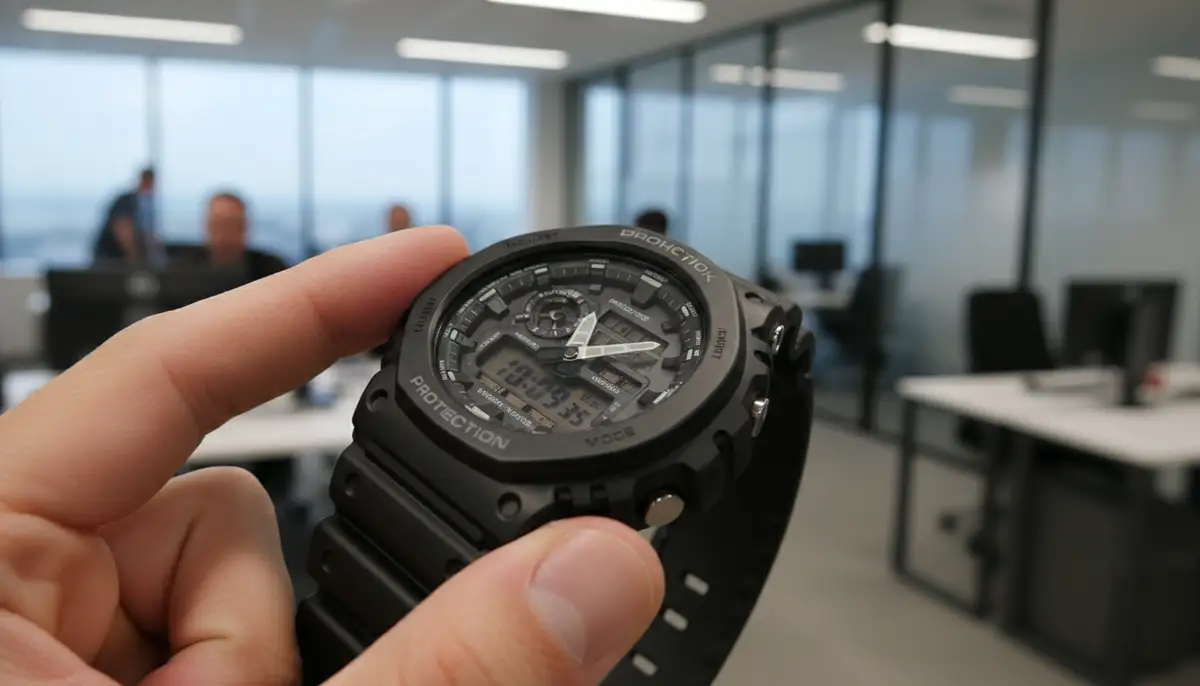
Analog-digital G-Shock watches, also known as combo models, combine traditional hands with a digital display. This offers the best of both worlds but can sometimes make time adjustment seem a bit more complex. However, the process is quite similar to digital models, with an added step for hand alignment. Here is how to adjust time on G Shock combo watches.
- Step 1: Enter Time Setting Mode. Just like digital models, start in the Timekeeping Mode. Press and hold the 'ADJUST' button (top-left) until the city code flashes on the digital display.
- Step 2: Set Home City and DST. Use the 'SEARCH' and 'LIGHT' buttons to select your Home City. Press 'MODE' to toggle Daylight Saving Time (DST) on or off.
- Step 3: Adjust Digital Time. Continue pressing 'MODE' to cycle through seconds, hours, minutes, 12/24-hour format, year, month, and day settings. Adjust each using 'SEARCH' and 'LIGHT'. This sets your digital time.
- Step 4: Align Analog Hands (Hand Set Mode). After setting the digital time, you might need to align the analog hands. Press 'MODE' until 'H.SET' (Hand Set) appears on the digital display. The hands will usually move to a specific position (e.g., 12:00) to indicate they are ready for adjustment.
- Step 5: Adjust Hand Position. Use the 'SEARCH' and 'LIGHT' buttons to move the analog hands. The goal is to align them with the 12 o'clock position (or sometimes the current digital time, depending on the model). Some models may have auto-correction features, but manual adjustment ensures accuracy.
- Step 6: Confirm and Exit. Once the analog hands are correctly aligned and all digital settings are accurate, press the 'ADJUST' button (top-left) to save your settings and exit. The analog hands should then automatically move to match the digitally set time.
Analog-digital models offer great versatility. However, ensuring both the digital and analog displays are perfectly synchronized is key. This guide on how to adjust time on G Shock combo models ensures that precision.
Specific Model Spotlight: How to Adjust Time on a G-Shock GA-2100
The G-Shock GA-2100, often called the 'Casioak', is incredibly popular. Its slim profile and octagonal bezel make it a favorite. While it is an analog-digital model, its specific adjustment process is worth highlighting due to its widespread use. Here is how to adjust time on a G-Shock GA-2100.
- Step 1: Enter Time Setting Mode. In the Timekeeping Mode, press and hold the 'ADJUST' button (top-left) for about 3-5 seconds. You will hear a beep, and the city code will flash on the digital display.
- Step 2: Select Home City and DST. Use the 'FORWARD' (top-right) and 'REVERSE' (bottom-right) buttons to select your desired city code. Press the 'MODE' button (bottom-left) to move to the DST setting and toggle it ON/OFF as needed.
- Step 3: Adjust Digital Time. Continue pressing 'MODE' to cycle through the settings: seconds, hour, minute, 12/24-hour format, year, month, and day. Use 'FORWARD' and 'REVERSE' to adjust each value. Make sure the digital time is correct.
- Step 4: Hand Alignment (H.SET). After setting the digital time, press 'MODE' until 'H.SET' appears. The analog hands will move. Use 'FORWARD' and 'REVERSE' to align the hands to 12:00. This ensures they synchronize correctly with the digital time.
- Step 5: Exit Setting Mode. Once everything is set, press the 'ADJUST' button to save and exit. The hands will then auto-adjust to match the digital time.
Many users specifically search for how to set time on a G-Shock GA 2100 because of its unique appeal. This detailed breakdown should make the process clear. For more insights on this specific model, you can check out discussions like those on Quora, where users share their experiences.
Dealing with Daylight Saving Time (DST) on Your G-Shock
Daylight Saving Time (DST) changes can be a minor annoyance for any watch owner. Fortunately, G-Shock watches have a dedicated setting for it. Knowing how to adjust time on G Shock for DST is crucial for staying punctual twice a year. Most G-Shock models allow you to toggle DST on or off within the time setting mode.
When you enter the time setting mode (by holding 'ADJUST'), one of the first settings you will encounter after selecting your Home City is the DST option. Simply use the 'SEARCH' or 'LIGHT' button to switch it between 'ON' and 'OFF'. If your region observes DST, ensure it is set to 'ON' during the summer months and 'OFF' during standard time. This simple adjustment prevents you from being an hour off.
For more detailed instructions on handling DST with your G-Shock, especially if you have a specific module, Casio provides helpful resources. You can find comprehensive information on how to set time on G-SHOCK watches - Daylight Savings directly from the manufacturer. Always consult your specific module's product manual for the most accurate guidance, as some advanced models might have automated DST features.
Troubleshooting Common Time Adjustment Issues
Even with clear instructions on how to adjust time on G Shock, you might encounter minor hiccups. Here are some common issues and how to resolve them:
| Issue | Possible Cause | Solution |
|---|---|---|
| Hands not aligning | Analog hands not synchronized with digital time. | Enter 'H.SET' mode and manually align the hands to 12:00. Then exit setting mode. |
| Time is still wrong after adjustment | Incorrect Home City selected or DST setting wrong. | Re-enter time setting mode. Double-check your Home City and DST (ON/OFF) settings carefully. |
| Buttons not responding | Watch might be in a different mode or battery is low. | Ensure you are in Timekeeping Mode. Try pressing 'MODE' to cycle through. If unresponsive, consider a battery check or reset. |
| Cannot enter setting mode | Not holding 'ADJUST' long enough or a button is stuck. | Press and hold 'ADJUST' firmly for at least 3-5 seconds until the city code flashes. Check for any stuck buttons. |
If you are still struggling, a full reset of your G-Shock might be necessary. This usually involves removing the battery or pressing a specific combination of buttons (check your manual). A reset will return the watch to its factory default settings, allowing you to start the time adjustment process fresh. Knowing how to adjust time on G Shock also means knowing how to troubleshoot.
Beyond Manual Adjustment: Advanced G-Shock Timekeeping Features
While manual adjustment is essential, many modern G-Shock models offer advanced features for automatic time synchronization. These features virtually eliminate the need to manually learn how to adjust time on G Shock.
Multi-Band 6 Atomic Timekeeping
Many high-end G-Shocks come equipped with Multi-Band 6 technology. This feature allows your watch to receive time calibration signals from six different transmission stations worldwide. These signals automatically correct your watch's time, ensuring atomic-level accuracy. If your watch has this feature, place it near a window overnight for optimal signal reception. This is an excellent way to keep perfect time without manual intervention.
Bluetooth Connectivity (Connected G-Shocks)
Newer G-Shock models often include Bluetooth connectivity. These watches can link with your smartphone via the G-Shock Connected app. Once paired, your watch automatically synchronizes its time with your phone's time. This is incredibly convenient, especially when traveling across time zones. The app also allows for easy setting adjustments directly from your phone, making the process of how to adjust time on G Shock even simpler.

This integration with smart devices highlights a growing trend in watch technology. While G-Shock focuses on durability, other platforms like Apple Watch and Wear OS offer extensive customization through download watch faces. Companies like WatchMaker provide thousands of options, from weather watch faces, which can show real-time conditions, to health watch faces, displaying your fitness data. Even for traditional G-Shocks, understanding these smart features enhances your overall experience.
Maintaining Your G-Shock's Accuracy
Beyond knowing how to adjust time on G Shock, proper maintenance ensures its longevity and accuracy. Here are a few tips:
- Battery Life: Keep an eye on your battery indicator. A low battery can sometimes affect accuracy or cause settings to reset. Replace it promptly or ensure solar models get enough light.
- Regular Checks: Even with auto-sync features, it is a good habit to occasionally compare your G-Shock's time with a reliable source (like your phone or an atomic clock website).
- Firmware Updates: For Bluetooth-enabled models, regularly check the G-Shock Connected app for firmware updates. These updates can improve performance and accuracy.
Proper care ensures your G-Shock remains a reliable companion for years to come. This includes knowing when and how to adjust time on G Shock, but also basic upkeep.
The Evolving World of Watch Faces and Customization
While G-Shock watches are iconic in their design, the broader watch industry, especially in the smart wearable sector, thrives on customization. WatchMaker, for instance, offers a vast repository of watch faces for Apple Watch and WearOS devices. This allows users to personalize their smartwatches with unique designs, data displays, and interactive elements. It is a different kind of customization compared to the rugged utility of a G-Shock, but it reflects a universal desire for personal expression.
This trend is also evident in the ecosystem of other watch face providers. Platforms like watchfacely.com, Pujie Black, and amoledwatchfaces.com also cater to users seeking to personalize their digital timepieces. While G-Shock's primary focus remains on durability and functionality, these companies highlight the growing demand for aesthetic and functional customization in the modern watch landscape. Knowing how to adjust time on G Shock is about core functionality, but the wider market shows how much people value their watch's appearance and features.
For a visual guide on setting up a specific G-Shock model, consider watching this comprehensive tutorial:
. It provides a detailed walkthrough that can be very helpful, especially for visual learners.Conclusion: Mastering Your G-Shock's Time
Learning how to adjust time on G Shock is an essential skill for any owner. Whether you have a classic digital model, a versatile analog-digital, or a popular GA-2100, the steps are logical and manageable. By understanding your watch's buttons, following the setting procedures, and leveraging advanced features like Multi-Band 6 or Bluetooth, you can ensure your G-Shock always displays the correct time. This guide has provided you with all the necessary information to keep your G-Shock perfectly synchronized in 2025 and beyond. Stay punctual, stay prepared, and enjoy the enduring reliability of your G-Shock.
Related Posts

The Watch Face Mistake Almost Every New Garmin Owner Makes
There's a predictable arc to owning a new Garmin. Day one, you install a watch face that shows everything: heart rate, steps, battery, weather, two time zones,...

The Ultimate Apple Watch Strap Guide: Find Your Perfect Fit & Style in 2025
Introduction: Your Essential Apple Watch Strap Guide for 2025 Your Apple Watch is more than just a gadget. It's a personal statement, a fitness tracker, and a...