
 Pokemon Card Scanner
 Live Wallpapers Unlimited




Mastering Your Citizen Eco-Drive: A Complete Guide on How to Adjust Time
Introduction: Understanding How to Adjust Time on Citizen Eco-Drive Watch
Your Citizen Eco-Drive watch is a marvel of technology. It harnesses light, both natural and artificial, to power itself, meaning you never need a battery replacement. However, even these self-sufficient timepieces sometimes require a manual adjustment. Whether it's for Daylight Saving Time, traveling across time zones, or simply a reset, knowing how to adjust time on Citizen Eco-Drive watch is a valuable skill. This comprehensive guide will walk you through the process, ensuring your watch always displays the correct time in 2025 and beyond.
We'll cover various Eco-Drive models, from basic three-handers to complex perpetual calendar and radio-controlled versions. You'll learn the specific steps for each, along with essential tips and troubleshooting advice. Let's make sure your Citizen Eco-Drive is always perfectly synchronized with your world.
Why You Might Need to Adjust Your Eco-Drive Watch
While Eco-Drive watches are incredibly accurate, several situations call for a manual time adjustment. These scenarios are common for all watches, not just light-powered ones. Knowing these reasons helps you understand when to intervene.
- Daylight Saving Time (DST) changes: Twice a year, you'll need to move your watch forward or backward by an hour.
- Traveling across time zones: When you cross into a new time zone, your watch needs to reflect local time.
- Initial setup or after a long period of storage: If your watch has completely run out of power, it might need a full reset.
- Minor time drift: Though rare, even highly accurate watches can experience slight variations over long periods.
- Calendar adjustments: Some models require manual date changes for months with fewer than 31 days, unless they have a perpetual calendar feature.
Before You Start: Essential Preparations for Time Adjustment
Before you begin to adjust the time on your Citizen Eco-Drive watch, a few preparatory steps can save you time and frustration. These steps ensure you have the right information and a clear workspace. Proper preparation makes the process much smoother.
Identify Your Watch's Caliber Number
This is perhaps the most crucial step. The 'caliber number' is your watch's movement identification number. It's usually a four-digit alphanumeric code found engraved on the caseback of your watch. For example, it might look like 'E111' or 'H800'. This number is vital because it tells you exactly which instruction manual applies to your specific model. Different calibers have different setting procedures.
Locate Your Instruction Manual
Once you have your caliber number, you can find the correct instruction manual. Citizen provides comprehensive guides for all their movements. You can often find specific Setting Instructions by entering your caliber number directly on their website. For more detailed information, a general INSTRUCTION MANUAL might also be helpful, especially for radio-controlled models like the H800.
Having the physical manual or a digital copy open will be your best friend. It will detail the exact crown positions and pusher functions for your model. This prevents guesswork and potential damage.
Prepare Your Workspace
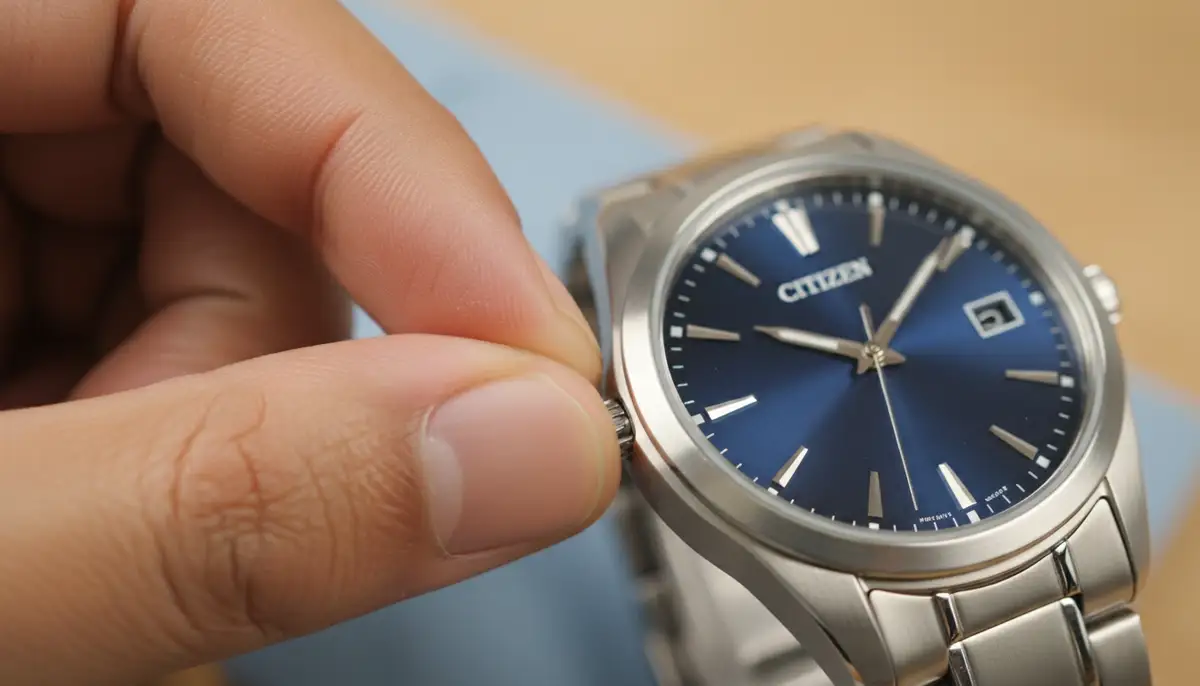
Find a clean, well-lit, and flat surface. A soft cloth or mat can protect your watch from scratches. Ensure you have good lighting to clearly see the watch's dial, hands, and crown. This preparation helps you focus on the task at hand.
How to Adjust Time on Citizen Eco-Drive Watch: Basic Models (Three-Hand/Date)
For many standard Citizen Eco-Drive watches, adjusting the time is straightforward. These models typically feature a crown on the side, sometimes with a date window. This section focuses on how to adjust time on Citizen Eco-Drive watch models with basic functions.
Step-by-Step Guide for Basic Time Adjustment
Here's a general procedure that applies to most basic Eco-Drive watches. Always refer to your specific manual for exact instructions. This method is a good starting point for learning how to adjust time on Citizen Eco-Drive watch.
- 1. Fully Charge Your Watch: Ensure your Eco-Drive watch has sufficient power. Place it under a strong light source for several hours if it has been stored in darkness. A fully charged watch responds better to adjustments.
- 2. Pull the Crown to the Time Setting Position: The crown is the small knob on the side of the watch. For most basic models, you'll gently pull it out to the second click (the furthest position). You might feel two distinct clicks. The seconds hand should stop moving.
- 3. Set the Time: Rotate the crown either clockwise or counter-clockwise to move the hour and minute hands. For accuracy, it's best to set the time a few minutes ahead of the current time, then move it backward to align perfectly with a reliable time source (like your smartphone or an atomic clock). If your watch has a date display, rotate the hands past 12 o'clock to observe if the date changes. This helps you determine if you are setting AM or PM.
- 4. Push the Crown Back In: Once the time is accurately set, push the crown firmly back into its normal, closed position. The seconds hand should start moving again. Make sure it's fully seated to maintain water resistance.
For a visual demonstration, you can watch this helpful guide:
. It shows the crown pulling and rotation process clearly. This video can be a great companion to these written instructions on how to adjust time on Citizen Eco-Drive watch.How to Adjust Time on Citizen Eco-Drive Watch with Perpetual Calendar
Perpetual calendar Eco-Drive watches are incredibly convenient. They automatically adjust for months with 30 or 31 days and even leap years. However, when you need to adjust the time, the process is slightly more involved than basic models. This is especially true if you are changing time zones or performing a full reset.
Understanding Perpetual Calendar Settings
These watches often have multiple functions controlled by the crown and sometimes additional pushers. You might need to enter a specific 'setting mode' to adjust the time, date, or year. Always refer to your caliber's manual for precise steps. Knowing how to adjust time on Citizen Eco-Drive watch with this feature requires a bit more attention.
- 1. Enter Time Setting Mode: Typically, you pull the crown out to the second click. Some models might require holding a pusher simultaneously or rotating the crown to a specific position first.
- 2. Select Time/Date Component: Once in setting mode, you usually use the crown or a pusher to cycle through the components you want to adjust (e.g., hour, minute, year, month, date). The seconds hand or a sub-dial might indicate which component is currently selected.
- 3. Adjust Each Component: Rotate the crown to change the selected value. For time, rotate until the correct hour and minute are displayed. For the date, ensure the correct day, month, and year are set. Remember to account for AM/PM.
- 4. Exit Setting Mode: Push the crown back in completely to lock in your settings. The watch should resume normal operation.
It's crucial to be patient with perpetual calendar models. Rushing through the steps can lead to incorrect settings. Take your time and follow your manual. This is key to successfully learning how to adjust time on Citizen Eco-Drive watch with advanced features.
Adjusting Time on Radio-Controlled Citizen Eco-Drive Watches
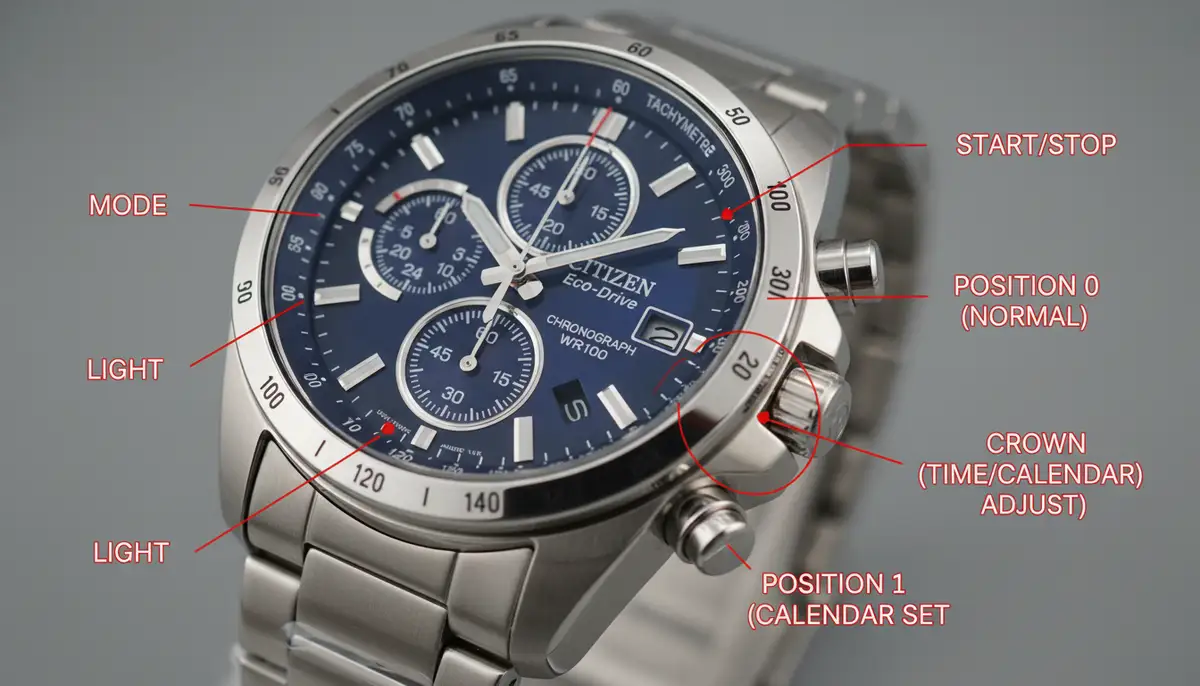
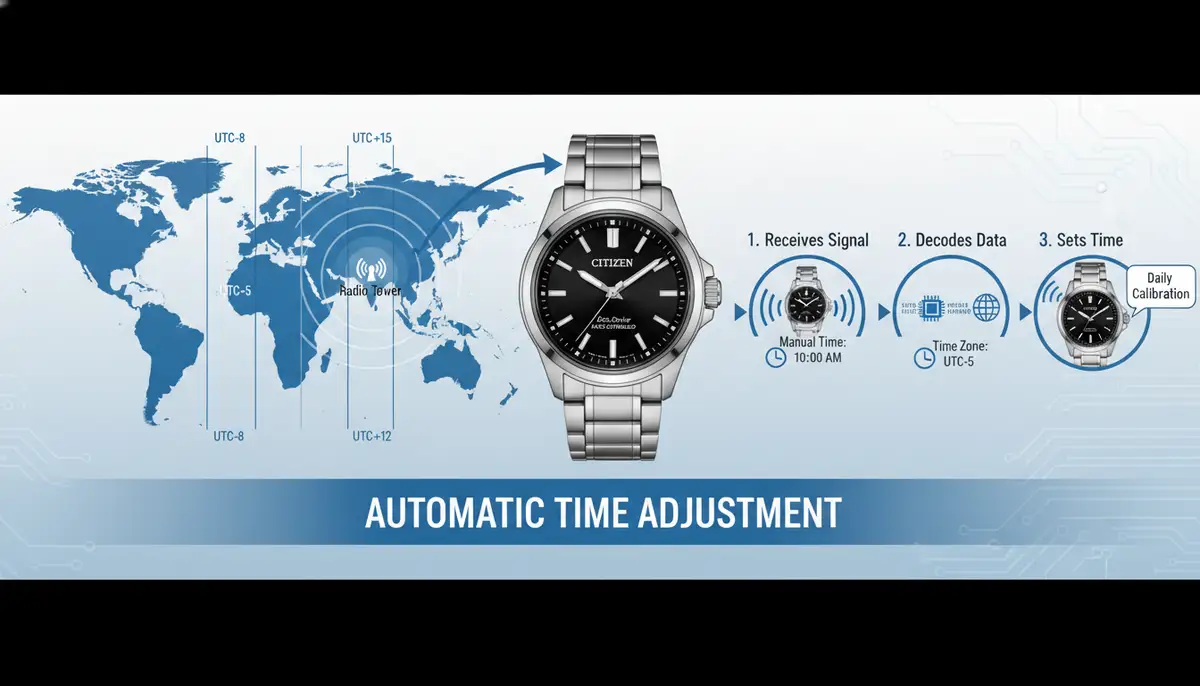
Radio-controlled Eco-Drive watches are designed for ultimate accuracy. They receive time signals from atomic clocks in various regions, automatically synchronizing the time and date. This feature significantly simplifies how to adjust time on Citizen Eco-Drive watch, as manual intervention is often minimal.
Automatic Synchronization and Manual Receive
Most radio-controlled models attempt to receive a time signal overnight. If successful, they will automatically update. However, if you are in an area with poor reception or have just traveled, you might need to initiate a manual receive. You can also manually set the home city or time zone.
- 1. Check Signal Reception: Many radio-controlled watches have a function to display the last successful reception or current signal strength. Check your manual for how to activate this.
- 2. Initiate Manual Receive: Typically, you press and hold a specific pusher (often at the 2 or 4 o'clock position) for a few seconds. The seconds hand might move to an 'RX' or 'OK' indicator. Place the watch near a window, away from electronic interference, and keep it still. The process can take several minutes.
- 3. Set Home City/Time Zone: If the automatic reception isn't working or you've moved to a new time zone, you'll need to manually select your 'home city'. Pull the crown out to the first or second click, then rotate it to cycle through city codes. Select the city code corresponding to your current time zone. The watch hands will then adjust to that zone's time.
- 4. Adjust Daylight Saving Time (DST): Some radio-controlled watches have an automatic DST function, while others require manual activation. Check your manual for the specific procedure to turn DST on or off.
- 5. Push Crown Back In: Once all settings are correct, push the crown back to its closed position.
Remember that radio signal reception can be affected by location, weather, and interference. If you struggle with reception, try moving to a different spot. This ensures the watch can properly adjust the time on your Citizen Eco-Drive watch.
How to Adjust Time on Citizen Eco-Drive Watch: Chronograph Models
Eco-Drive chronographs offer stopwatch functionality in addition to timekeeping. While the chronograph features are controlled by pushers, the primary time adjustment often follows similar principles to basic or perpetual calendar models. However, there's an extra step: zeroing the chronograph hands.
Setting Main Time and Zeroing Chronograph Hands
Before you can accurately adjust the time, ensure your chronograph hands are reset to their default (12 o'clock or zero) positions. This is a critical step for how to adjust time on Citizen Eco-Drive watch chronographs.
- 1. Reset Chronograph Hands: Pull the crown out to the second click (time setting position). Press the upper or lower pusher repeatedly until all chronograph hands (stopwatch seconds, minutes, and 24-hour sub-dial if present) point precisely to the 12 o'clock or zero mark. This is called 'zeroing' or 'home position correction'.
- 2. Adjust Main Time: Once the chronograph hands are zeroed, proceed to set the main time as you would with a basic Eco-Drive model. Rotate the crown to move the hour and minute hands to the correct time.
- 3. Push Crown Back In: After setting the time, push the crown back into its closed position to engage the movement and start the watch.
Some chronograph models might have more complex setting procedures, especially if they also incorporate perpetual calendar or world time functions. Always consult your specific model's instruction manual for the most accurate details. This will help you understand how to adjust time on Citizen Eco-Drive watch with a chronograph.
Troubleshooting Common Time Adjustment Issues
Even with careful attention, you might encounter issues when trying to adjust the time on your Citizen Eco-Drive watch. Don't worry, many common problems have simple solutions. Here are a few scenarios and what to do.
Watch Not Responding to Crown Adjustments
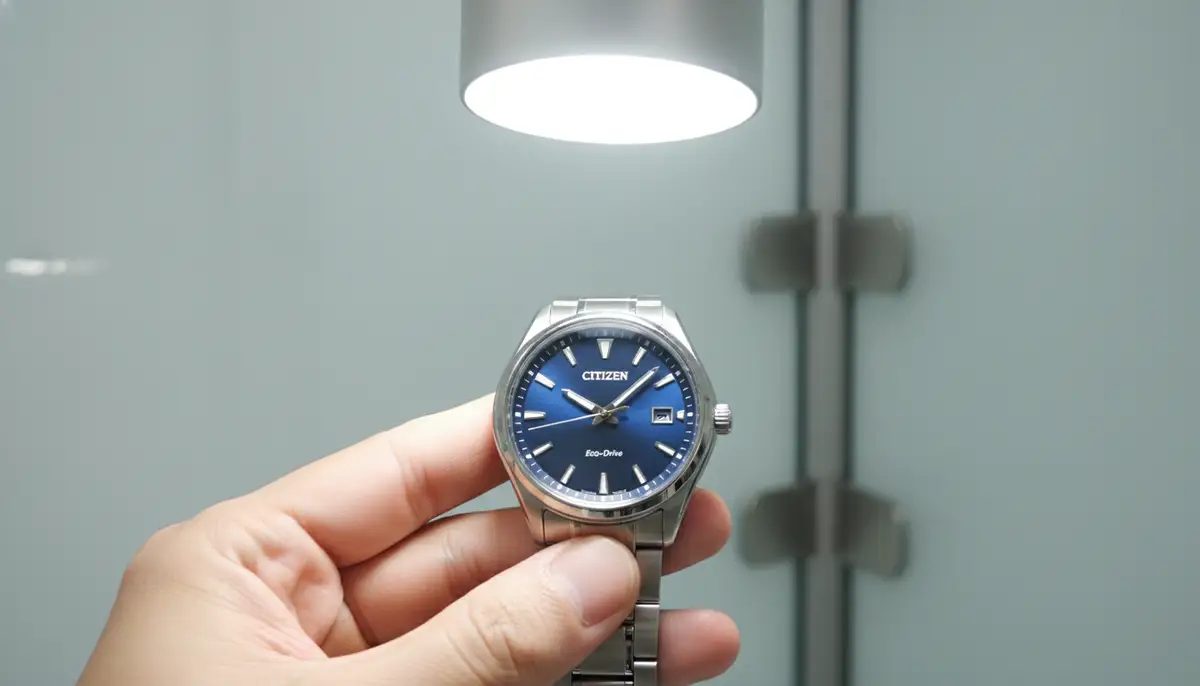
If the hands don't move when you rotate the crown, or the seconds hand doesn't stop, there could be a few reasons. First, ensure the crown is pulled out to the correct position. Sometimes, it needs a firm but gentle pull to reach the second click. Second, check the power reserve. If the watch is completely depleted, it might not respond until it receives sufficient light. Place it under a strong light source for several hours before trying again. Finally, consult your manual for any specific 'reset' procedures your model might require after a full power loss.
Incorrect Date After Setting Time
This often happens if you set the time without correctly identifying AM/PM. When setting the time, rotate the hands past 12 o'clock. If the date changes, you've crossed midnight. If it doesn't, you're still in the same day. Adjust accordingly to ensure the date rolls over at midnight, not noon. For perpetual calendar models, ensure the year and month settings are also correct. This is a common oversight when learning how to adjust time on Citizen Eco-Drive watch.
Radio-Controlled Watch Not Synchronizing
If your radio-controlled Eco-Drive isn't syncing, try moving to a different location, preferably near a window and away from electronic devices. Initiate a manual receive function as described in your manual. Ensure your 'home city' setting is correct for your current time zone. If issues persist, a full 'all reset' (a procedure to return the watch to factory defaults, found in your manual) might be necessary, followed by a manual time and date setting.
| Issue | Possible Cause | Solution |
|---|---|---|
| Hands don't move | Low power reserve, Crown not fully extended | Charge watch fully, Pull crown to second click firmly |
| Date is wrong at noon | AM/PM incorrectly set | Rotate hands past 12 o'clock to confirm date change |
| Radio sync fails | Poor signal, Incorrect home city | Move to window, Manual receive, Check home city setting |
Maintaining Your Eco-Drive for Optimal Performance
Proper maintenance ensures your Citizen Eco-Drive remains accurate and reliable. While knowing how to adjust time on Citizen Eco-Drive watch is important, preventative care reduces the need for frequent adjustments. These tips will help extend the life and accuracy of your timepiece.
- 1. Regular Light Exposure: The most important maintenance tip is to ensure your Eco-Drive receives regular light. Avoid storing it in dark places for extended periods. Even ambient room light is usually sufficient.
- 2. Keep it Clean: Wipe your watch regularly with a soft cloth to remove dirt and grime. For water-resistant models, a gentle rinse with fresh water after exposure to saltwater or chlorine is recommended.
- 3. Avoid Extreme Temperatures: Protect your watch from extreme heat or cold, which can affect its accuracy and components.
- 4. Service as Needed: While Eco-Drive watches are low maintenance, Citizen recommends periodic inspection every few years. This ensures seals are intact and the movement is functioning correctly.
Beyond Time Setting: Exploring Watch Faces and Customization
While your physical Citizen Eco-Drive watch offers unparalleled reliability and style, the world of digital timekeeping has also evolved significantly. For those who appreciate the versatility of smartwatches, customizing your digital watch face is a popular trend. Companies like WatchMaker offer a vast repository of thousands of watch faces for both Apple Watch and Wear OS devices. This allows you to personalize your digital timepiece to match any mood or outfit.
If you're looking to enhance your smartwatch experience, you might want to download watch faces. Our platform provides a diverse collection, catering to all tastes. You can even share watch faces, becoming part of a vibrant community of watch enthusiasts. This blend of traditional watchmaking and modern digital customization truly offers the best of both worlds. For inspiration, check out some of the best faces for Apple Watch.
The digital watch face market is dynamic, with many innovative solutions available. Besides WatchMaker, you'll find other excellent platforms like watchfacely.com, amoledwatchfaces.com, and buddywatch.app, all contributing to the rich ecosystem of smartwatch personalization. These platforms offer a wide array of options, from minimalist designs to intricate, data-rich displays. It's a fantastic way to express your style digitally, much like your physical Eco-Drive expresses your appreciation for classic horology.
Conclusion: Mastering How to Adjust Time on Citizen Eco-Drive Watch
Mastering how to adjust time on Citizen Eco-Drive watch models is a skill that empowers you to keep your timepiece perfectly accurate. From basic three-handers to advanced perpetual calendar and radio-controlled chronographs, each model has a specific procedure. Always remember to identify your caliber number, consult your instruction manual (like those found on How to Set Citizen Eco-Drive Watch), and approach the task with patience.
Your Citizen Eco-Drive is built to last and provide years of reliable service. By understanding its functions and knowing how to adjust time on Citizen Eco-Drive watch, you ensure it remains a dependable companion. Keep it charged, keep it clean, and keep it accurate. Enjoy the precision and convenience your Eco-Drive brings to your daily life.
Related Posts

The Watch Face Mistake Almost Every New Garmin Owner Makes
There's a predictable arc to owning a new Garmin. Day one, you install a watch face that shows everything: heart rate, steps, battery, weather, two time zones,...

The Ultimate Apple Watch Strap Guide: Find Your Perfect Fit & Style in 2025
Introduction: Your Essential Apple Watch Strap Guide for 2025 Your Apple Watch is more than just a gadget. It's a personal statement, a fitness tracker, and a...