

 Pokemon Card Scanner
 Live Wallpapers Unlimited




Discover the Best WatchMaker Watch Faces for Your Smartwatch in 2025
Unlock Your Smartwatch's Potential: The Best WatchMaker Watch Faces of 2025
Your smartwatch is more than just a gadget. It is a personal statement. In 2025, the way you customize it speaks volumes about your style. This is where the best WatchMaker watch faces come into play. WatchMaker offers an incredible universe of designs. You can transform your wrist into a canvas of endless possibilities. Whether you own an Apple Watch or a Wear OS device, WatchMaker provides unparalleled customization. It lets you create a truly unique experience. We will explore what makes these watch faces so special. We will also guide you through finding and using the perfect ones.
What Exactly Are WatchMaker Watch Faces?
WatchMaker is a leading platform for smartwatch customization. It allows users to browse, download, and create watch faces. These aren't just static images. WatchMaker watch faces are dynamic, interactive, and often packed with useful information. Think of them as mini-apps for your wrist. They display time, date, weather, battery life, and even fitness data. The beauty lies in the sheer variety and depth of customization available. You can change everything from the font to the background image. You can even add interactive elements. This level of control makes WatchMaker stand out.
The platform boasts a massive library. It features designs from professional creators and enthusiastic hobbyists alike. This means you will always find something new. You can find options that perfectly match your mood or outfit. Many users consider WatchMaker the go-to source for the best watchmaker watch faces. It offers a solution for every taste. The community aspect is also strong. Users share their creations and tips. This fosters a vibrant ecosystem of innovation and design.
Why WatchMaker Leads the Pack for Smartwatch Personalization
WatchMaker has earned its reputation for several key reasons. First, it offers an enormous selection. You can explore over 140,000 watch faces. This includes options from top brands and independent creators. This vast collection is available whether you're after free or premium designs. You can read more about this extensive library on the Google Play Store listing for WatchMaker.
- Unrivaled Variety: From sleek minimalist to data-rich dashboards, there's a face for everyone.
- Deep Customization: Change colors, fonts, backgrounds, and add custom complications.
- Cross-Platform Compatibility: Supports both Wear OS and Apple Watch devices.
- Active Community: Share your designs and discover new ones from other users.
- Regular Updates: New features and watch faces are constantly added.
Second, the customization tools are powerful yet user-friendly. You don't need to be a coding expert to create stunning watch faces. The intuitive editor lets you drag and drop elements. You can tweak every detail to perfection. This empowers you to truly make your smartwatch your own. It's not just about downloading. It's about creation. This creative freedom sets WatchMaker apart from many other platforms. It truly provides the best watchmaker watch faces experience.
Key Features to Look for in the Best WatchMaker Watch Faces
When searching for the best WatchMaker watch faces, consider what truly matters to you. Not all watch faces are created equal. Some prioritize aesthetics, while others focus on functionality. Here are the crucial features to evaluate:
Functionality and Complications
Complications are small widgets on your watch face. They display useful information at a glance. Think of them as quick shortcuts to data. The best watchmaker watch faces offer a wide range of complications. These can include:
- Date and Day: Always know the current calendar information.
- Weather Forecast: Get real-time temperature and conditions.
- Battery Level: Monitor your watch and phone battery.
- Step Counter: Track your daily activity goals.
- Heart Rate: Keep an eye on your fitness metrics.
- World Clock: Perfect for travelers or those with international connections.
- App Shortcuts: Launch your favorite apps directly from the watch face.
Choose faces that provide the information you need most often. A busy watch face might look cool, but it can be overwhelming. Find a balance between style and utility. This ensures your smartwatch remains a helpful tool, not just a fashion accessory.
Aesthetics and Design
This is often the first thing people notice. The visual appeal of a watch face is paramount. WatchMaker offers an incredible array of styles. You can find anything from ultra-modern digital displays to classic analog designs. Consider your personal style. Do you prefer bold colors or subtle tones? Do you like intricate details or clean lines? The best watchmaker watch faces should reflect your personality. They should also complement your wardrobe. Remember, your watch is an extension of you.
Battery Efficiency
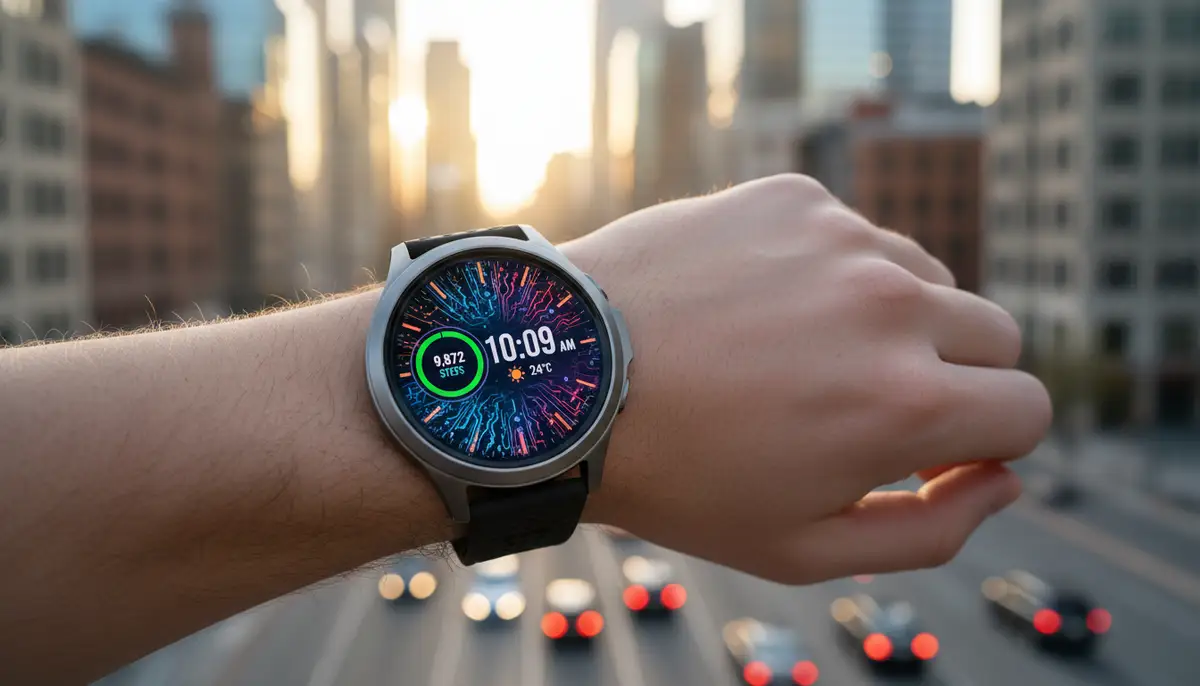
A beautiful watch face is useless if it drains your battery in a few hours. Some designs use more power than others. Watch faces with constant animations, bright colors, or frequent data updates can be battery hogs. Look for faces optimized for battery life. Many WatchMaker creators highlight this in their descriptions. Darker watch faces, especially on AMOLED screens, tend to be more efficient. This is a crucial consideration for daily use.
Responsiveness and Performance
A good watch face should feel smooth and responsive. There should be no lag when you interact with it. Transitions should be fluid. Data updates should be timely. Test out a few different faces. See how they perform on your specific smartwatch model. Some complex faces might strain older hardware. The best watchmaker watch faces offer a seamless user experience. This means they look good and work flawlessly.
Navigating the WatchMaker Universe: Finding Your Perfect Face
With thousands of options, finding the best WatchMaker watch faces can feel overwhelming. However, WatchMaker provides excellent tools to help you narrow down your choices. You can browse the largest collection of watch faces for your smartwatch. Visit getwatchmaker.com to start your exploration. Here’s how to effectively search for your next favorite watch face:
Using the WatchMaker App
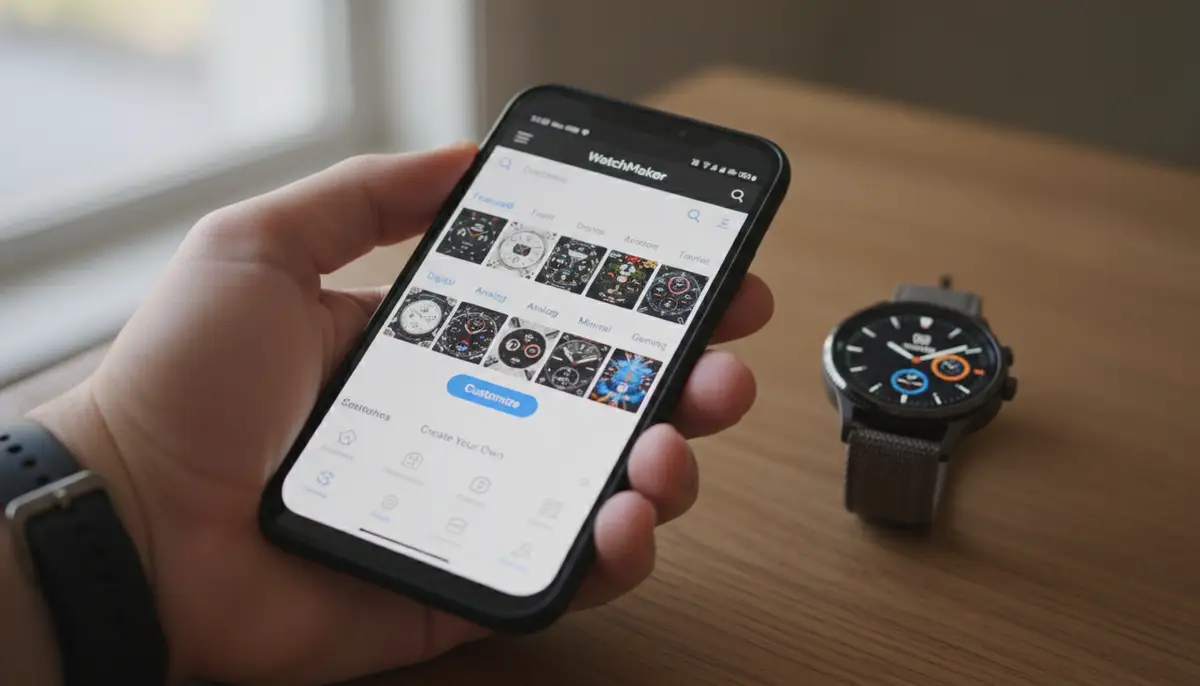
The WatchMaker app is your primary portal. It offers robust search and filtering capabilities. You can search by keywords like 'minimalist', 'fitness', 'digital', or 'analog'. Filters allow you to sort by popularity, newness, or creator. You can also filter by free or premium options. Take your time browsing. Save faces you like to a 'favorites' list. This makes it easier to compare them later. The app is designed to make discovery simple and enjoyable.
Exploring Community Creations
WatchMaker thrives on its community. Many users create and share their own unique designs. These often push the boundaries of creativity. Look for 'community picks' or 'top rated' sections. You might discover hidden gems here. Some of the best watchmaker watch faces come from these talented independent designers. Engaging with the community can also provide inspiration for your own creations.
Premium vs. Free Watch Faces
WatchMaker offers both free and premium watch faces. Free faces are an excellent way to get started. They provide a taste of what the platform offers. Premium faces often come with more intricate designs. They might include advanced complications or exclusive features. They can also support the creators directly. Consider investing in a few premium faces. They can significantly enhance your smartwatch experience. Many users find the investment worthwhile for truly unique and high-quality designs. The best watchmaker watch faces are often a mix of both free and paid options.
Customization Deep Dive: Making Your Own Best WatchMaker Watch Faces
One of WatchMaker's most powerful features is its editor. It allows you to create your own watch faces from scratch. You can also modify existing ones. This means you are not limited to pre-made designs. You can truly craft the best watchmaker watch faces for your needs. Here’s a brief overview of what you can do:
- Layering Elements: Add text, images, shapes, and GIFs.
- Dynamic Scripts: Use Lua scripting for advanced animations and interactions.
- Custom Complications: Design your own data displays.
- Color Palettes: Choose from millions of colors or create gradients.
- Font Selection: Access a vast library of fonts to match your style.
- Interactive Hotspots: Assign actions to specific areas of your watch face.
Starting with a template is a great way to learn. Then, you can gradually experiment with more advanced features. The WatchMaker community forums offer tutorials and tips. You can quickly become proficient in creating professional-looking faces. This personal touch ensures your smartwatch is truly unique. It will reflect your individuality perfectly. This is the ultimate way to get the best watchmaker watch faces.
Top Picks for the Best WatchMaker Watch Faces in 2025
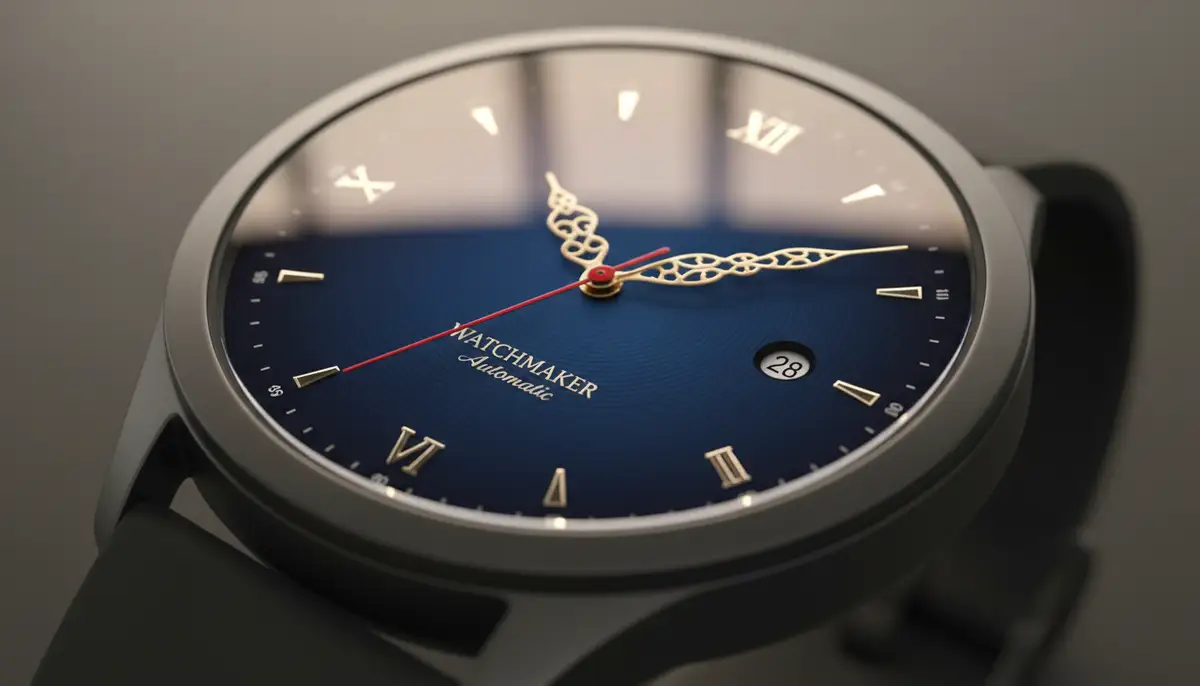
Based on trends, community feedback, and innovation, here are some categories and examples of the best WatchMaker watch faces you should explore in 2025:
1. The 'Data Dashboard' Faces
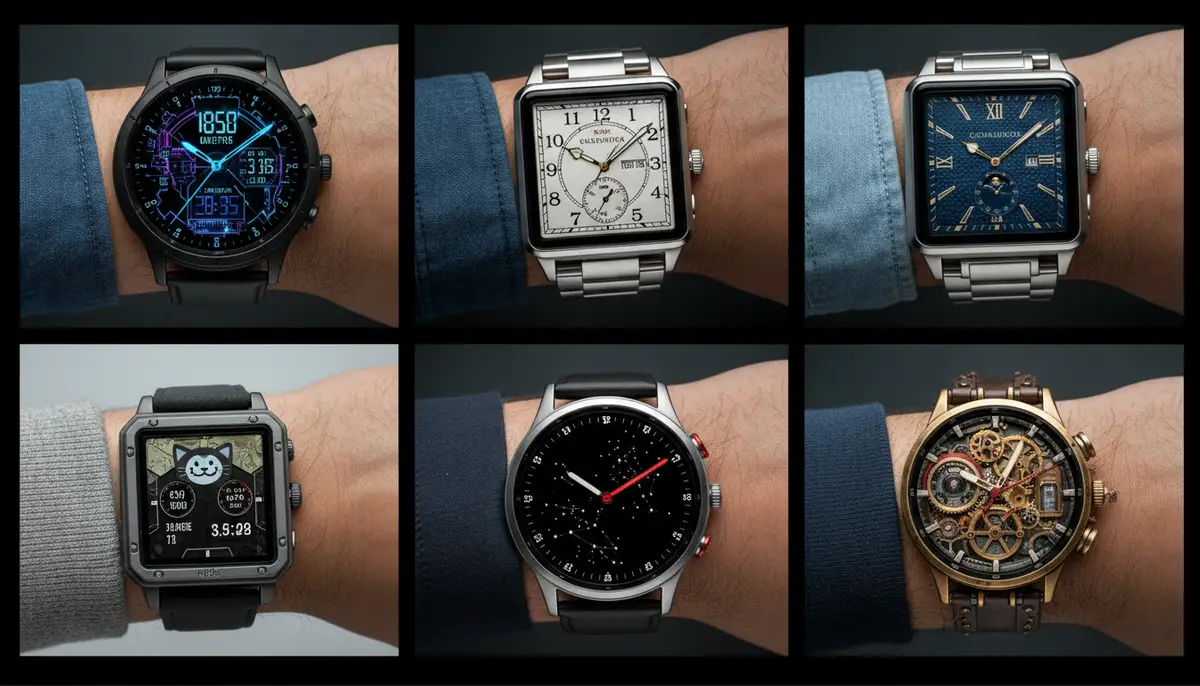
These faces are for the information-hungry user. They pack a lot of data into a clean, readable layout. Expect to see time, date, weather, steps, battery, and even upcoming calendar events. They often feature modular designs. This allows you to customize which complications appear. Many are inspired by digital cockpit displays. They offer a futuristic and highly functional look. These are among the best watchmaker watch faces for productivity.
2. The 'Minimalist Elegance' Faces
Sometimes less is more. Minimalist faces focus on clean lines, subtle colors, and essential information. They prioritize readability and aesthetic appeal. These are perfect for formal occasions or when you want a sophisticated look. They often feature analog hands or simple digital time. They avoid clutter. These designs are timeless. They are consistently among the best watchmaker watch faces year after year. They offer a refined touch.
3. The 'Retro-Inspired' Faces
Nostalgia is powerful. Retro-inspired faces mimic classic digital watches from the 80s and 90s. They also draw inspiration from vintage analog timepieces. Think pixelated fonts, segmented displays, or old-school chronograph layouts. These faces add a fun, unique flair to your wrist. They are a conversation starter. They blend old-school charm with modern smartwatch technology. Many consider these to be some of the best watchmaker watch faces for unique style.
4. The 'Dynamic & Animated' Faces
These faces come alive on your wrist. They feature subtle animations, changing backgrounds, or interactive elements. A dynamic weather face might show rain falling. A cosmic face might display stars twinkling. These add a layer of engagement that static faces cannot. They are visually captivating. However, remember to consider battery life with these more active designs. They are definitely among the most visually impressive of the best watchmaker watch faces.
Competitor Spotlight: How WatchMaker Stacks Up
While WatchMaker offers an unparalleled library of the best watchmaker watch faces, it's worth noting other players in the market. Companies like amoledwatchfaces.com, watchfacely.com, and buddywatch.app also provide excellent options. However, WatchMaker often stands out due to its sheer volume of content and its robust creation tools. Many alternative platforms focus on curated collections or specific aesthetic niches. WatchMaker, on the other hand, provides a comprehensive ecosystem where you can find almost anything or create it yourself. This vastness is why it's often considered the leading platform for the best watchmaker watch faces.
Optimizing for Battery Life: Tips for Your WatchMaker Faces
Even the best WatchMaker watch faces can impact your smartwatch's battery. Here are some actionable tips to ensure your watch lasts all day:
- Choose Darker Backgrounds: Especially on AMOLED screens, black pixels consume less power.
- Limit Animations: Excessive animations or scrolling text can drain battery quickly.
- Reduce Complication Updates: If a complication updates every second, it uses more power. Opt for less frequent updates where possible.
- Disable 'Always-On Display' (AOD) if not essential: AOD keeps your screen partially lit, using more power.
- Simplify Designs: Faces with fewer elements and simpler graphics generally consume less power.
- Use WatchMaker's 'Dim Mode' Settings: Configure what your watch face displays when not actively viewed to save power.
By implementing these strategies, you can enjoy stunning WatchMaker watch faces without constantly worrying about your battery. It's about smart choices. You can still have amazing looking best watchmaker watch faces and good battery life.
Installation Guide: Getting Your Best WatchMaker Watch Faces On Your Wrist
Installing WatchMaker watch faces is straightforward. The process varies slightly depending on whether you have a Wear OS device or an Apple Watch. Here’s a general guide:
For Wear OS Devices (e.g., Samsung Galaxy Watch, Google Pixel Watch)
- Install WatchMaker App: Download the WatchMaker Watch Face app on both your smartphone and your Wear OS smartwatch from the Google Play Store.
- Sync Devices: Ensure your phone and watch are paired and connected.
- Browse and Select: Open the WatchMaker app on your phone. Browse the vast collection of best watchmaker watch faces. Select the one you want.
- Send to Watch: Tap the 'Set Watchface' button within the app. The face will then transfer to your smartwatch.
- Activate on Watch: On your smartwatch, long-press the current watch face, then swipe to find and select the WatchMaker face.
For more detailed insights into optimizing your Wear OS device, you might be interested in a comprehensive guide to best Galaxy Watch faces. This will help you get the most out of your device with WatchMaker.
For Apple Watch Devices
WatchMaker also supports Apple Watch. You can choose from over 150,000 watch faces, wallpapers, and complications for Apple Watch! WatchMaker is the #1 watch face platform in the world, with millions of users. You can read more about its Apple Watch offerings on the Apple App Store.
- Install WatchMaker App: Download the WatchMaker Watch Face app on your iPhone and Apple Watch from the Apple App Store.
- Select a Face: Open the WatchMaker app on your iPhone. Choose one of the best watchmaker watch faces.
- Customize (Optional): Make any desired customizations within the app.
- Add to Watch: Tap 'Add to Apple Watch'. The app will guide you through adding it as a new watch face option.
- Set as Current: On your Apple Watch, swipe to the new WatchMaker face to activate it.
If you're comparing smartwatches, an expert insights on Withings Watch vs Apple Watch can help you understand the differences and choose the best device for your needs. WatchMaker ensures you get the best watchmaker watch faces no matter your device.
Troubleshooting Common WatchMaker Watch Face Issues
Even with the best watchmaker watch faces, you might encounter minor issues. Here are quick fixes for common problems:
| Issue | Possible Cause | Solution |
|---|---|---|
| Watch face not syncing | Bluetooth connection issues, app permissions | Ensure Bluetooth is on. Check WatchMaker app permissions on your phone and watch. Restart both devices. |
| Battery drains quickly | Complex animations, bright colors, frequent updates | Choose a simpler, darker watch face. Reduce animation. Disable 'Always-On Display'. Adjust complication update frequency. |
| Watch face is blurry/low resolution | Image scaling issues, older watch models | Ensure the watch face is designed for your watch's resolution. Some older watches may not support very high-res faces. Try a different face. |
| Complications not updating | Permissions, background app refresh | Check that WatchMaker has permission to access relevant data (e.g., location for weather). Ensure background app refresh is enabled for WatchMaker. |
Most issues can be resolved with a quick check of settings or a restart. The WatchMaker community forums are also a great resource for specific problems. You can often find solutions there. This ensures you can always enjoy the best watchmaker watch faces.
The Future of Smartwatch Personalization with WatchMaker
The world of smartwatches is constantly evolving. WatchMaker is at the forefront of this innovation. We can expect even more advanced features in the coming years. Imagine watch faces that adapt dynamically to your environment. Think about faces that change based on your activity level or location. AI-powered customization could suggest the best watchmaker watch faces for you. It could even create them on the fly. Enhanced interactivity and deeper integration with smart home devices are also on the horizon. WatchMaker will continue to push these boundaries. It will ensure you always have access to the most cutting-edge personalization options. The platform is dedicated to providing the best watchmaker watch faces for all users.
The platform's commitment to both Wear OS and Apple Watch users means broad support. It ensures a wide array of options for everyone. As smartwatches become even more integral to our daily lives, the desire for personalization will only grow. WatchMaker is perfectly positioned to meet this demand. It offers an endless stream of creative and functional designs. This makes it the ultimate destination for the best watchmaker watch faces. The future is bright for smartwatch customization.
Conclusion: Your Smartwatch, Your Style, Powered by WatchMaker
In 2025, your smartwatch is a powerful extension of your personal style and productivity. The best WatchMaker watch faces empower you to fully express yourself. They also help you stay informed. From minimalist elegance to data-rich dashboards, the possibilities are limitless. WatchMaker's vast library and robust customization tools make it the ultimate platform. It helps you find or create the perfect look for your wrist. We hope this guide helps you navigate the exciting world of WatchMaker watch faces. You can now confidently choose designs that truly resonate with you.
Don't settle for generic. Embrace the power of personalization. Dive into the WatchMaker app today. Explore the incredible collection. Find your next favorite watch face. Transform your smartwatch into a device that truly reflects you. If you're an Apple Watch user, don't miss out on exploring the best faces for Apple Watch to elevate your style. Discover why WatchMaker is the leading choice for the best watchmaker watch faces.
Related Posts

The Watch Face Mistake Almost Every New Garmin Owner Makes
There's a predictable arc to owning a new Garmin. Day one, you install a watch face that shows everything: heart rate, steps, battery, weather, two time zones,...

The Ultimate Apple Watch Strap Guide: Find Your Perfect Fit & Style in 2025
Introduction: Your Essential Apple Watch Strap Guide for 2025 Your Apple Watch is more than just a gadget. It's a personal statement, a fitness tracker, and a...